

.svg)
.png)
How and When You Get Paid: Tothemoon Affiliate Payouts Explained
As a Tothemoon affiliate, you earn a crypto commission of up to 70% from the Spot and Futures trading activity of users who signed up through your affiliate link. Commissions are calculated automatically by the platform. You don’t need to submit reports or track trades manually.
When Your Earnings Are Updated
Affiliate earnings are updated every 24 hours. After a referral generates commission, the earnings first appear as pending. Once the pending period is completed, the funds move to available for payout. Only earnings marked as available can be withdrawn.
Add a Payment Method Before Requesting a Payout
Before you can receive any earnings, you need to add a payment method. This only needs to be done once.
How to Add a USDC Payment Method
- Log into your Tothemoon affiliate account and you will be taken to your affiliate dashboard.
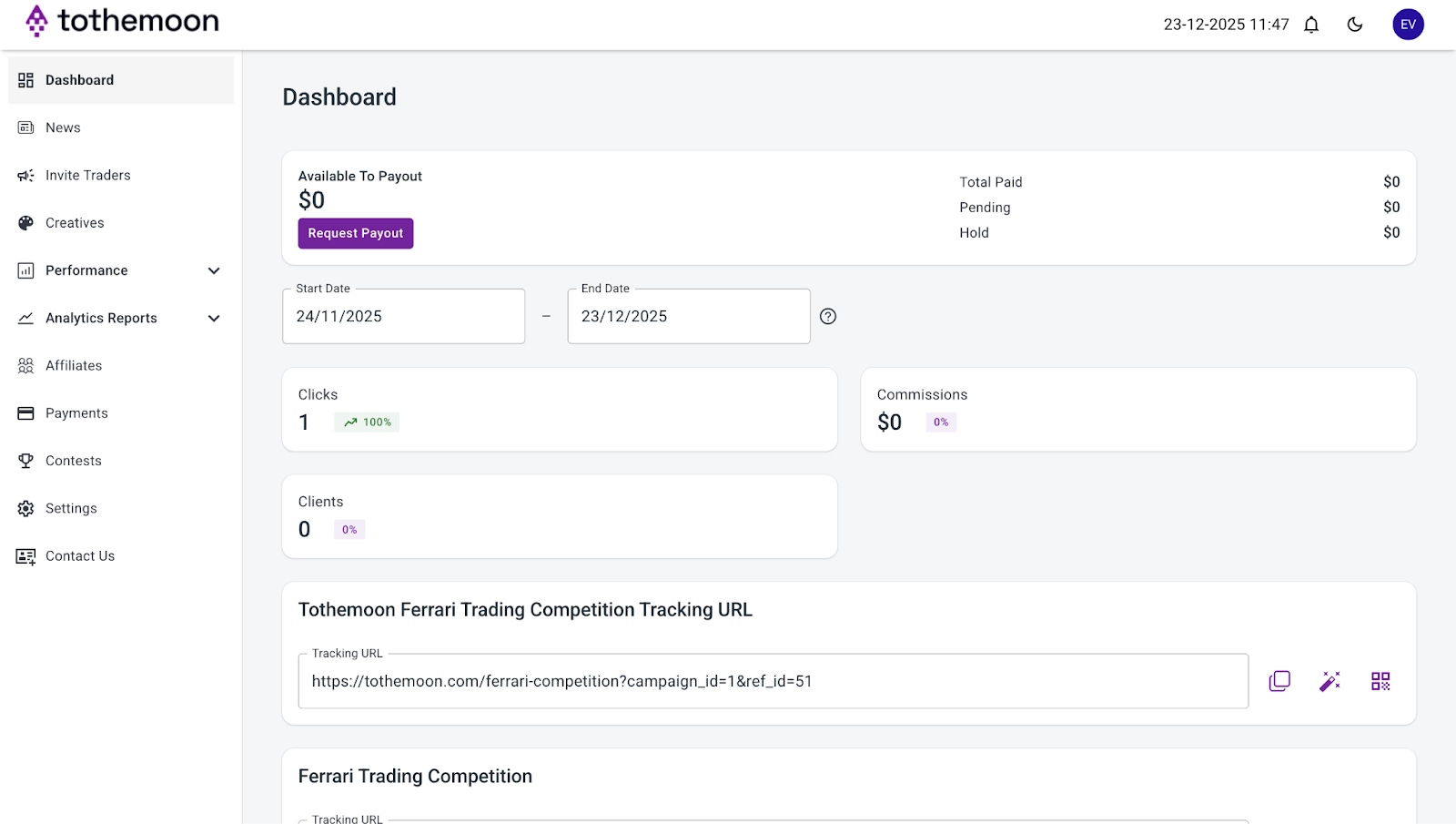
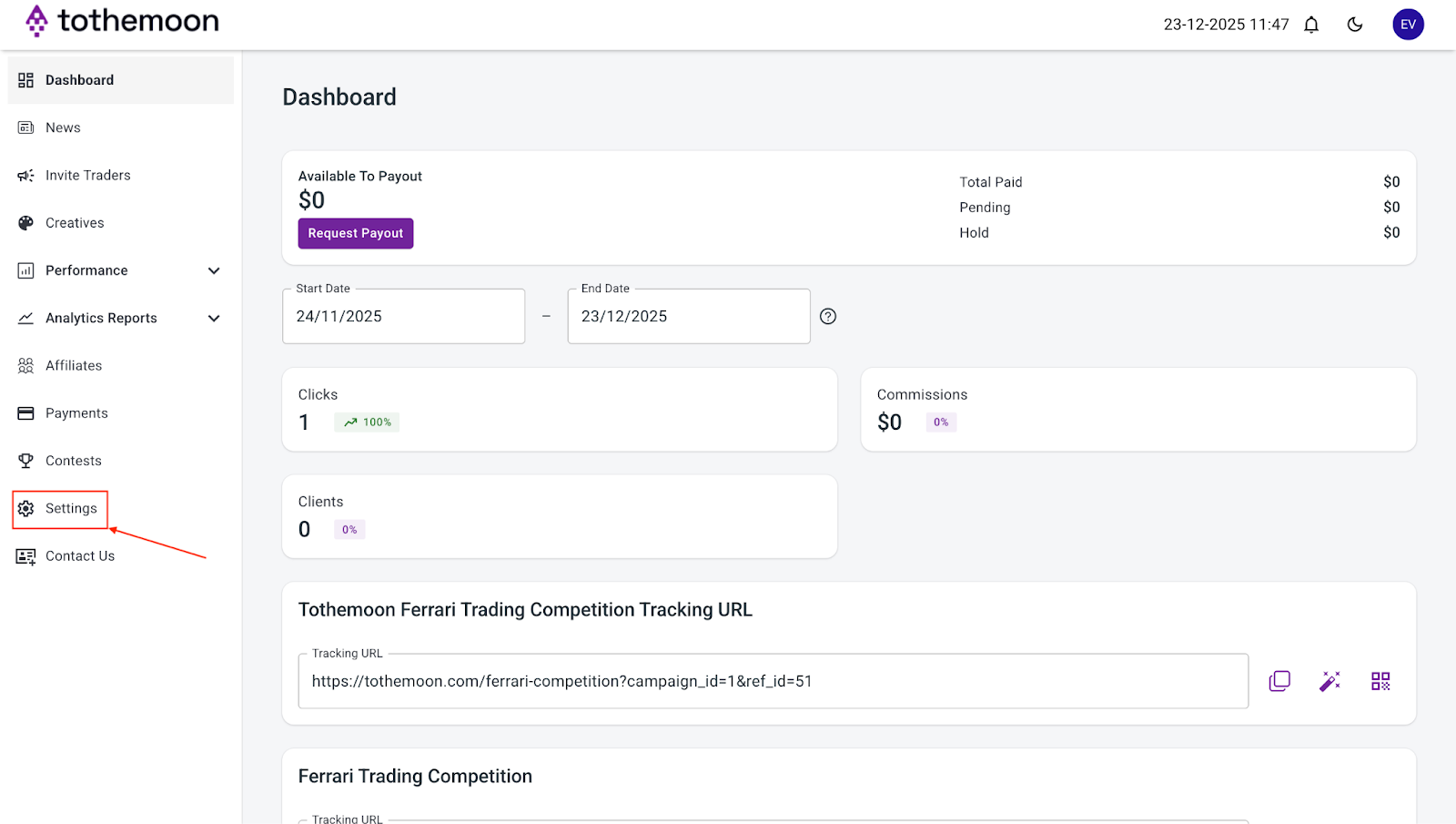
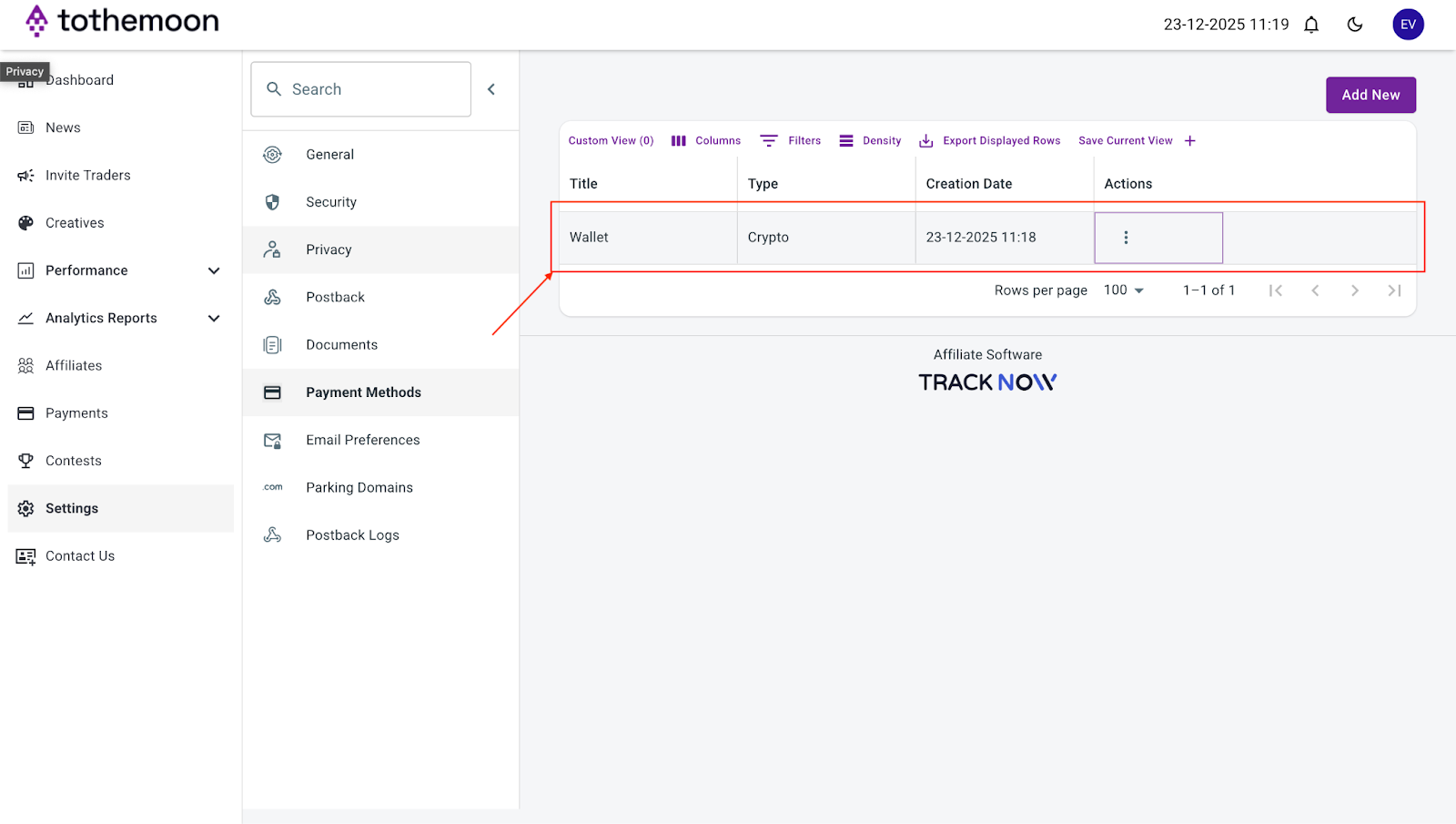
- Go to the “Settings” section on the left side of the dashboard.
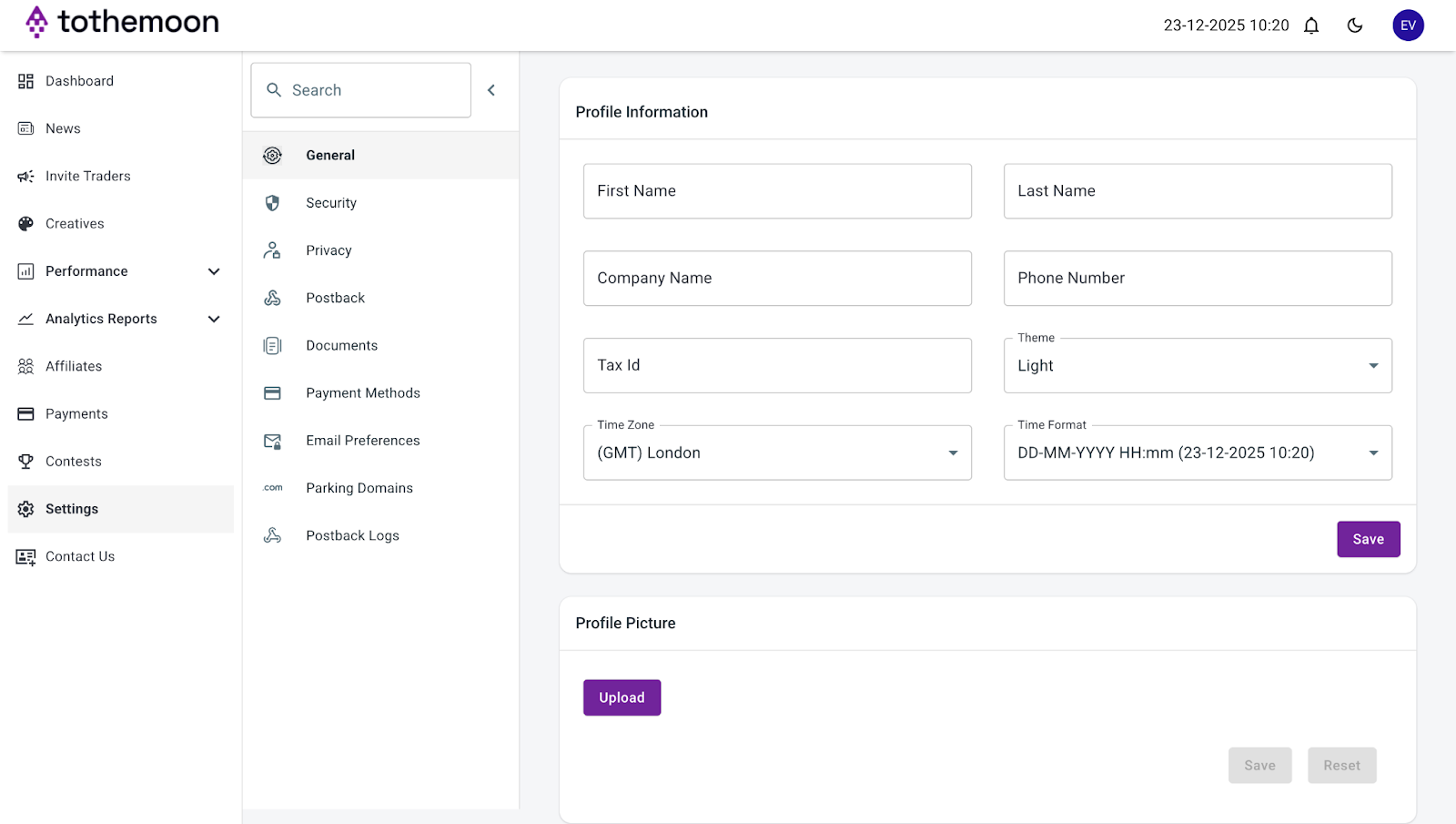
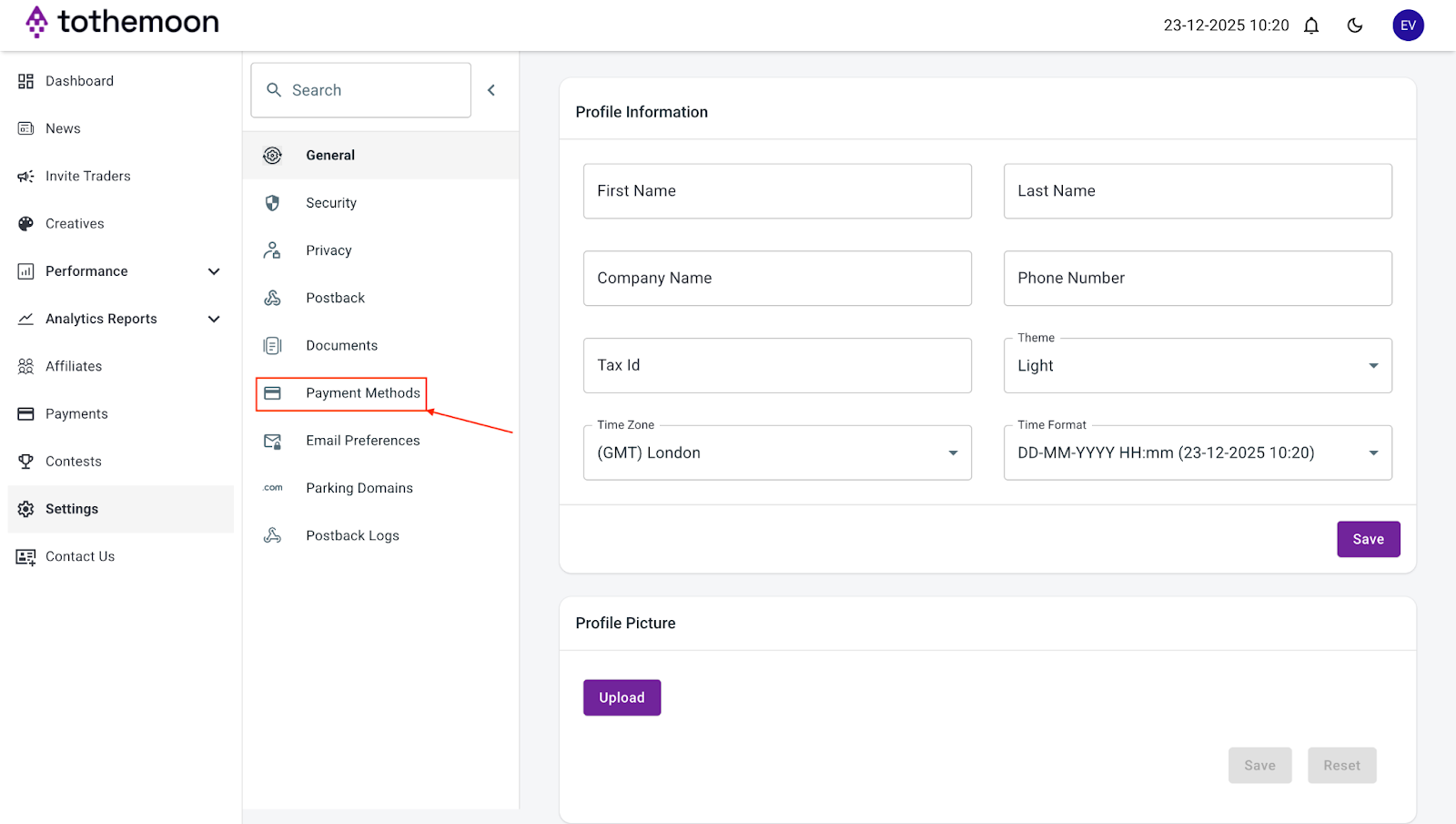
- Click “Payment Methods”.
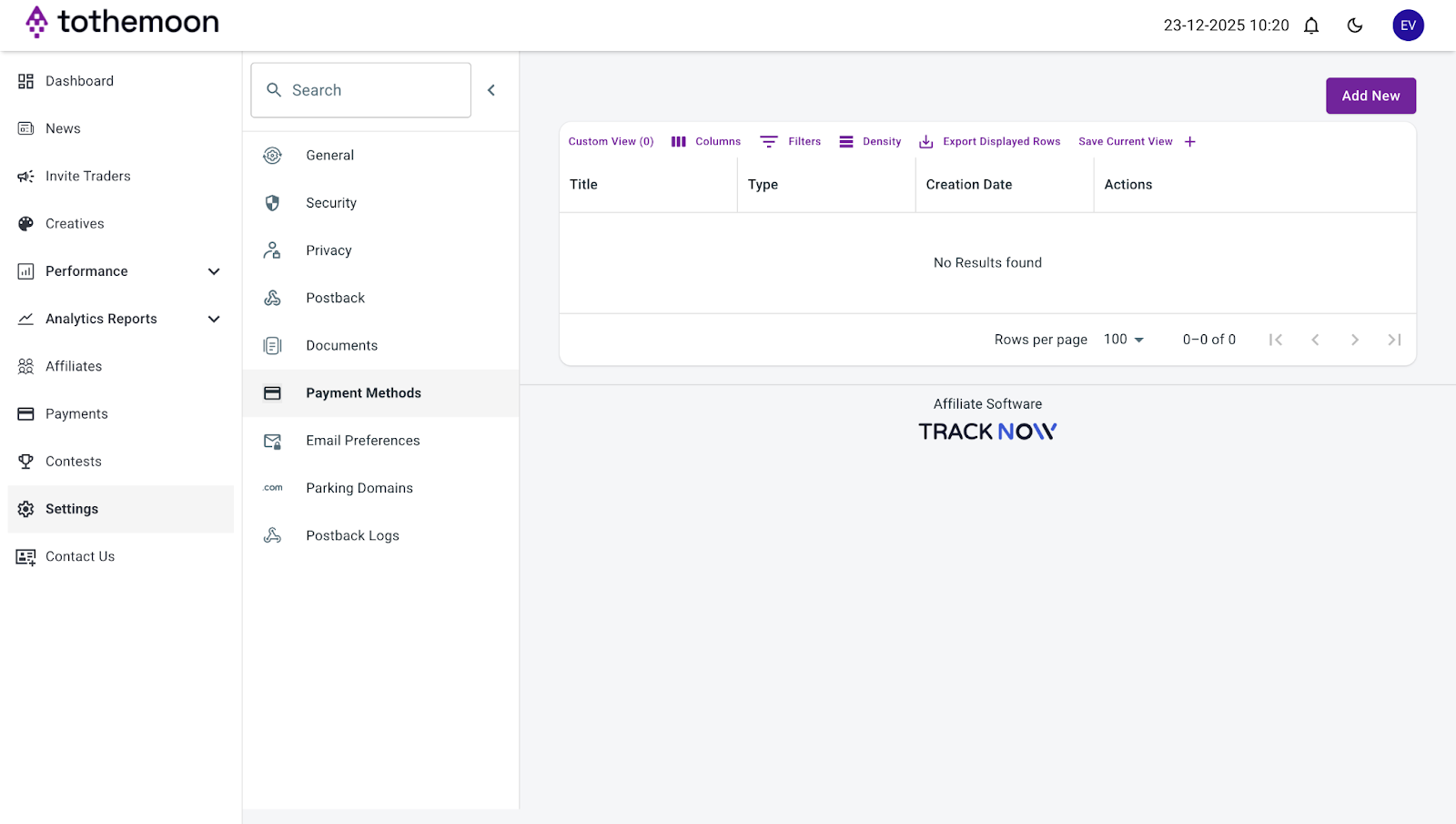
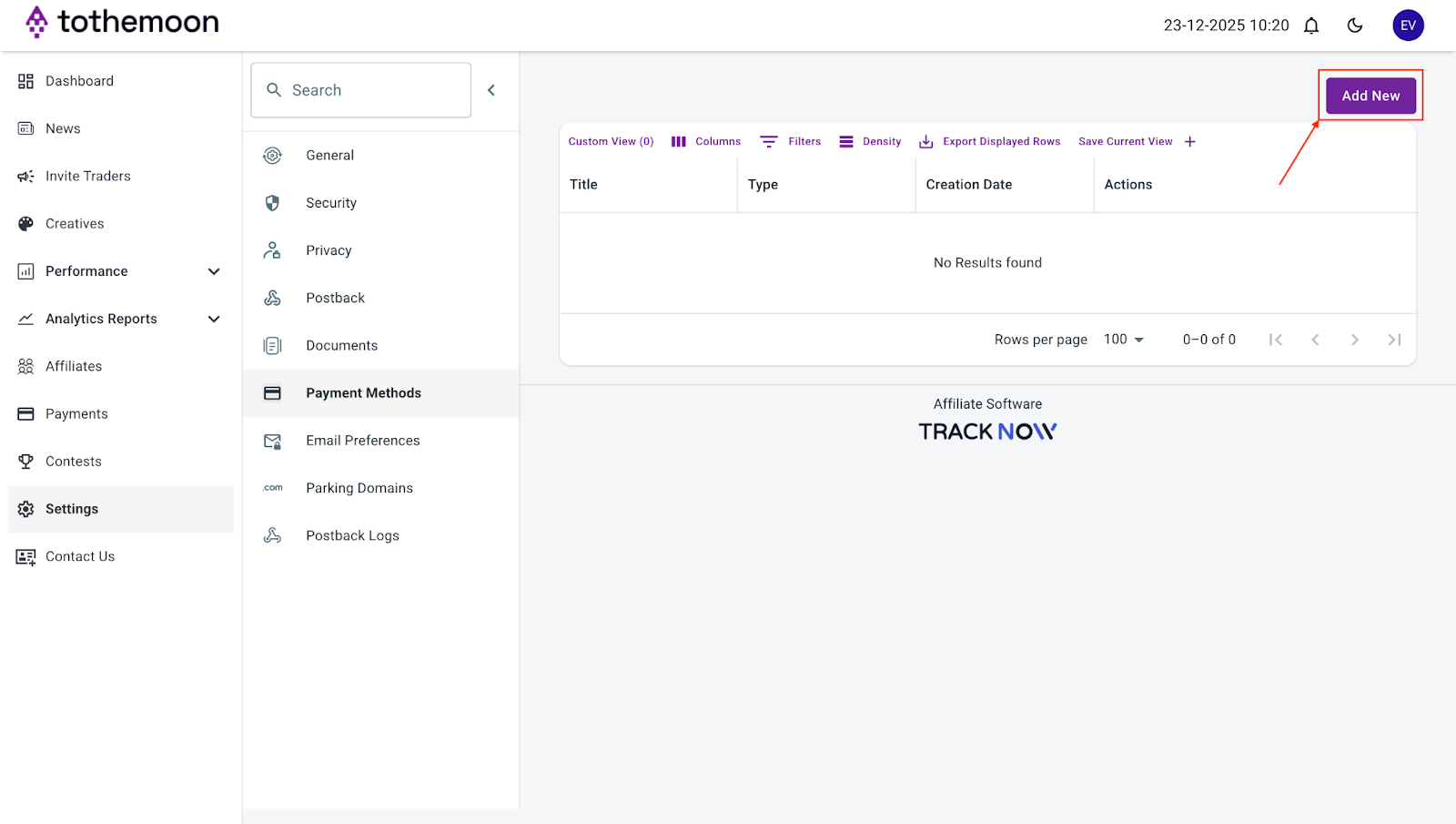
- Click “Add New”.
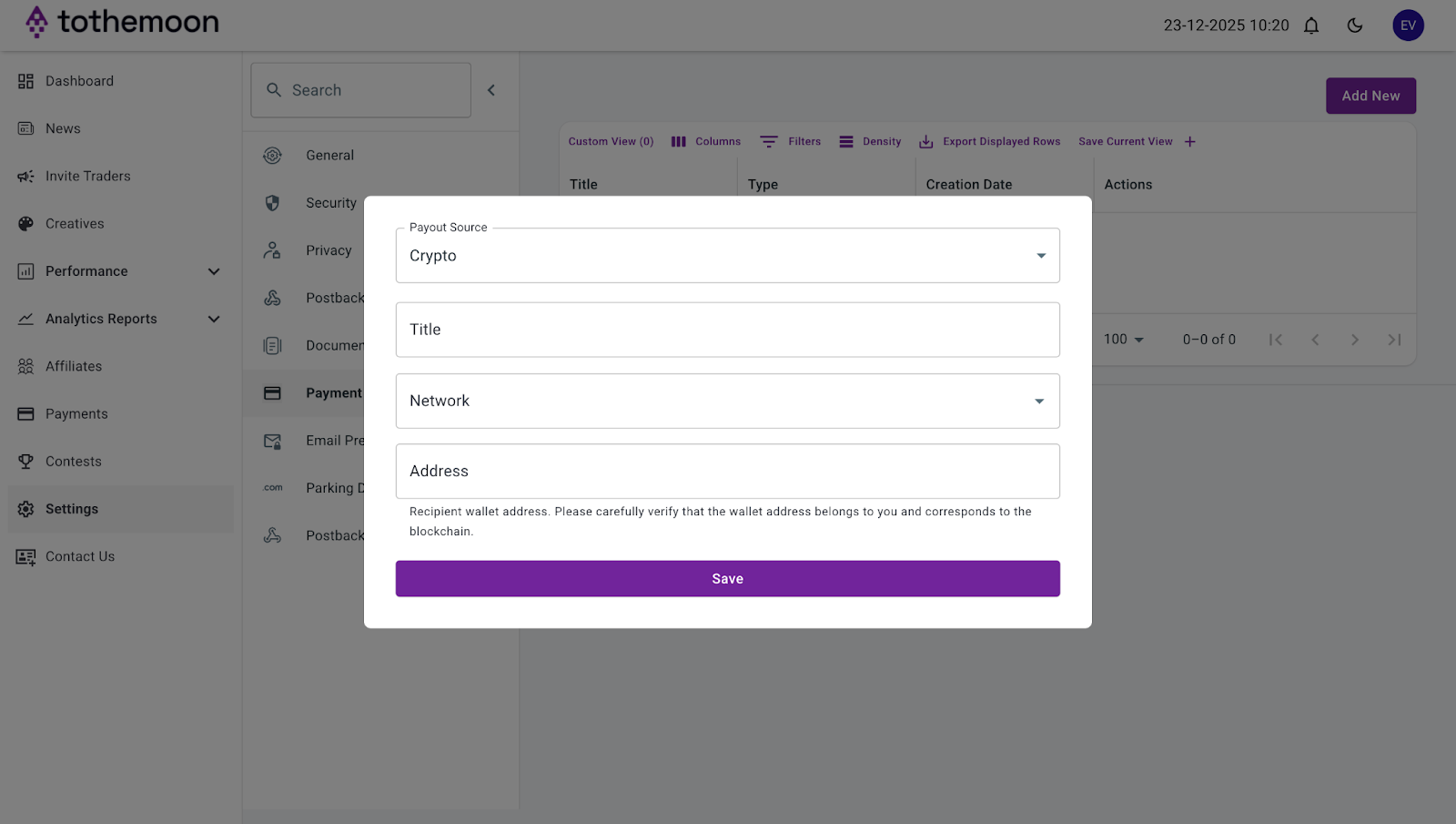
- Enter the following details:
- A title for your wallet (for example, “USDC Wallet”)
- Network
- Your USDC wallet address
- Click “Save”.
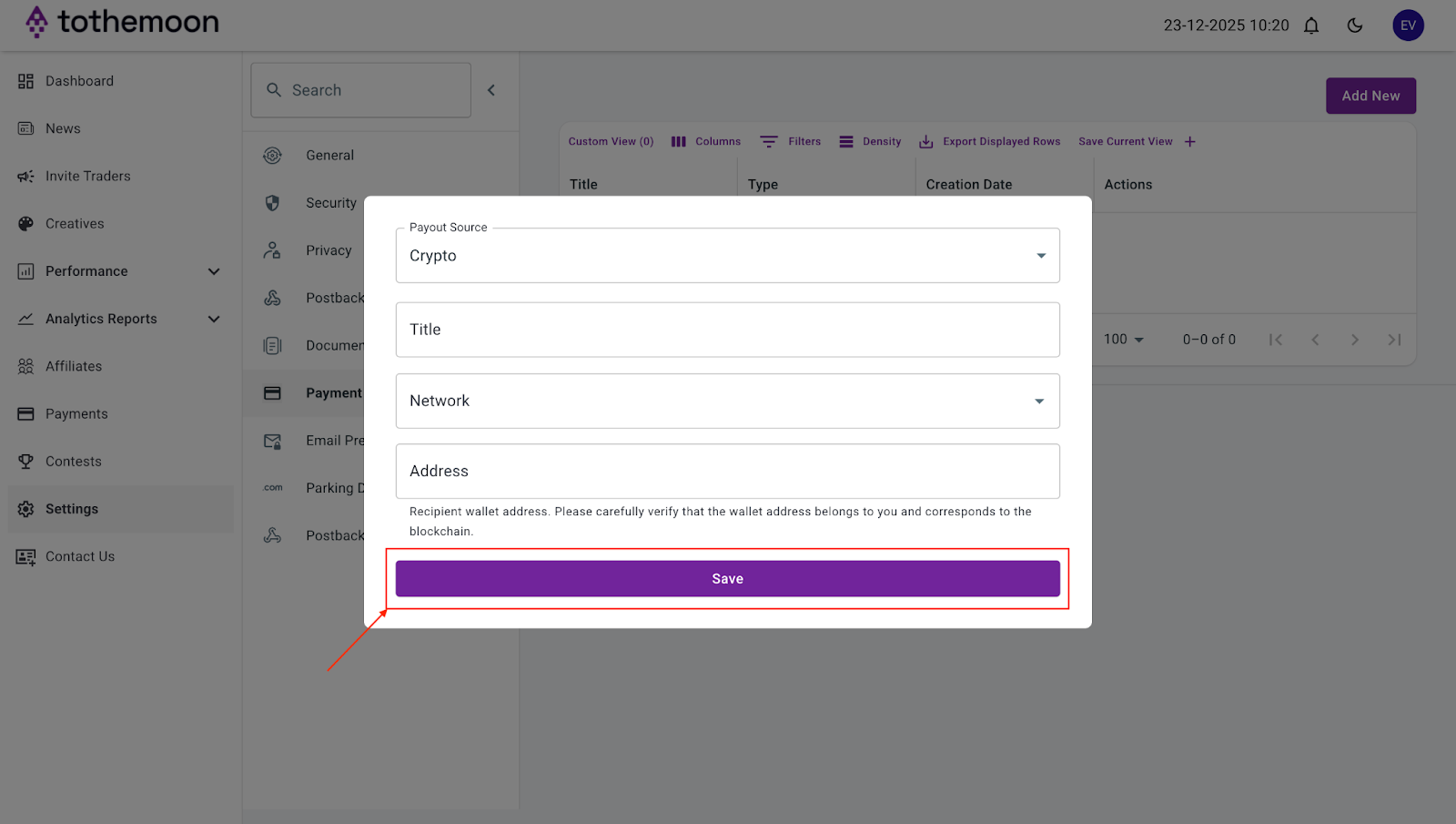
- Your payment method will now appear in your account and can be used for payouts.
Understanding Your Dashboard Balances
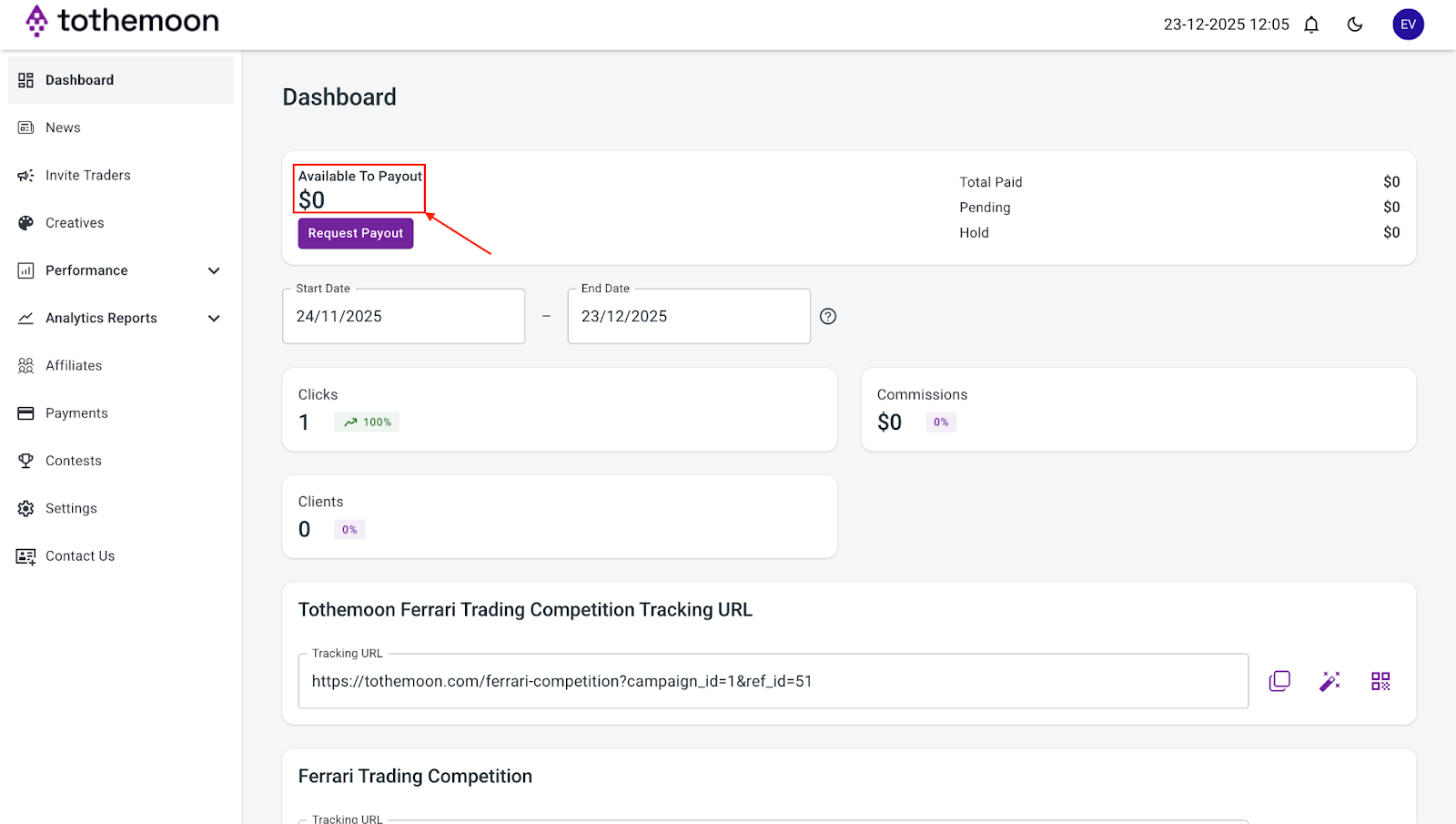
On the Dashboard page, you will see four balance types:
- “Available to Payout”: funds you can withdraw now
- “Pending”: earnings that are still being processed
- “Hold”: funds temporarily unavailable
- “Total Paid”: earnings already sent to you
These balances update automatically.

How to Request a Payout
Once you have funds available for payout:
- Go to the “Dashboard” section.
- Check that you have a balance under “Available to Payout”.
- Click “Request Payout”.
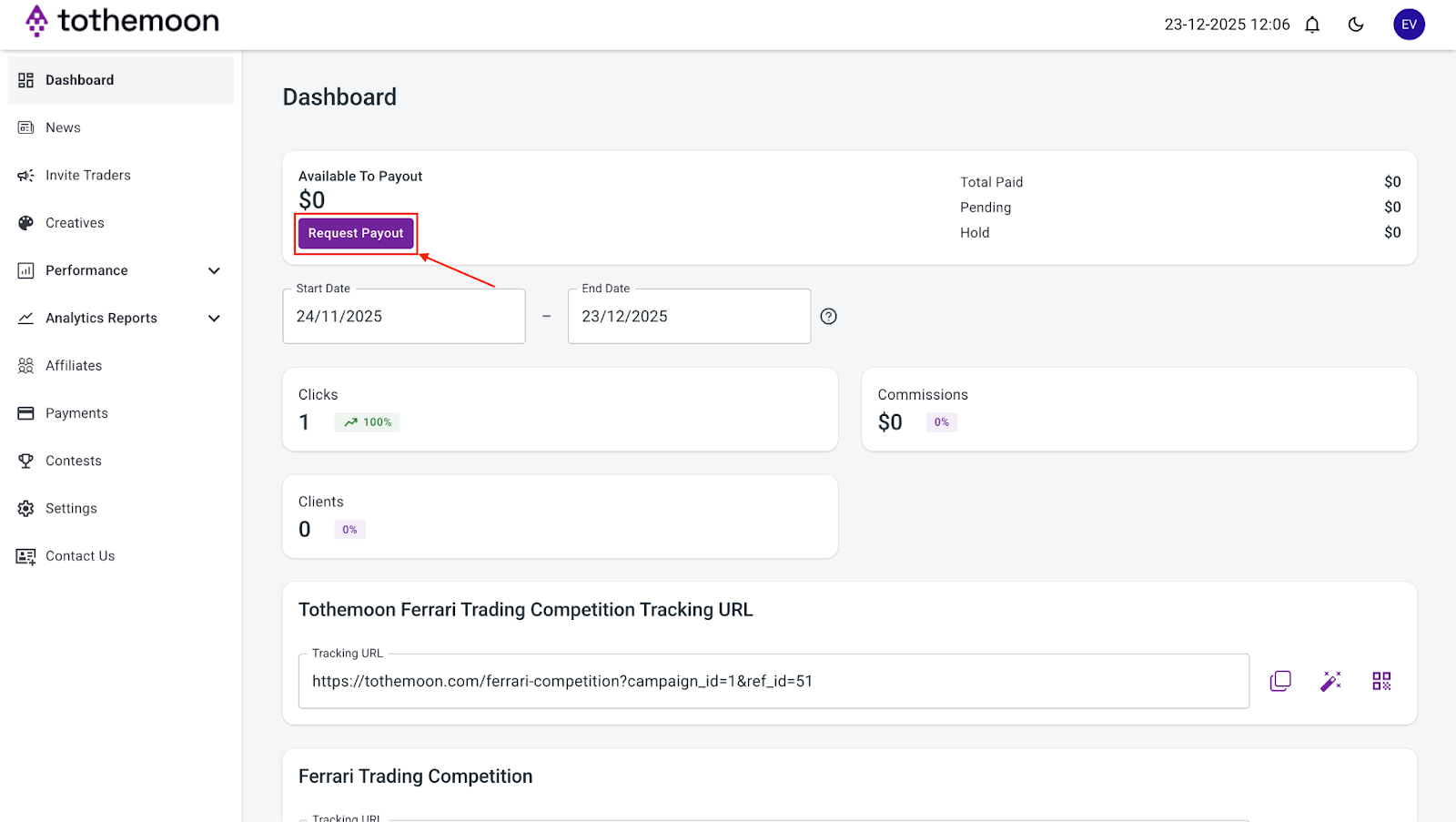
- After submitting the request, your earnings will be sent to your selected USDC wallet in 2 business days.

Risk Disclosure Statement
.jpeg)


.svg)
.svg)
.svg)
%20(1).png)
.png)
.png)
.png)