

.svg)
.png)
How to Withdraw Funds: Step-by-Step Guide
Before you can withdraw funds from Tothemoon, you must enable Two-Factor Authentication (2FA). This adds an extra layer of security and is required for both fiat and crypto withdrawals.
This guide explains how to enable 2FA and how to withdraw funds step by step.
Step 1: Enable Two-Factor Authentication
Open Your Security Settings
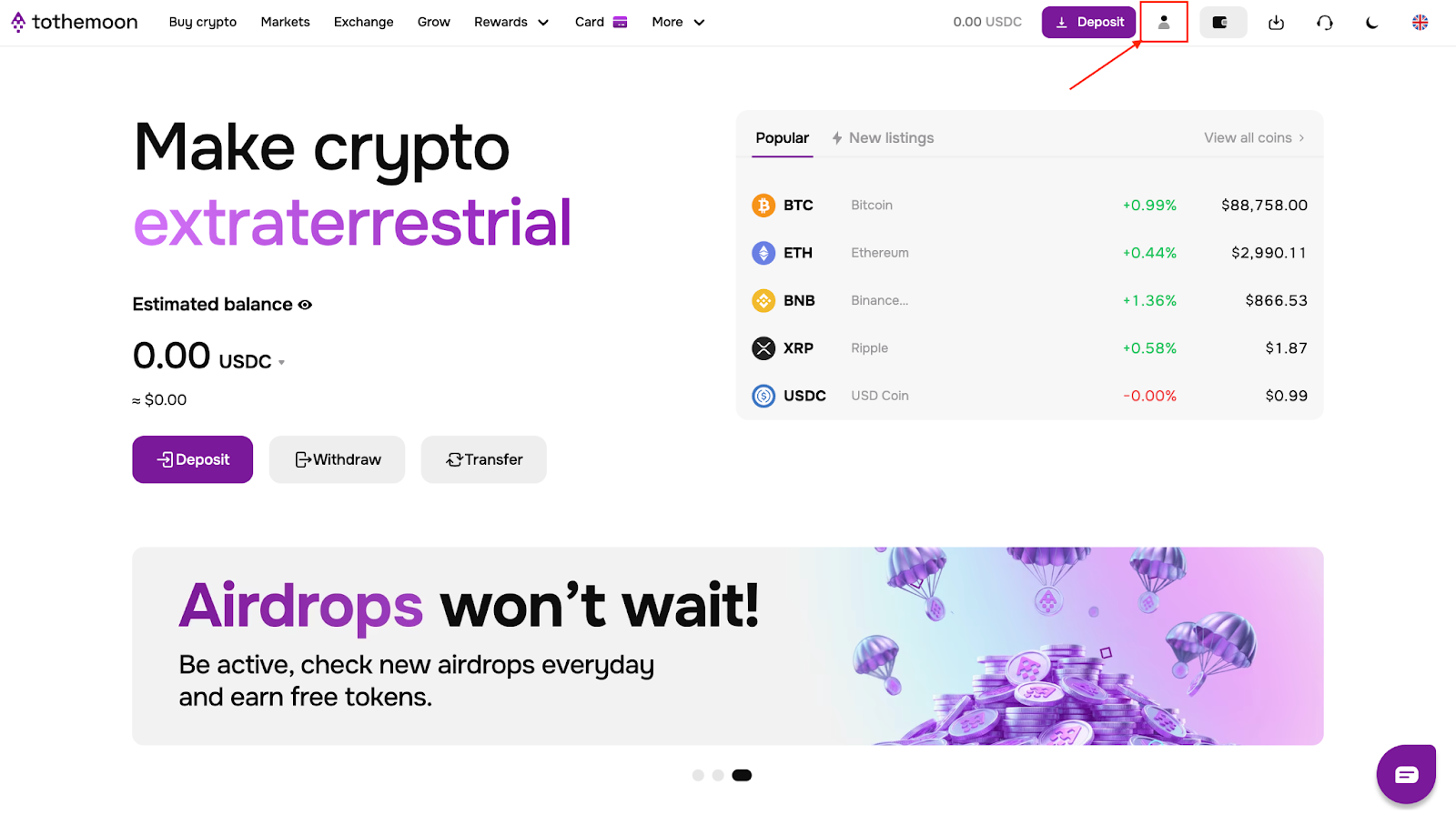
Once logged in click the account icon in the top-right corner.
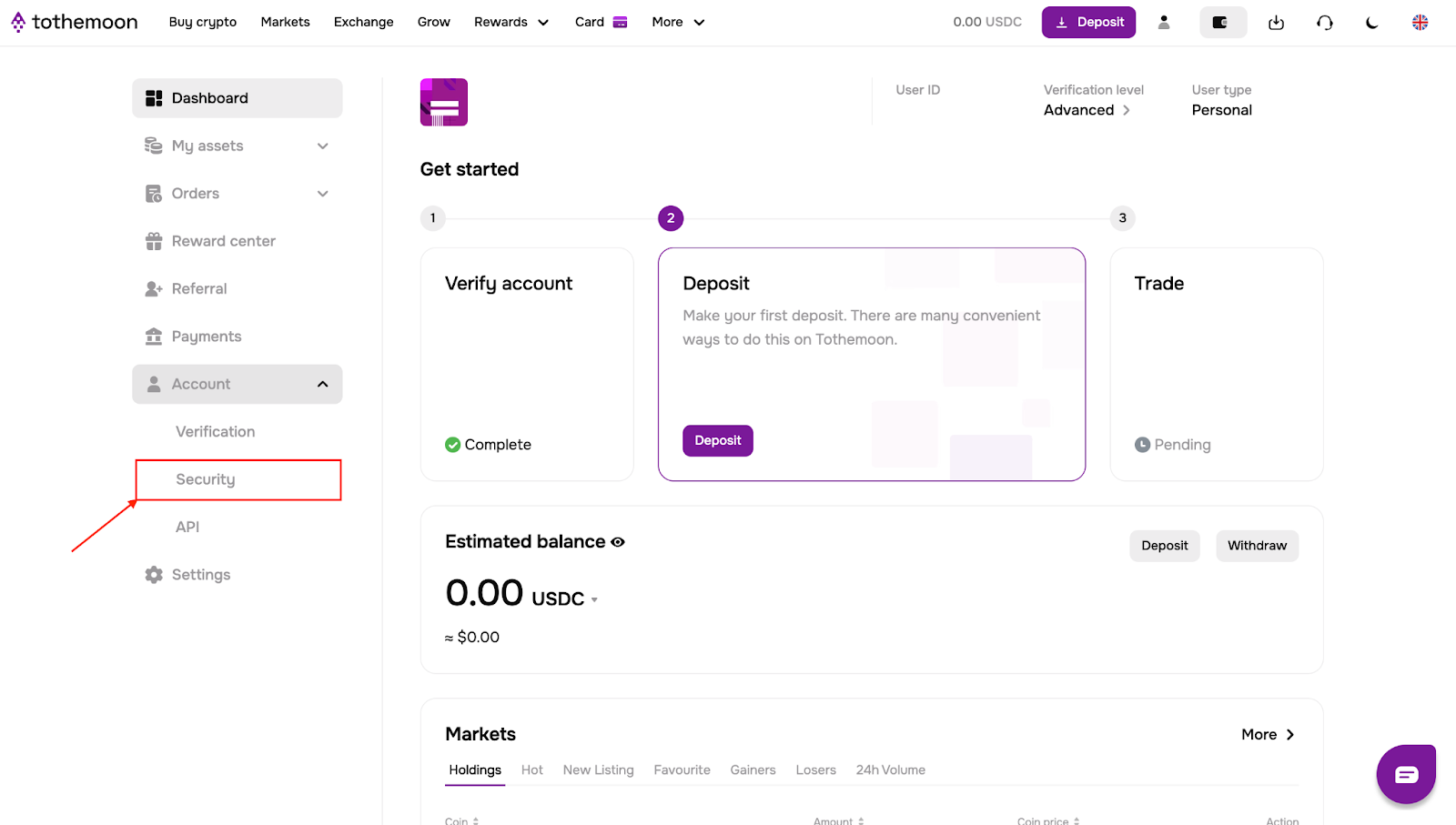
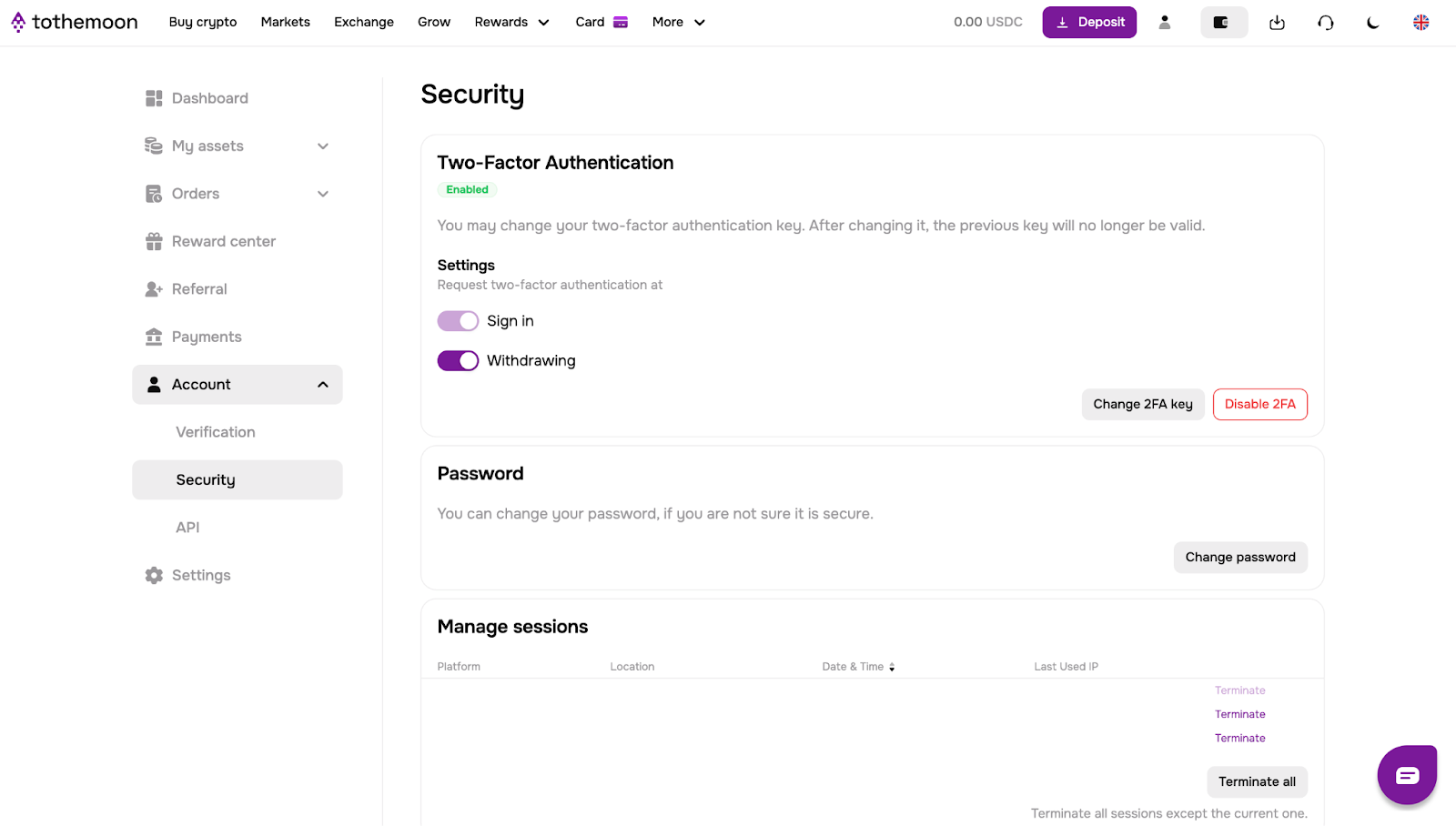
You will be taken to your dashboard, open the account dropdown menu on the left side and go to “Security”.
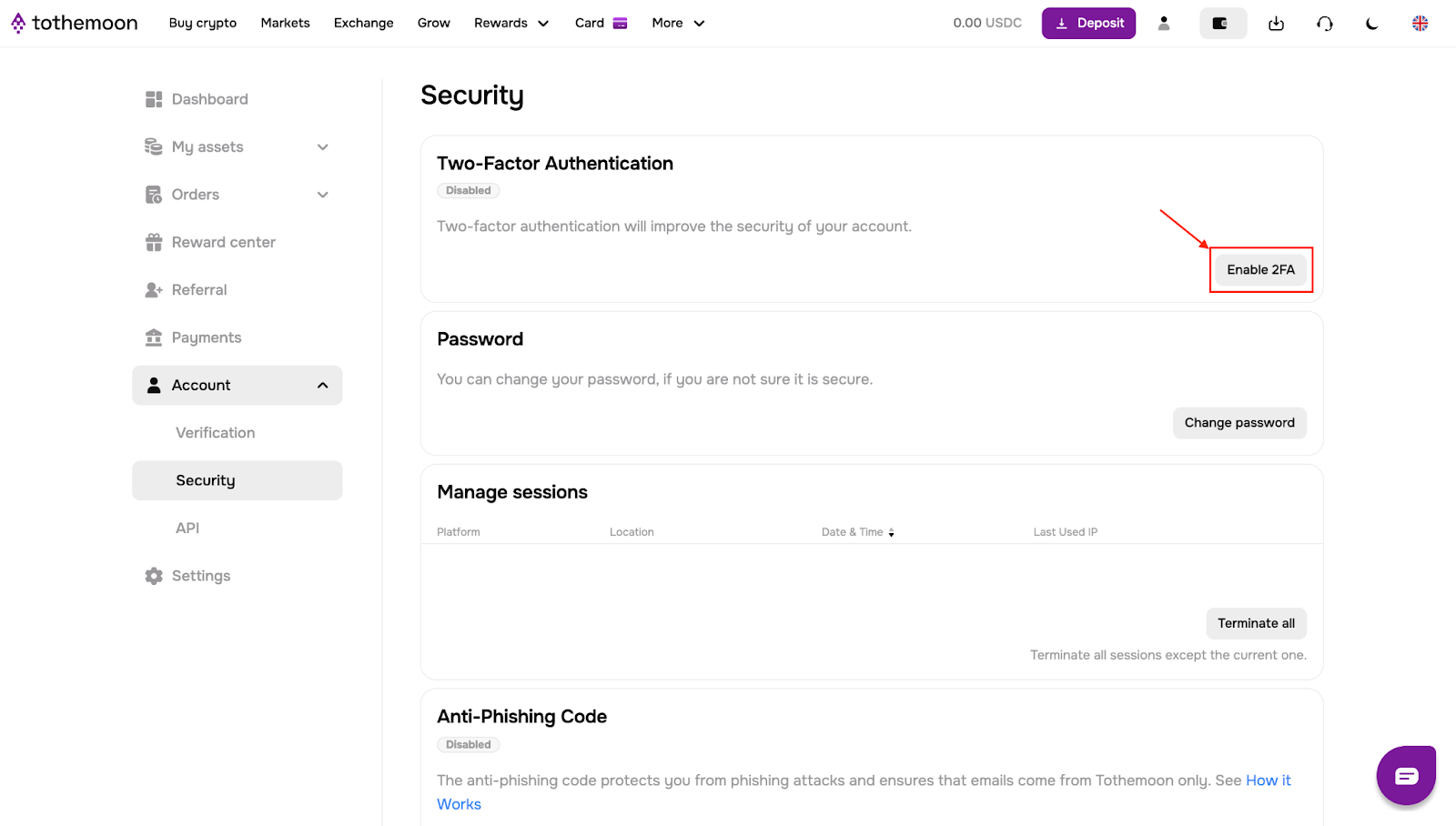
Activate 2FA
Click “Enable 2FA”
Follow the on-screen instructions:
- Download Google Authenticator on your phone
- Scan the QR code or enter the secret key manually
- Enter the 6-digit code generated by Google Authenticator
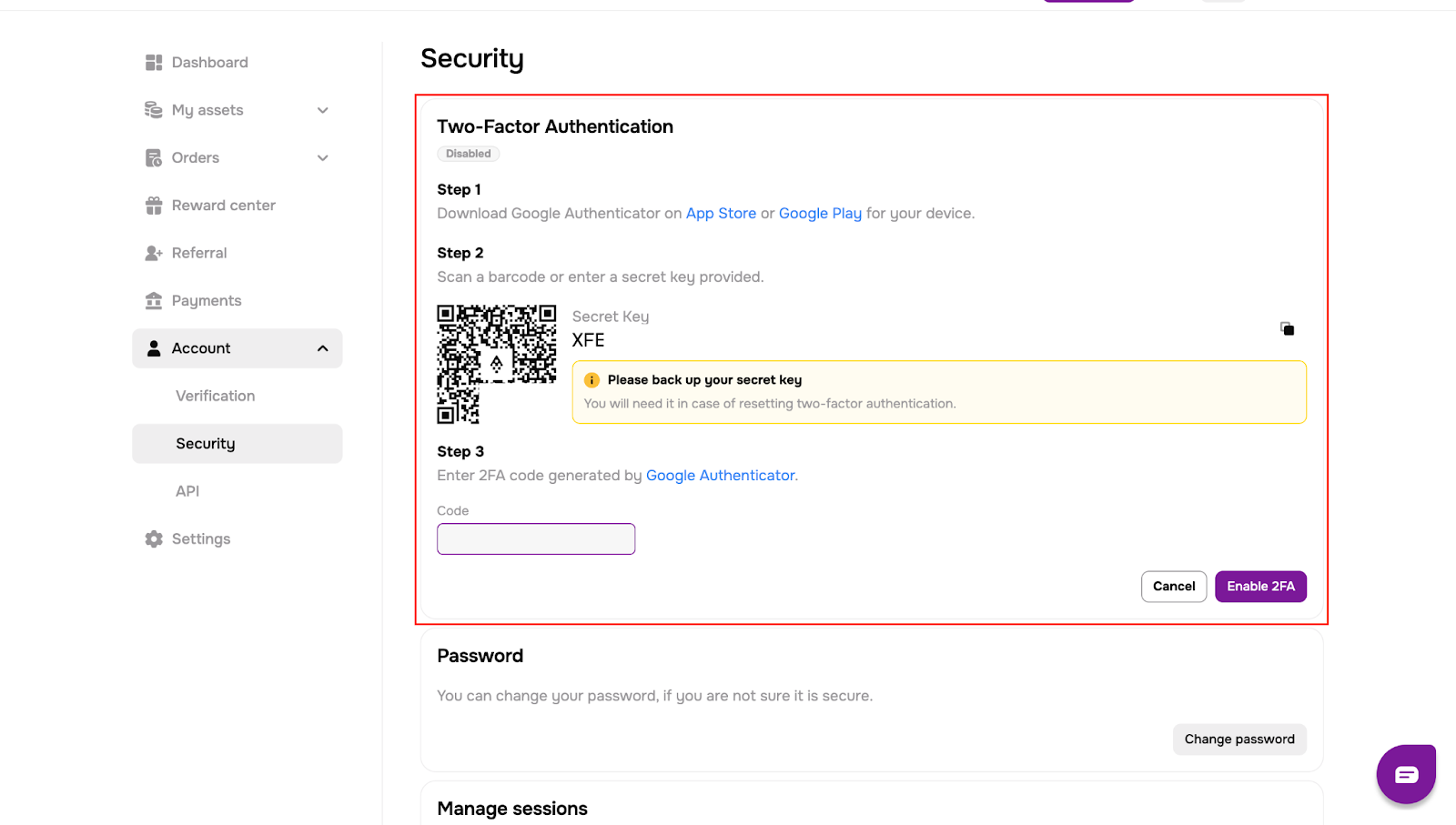
Once the code is entered, Two-Factor Authentication is enabled automatically. You can now withdraw funds.
Part 1: How to Withdraw Fiat Currency
Open the Withdrawal Page
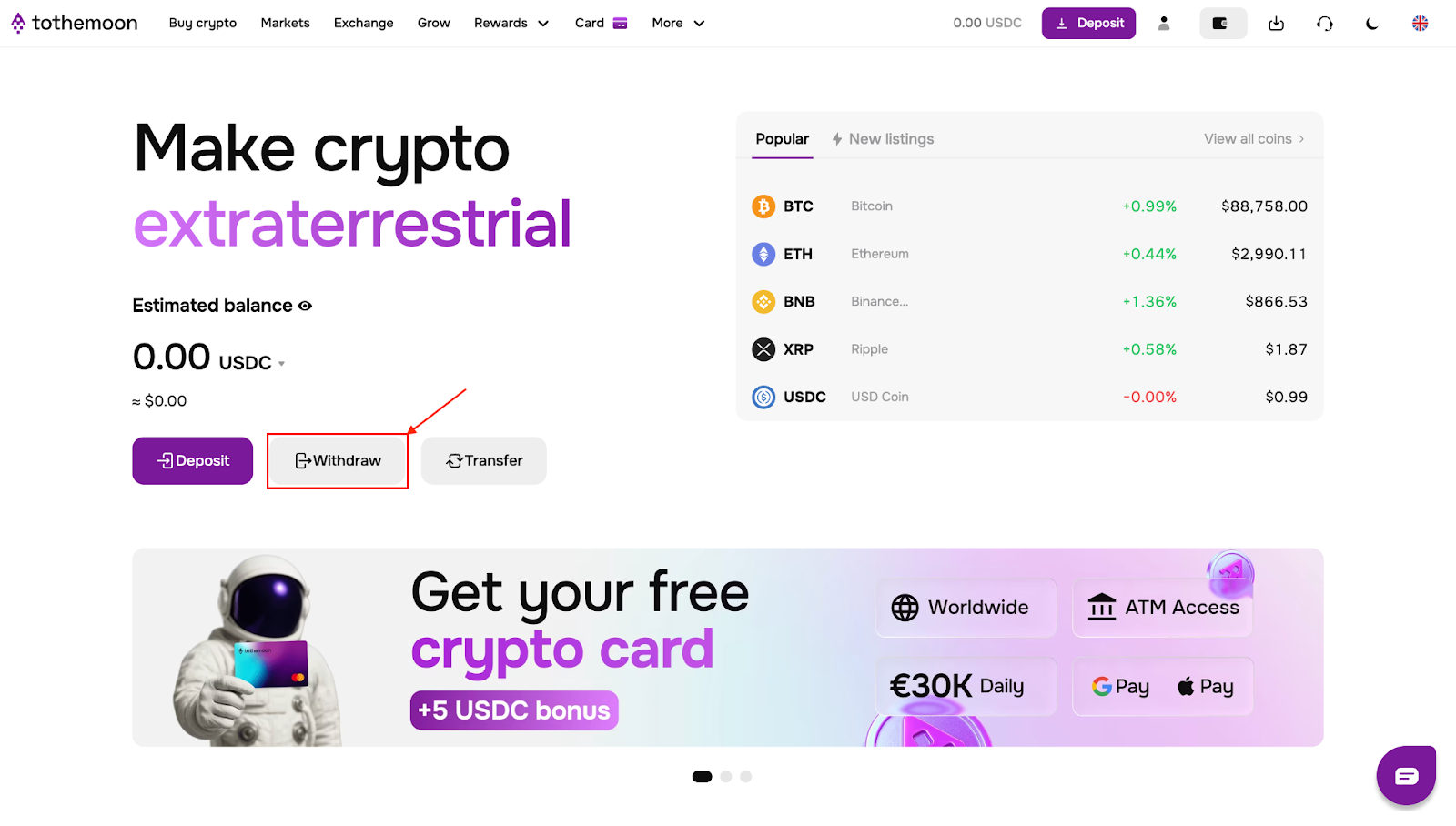
Return to the main page, click “Withdraw” and You will be taken to the “Withdraw fiat” section.
Choose Your Fiat Currency
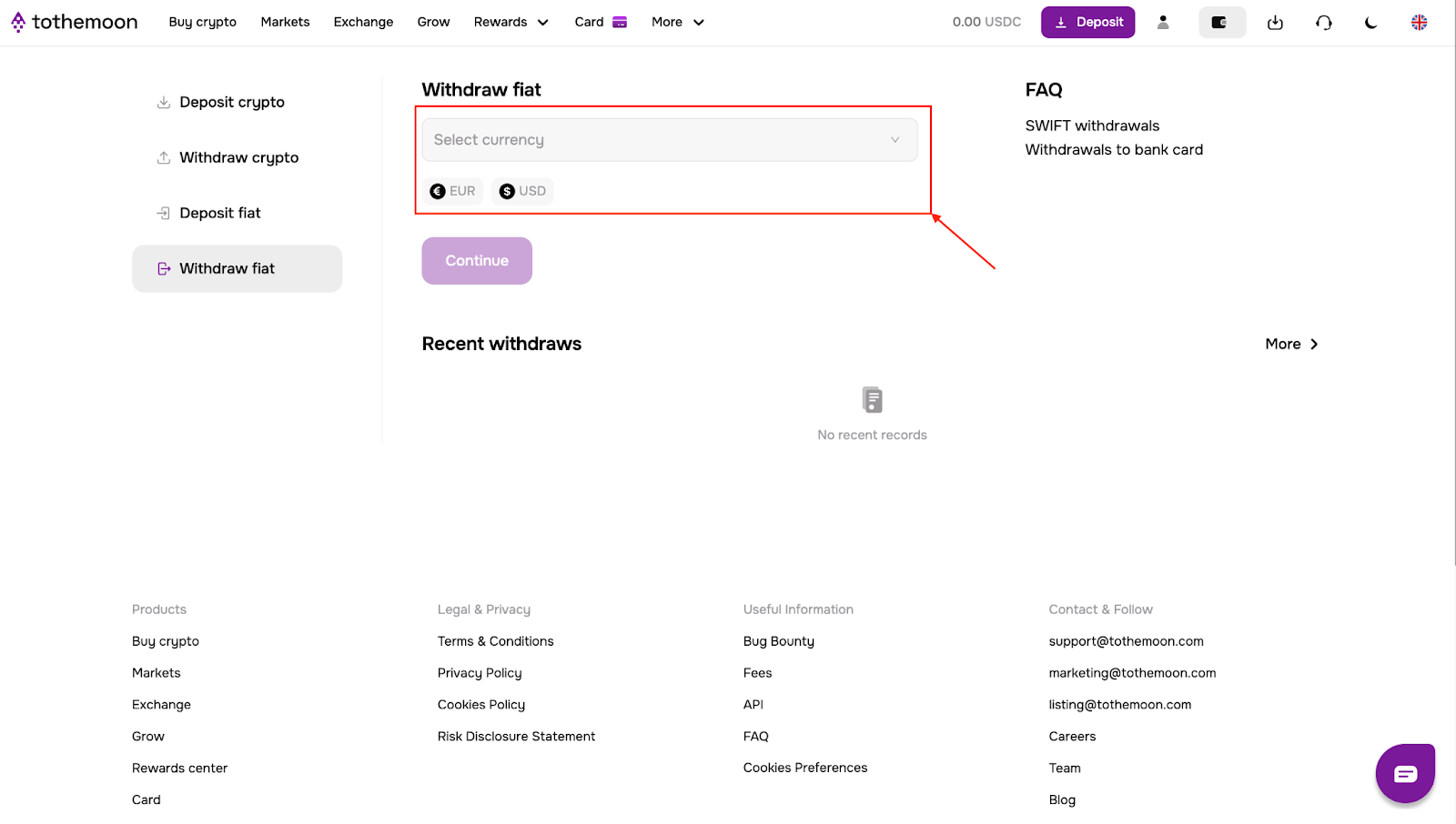
Select the fiat currency you want to withdraw. Only EUR withdrawals are supported directly. To withdraw USD, you can use the Unlimit bank account option.
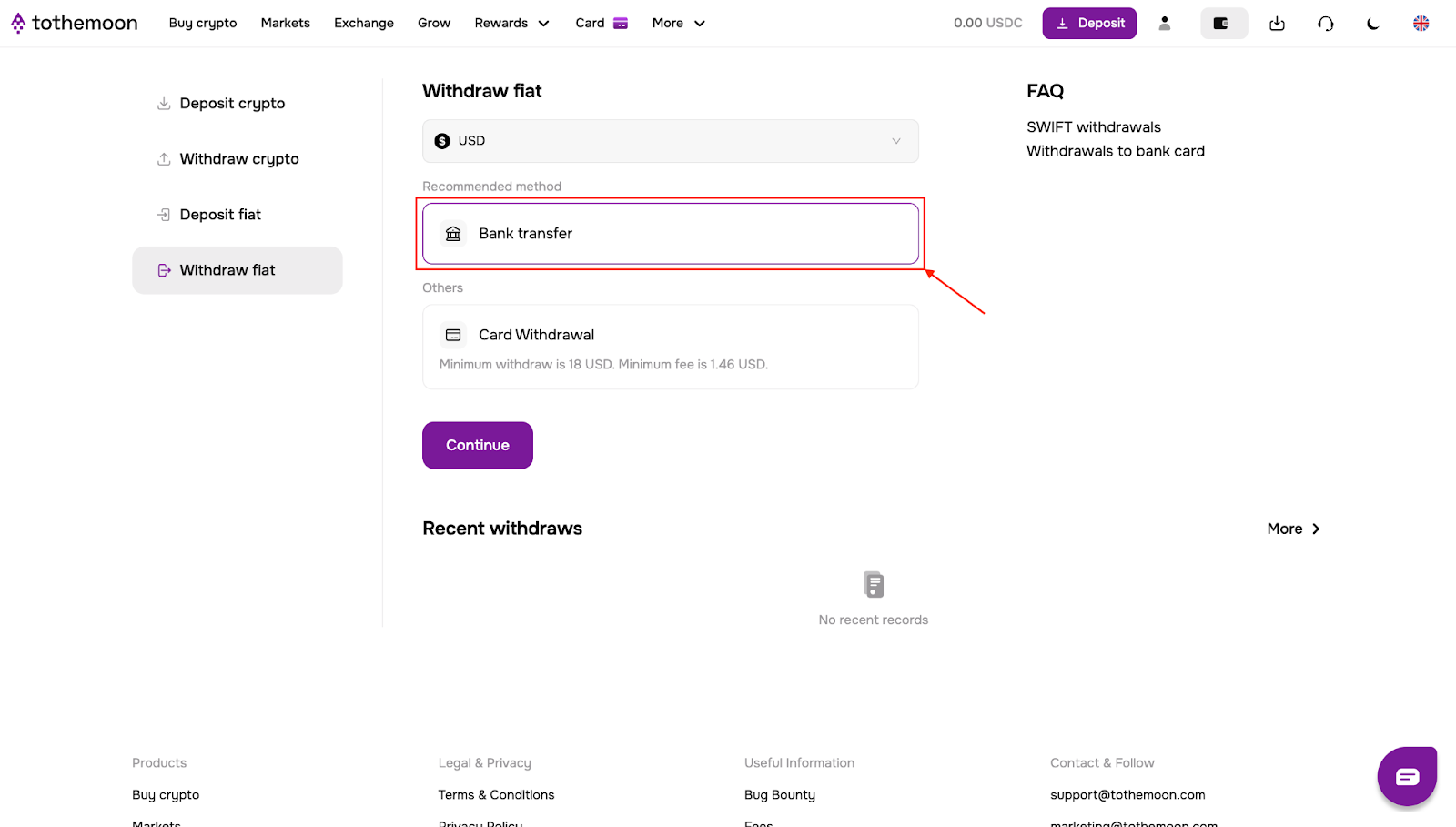
Option 1: Fiat Withdrawal via Bank Transfer
- Click “Bank transfer” and then “Continue”.
- Read the requirements carefully, enter the bank account details where you want to receive the funds and click “Continue”.
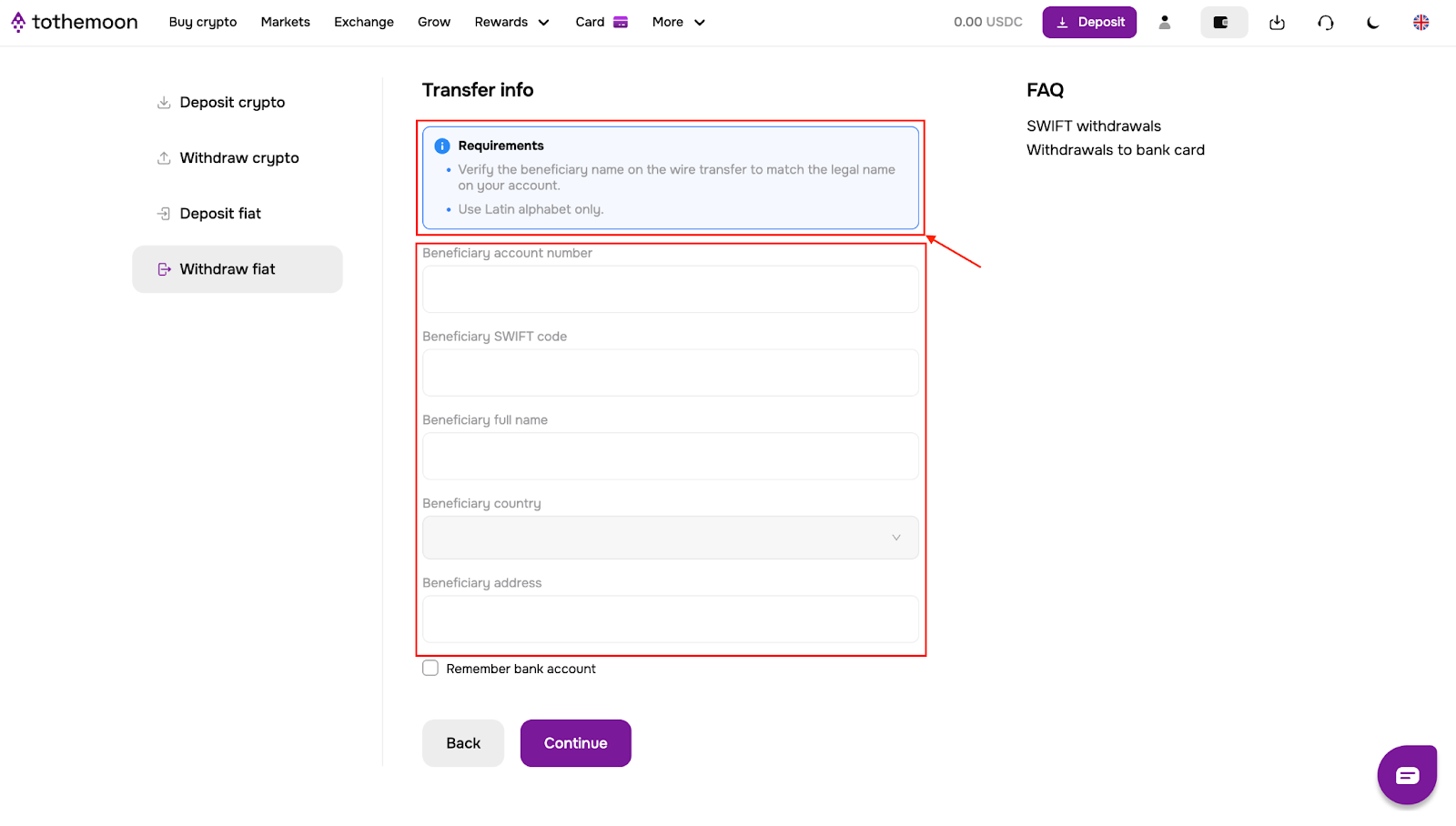
- Enter the withdrawal amount, review the requirements and tick the confirmation box and click “Continue”.
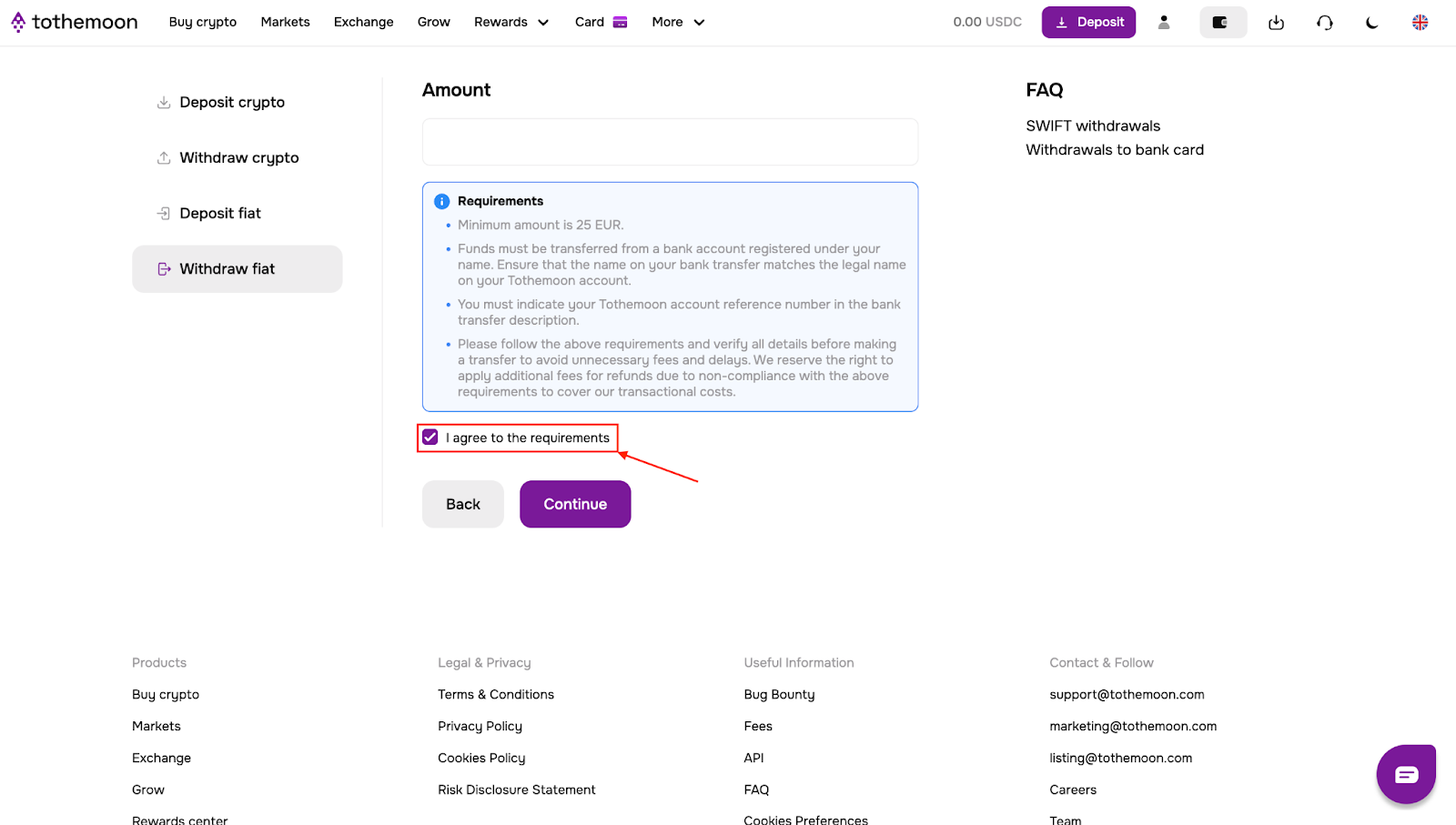
- Enter the verification code from your Google Authenticator app and click “Send”.
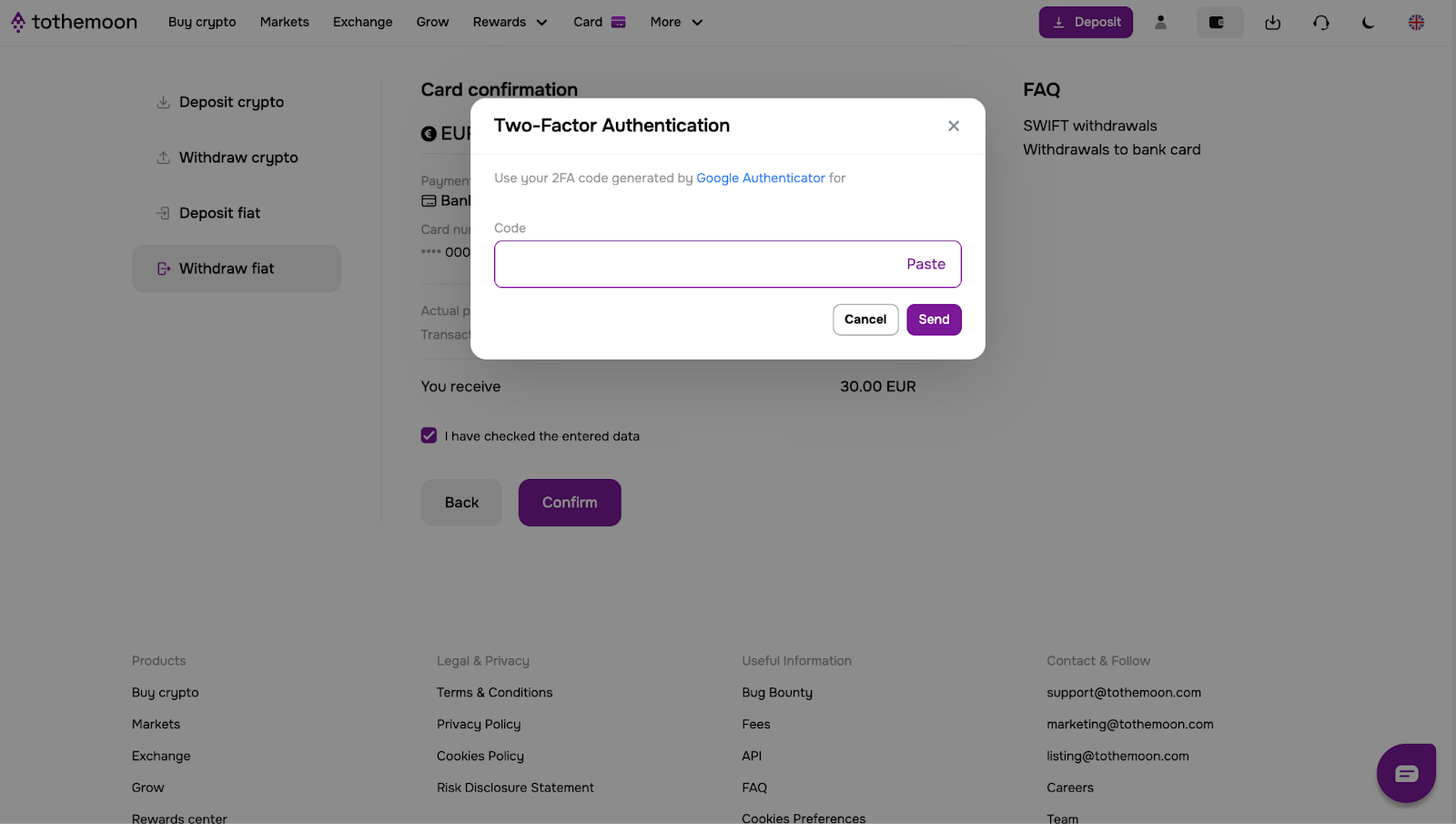
Once processed, the withdrawal will appear in “Recent withdrawals”.
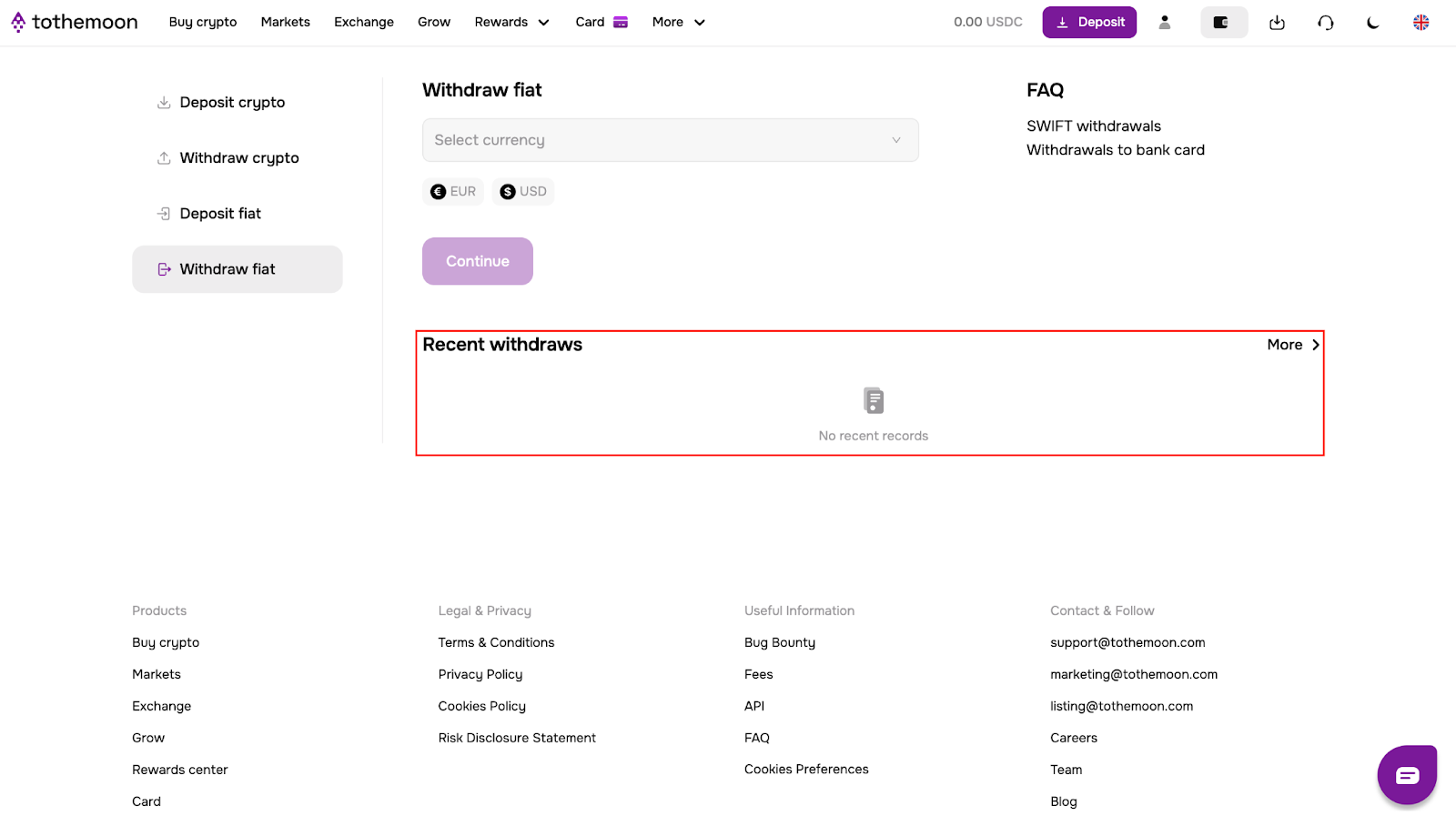
Option 2: Fiat Withdrawal to a Bank Card
Step-by-Step
- Click “Card withdrawal” and then “Continue”.
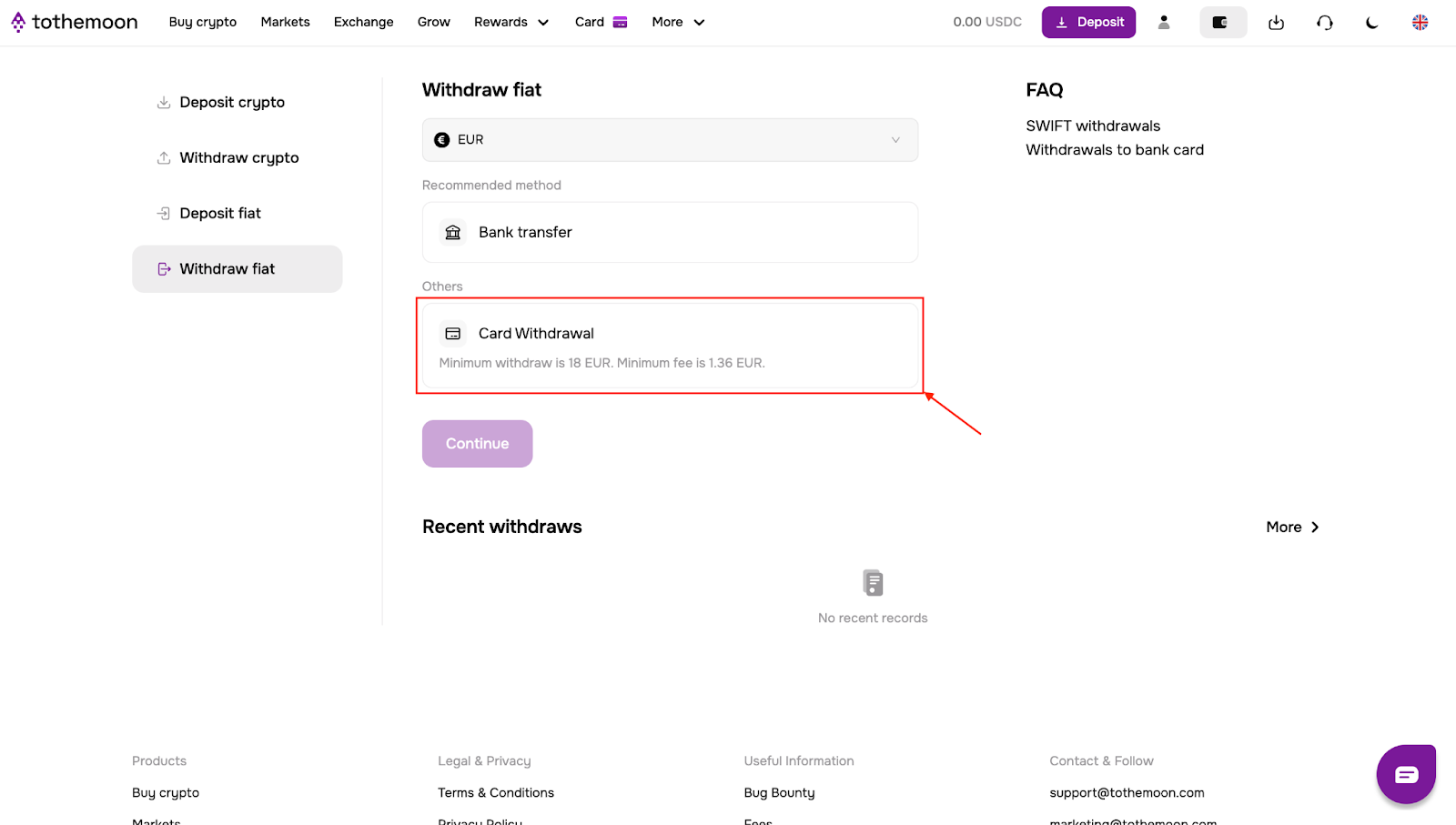
- Enter your address information, the amount you want to withdraw and click “Continue”.
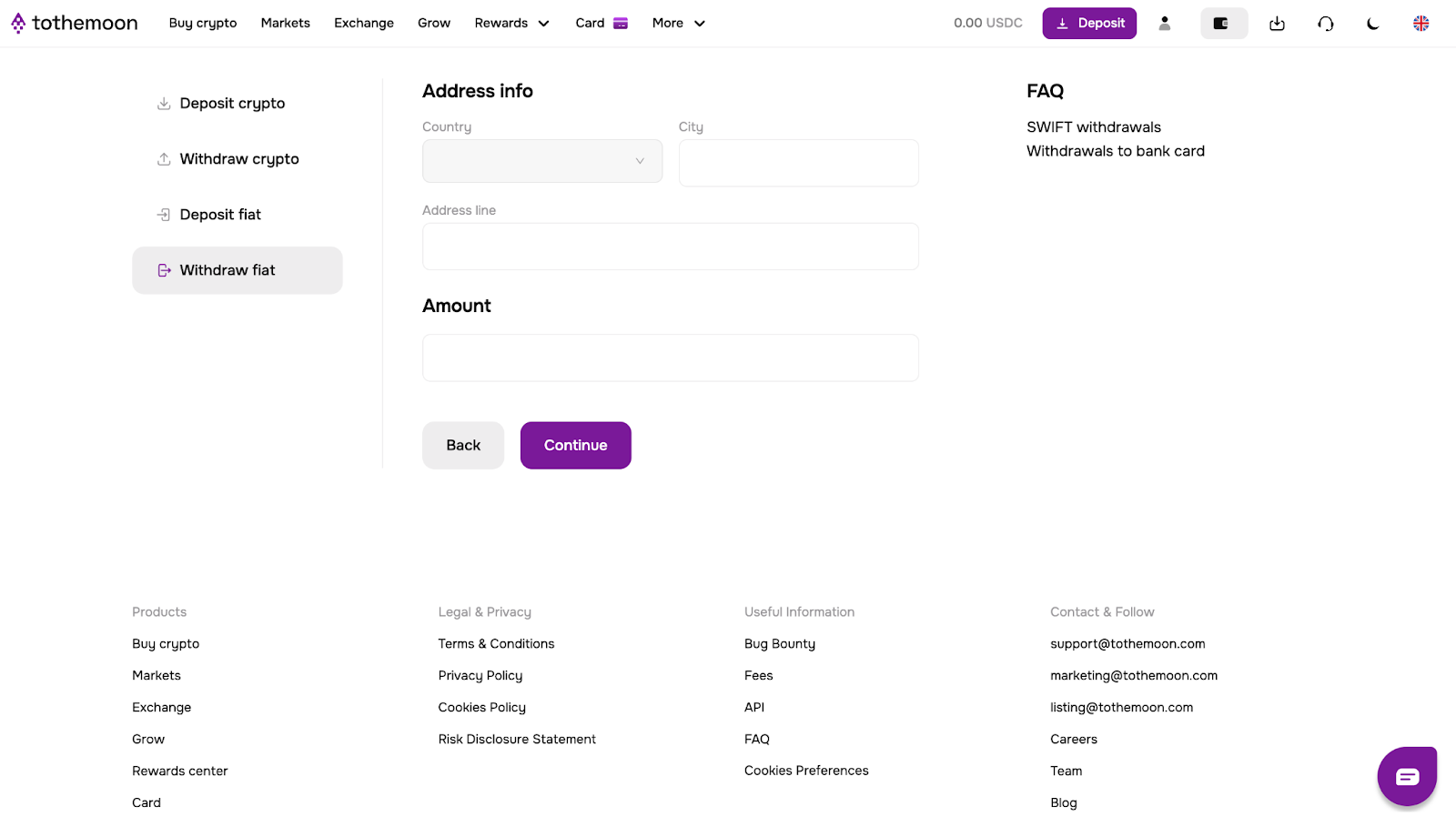
- Enter your card details and click “Continue”

- Review the card confirmation screen, confirm that the entered details are correct by ticking the box and click “Continue”.
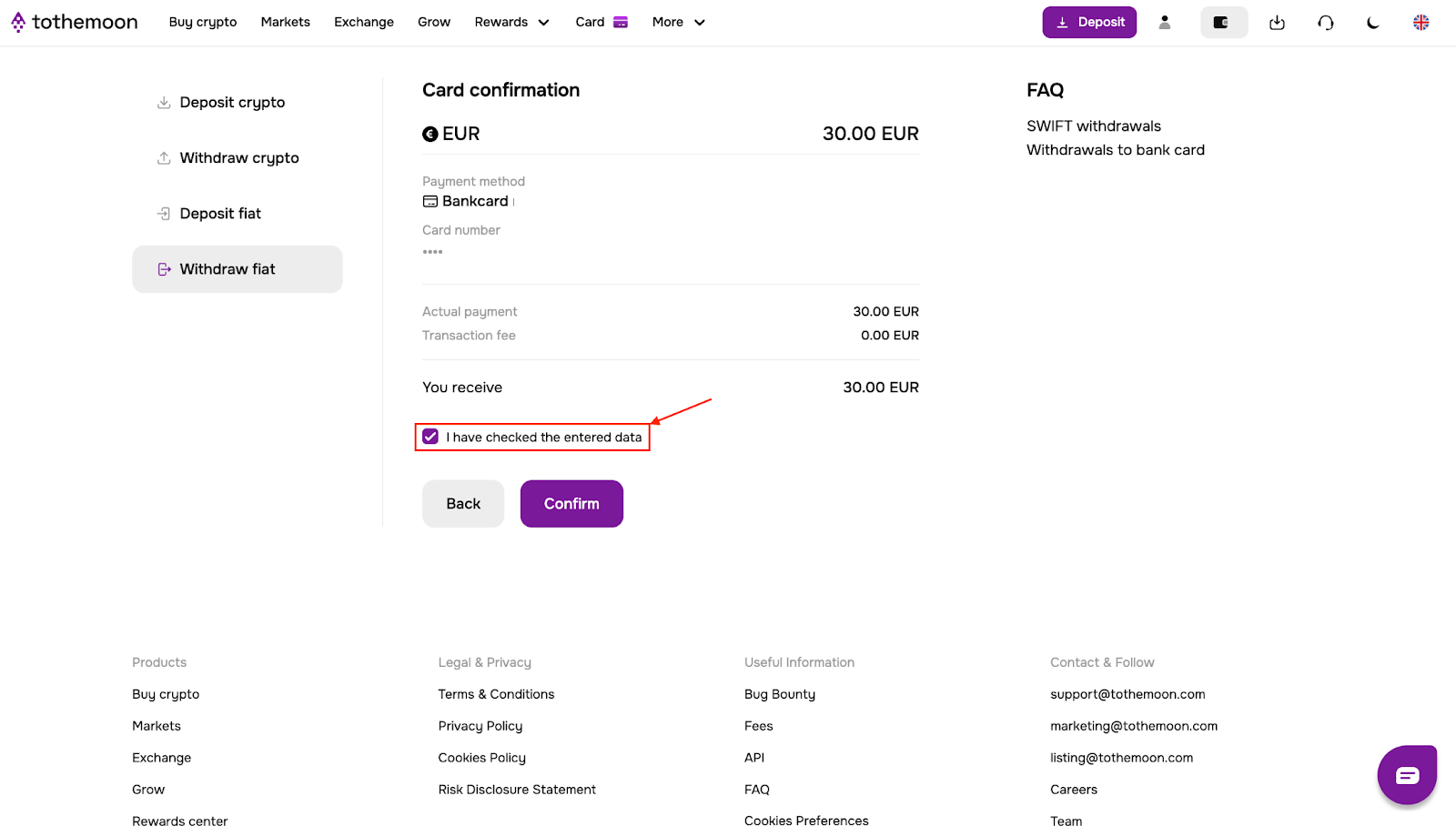
- Enter the verification code from Google Authenticator and click “Send”.
Once processed, the withdrawal will appear in “Recent withdrawals”.
Card Withdrawal Limits and Fees
- Fee: 2% + 1 USD or EUR
- Minimum withdrawal: 25 USD or EUR
- Maximum withdrawal: 2000 USD or EUR
Part 2: How to Withdraw Cryptocurrency
Crypto withdrawals also require Two-Factor Authentication. If 2FA is already enabled, you can proceed directly.
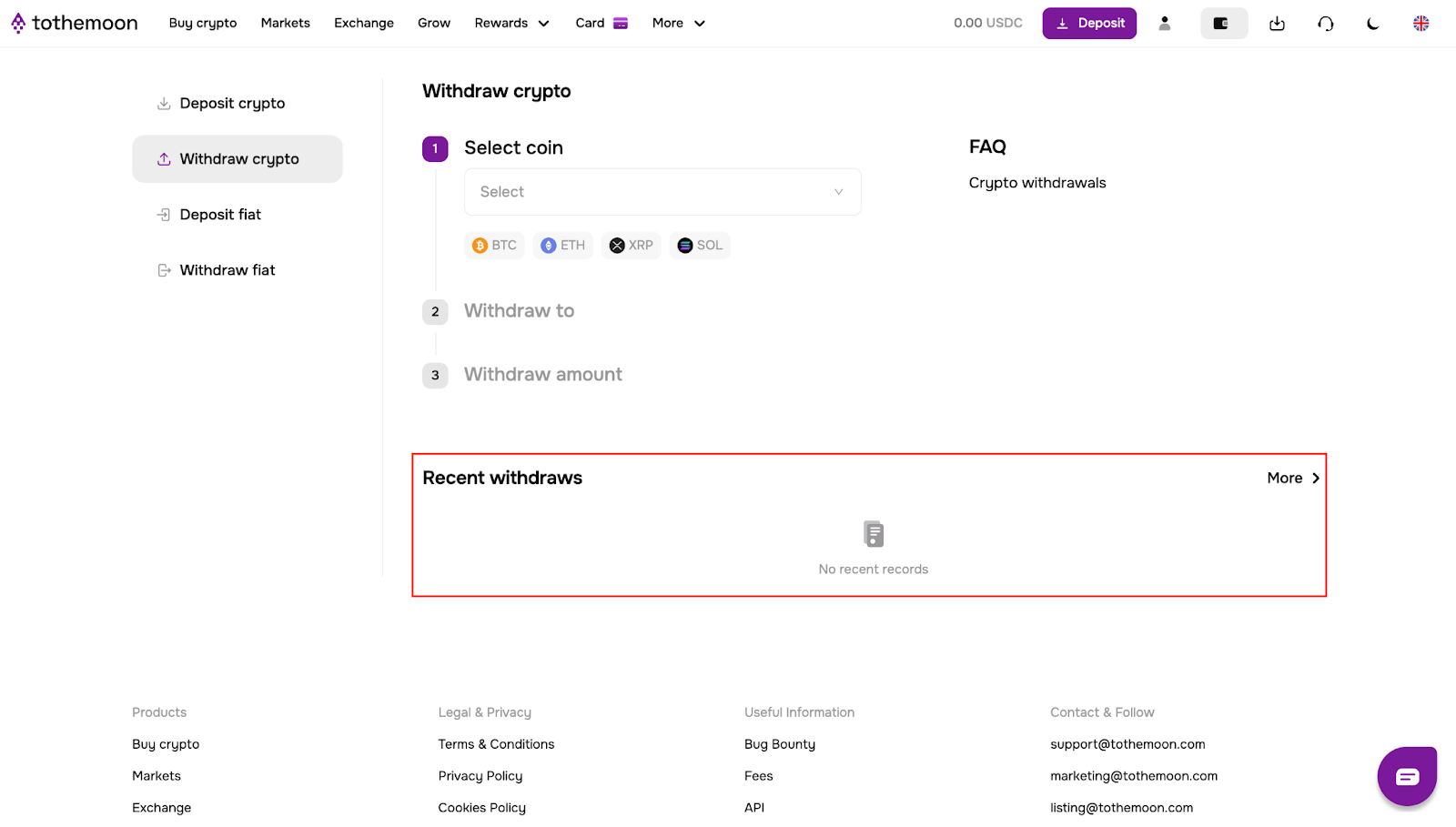
- Click Withdraw on the main page.
- From the Withdraw fiat section, switch to Withdraw crypto.
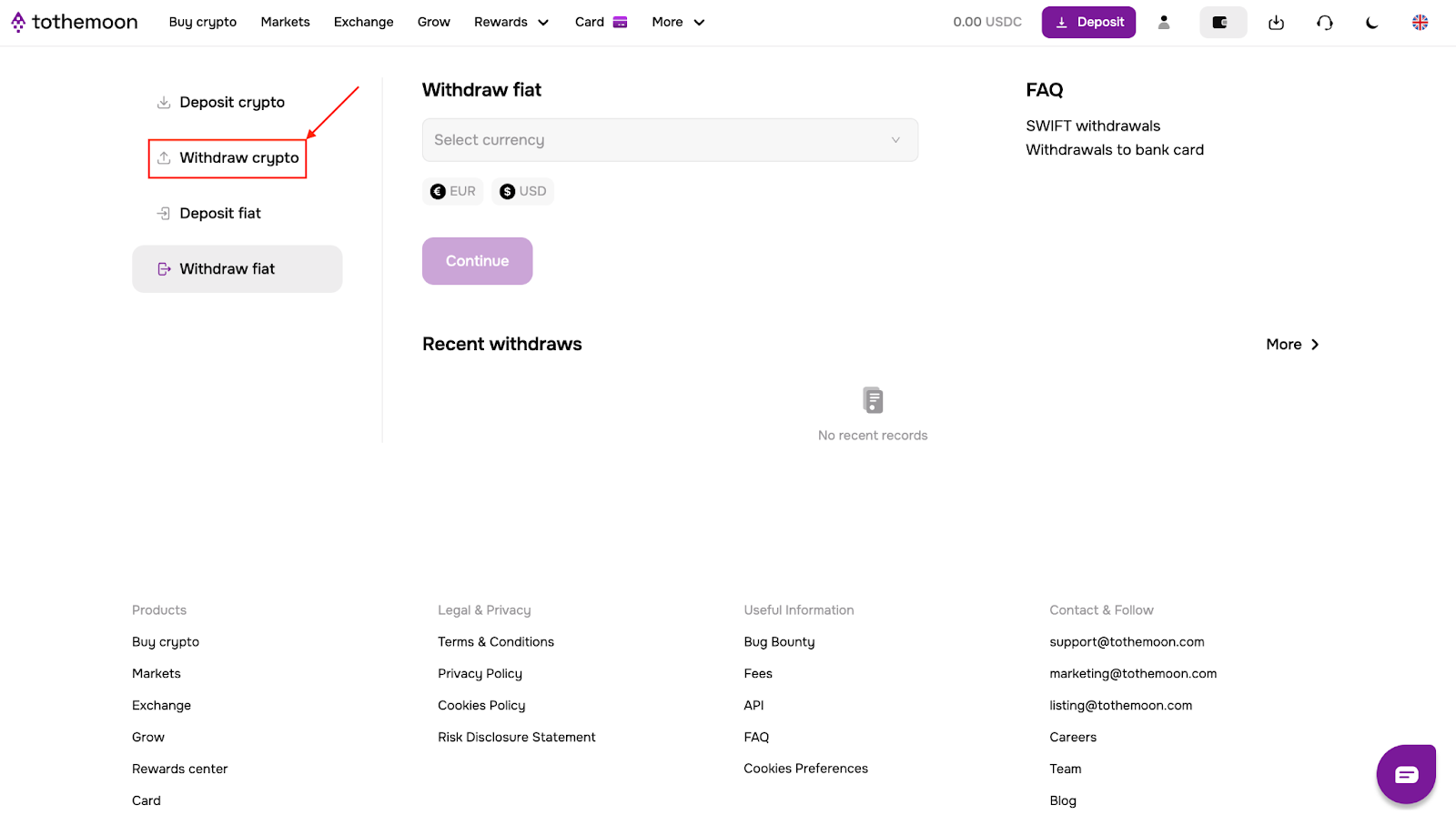
- Select the cryptocurrency you want to withdraw.
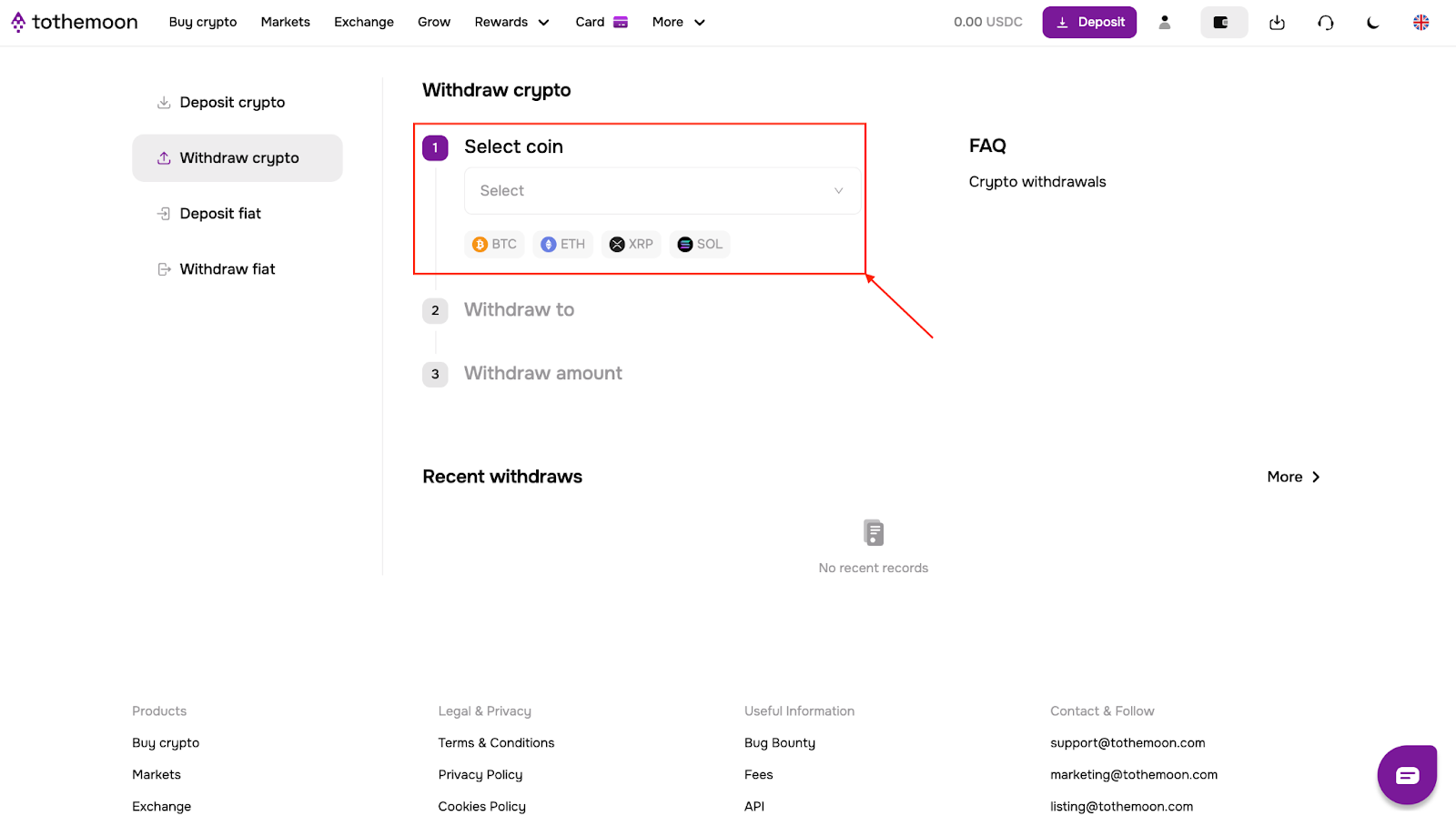
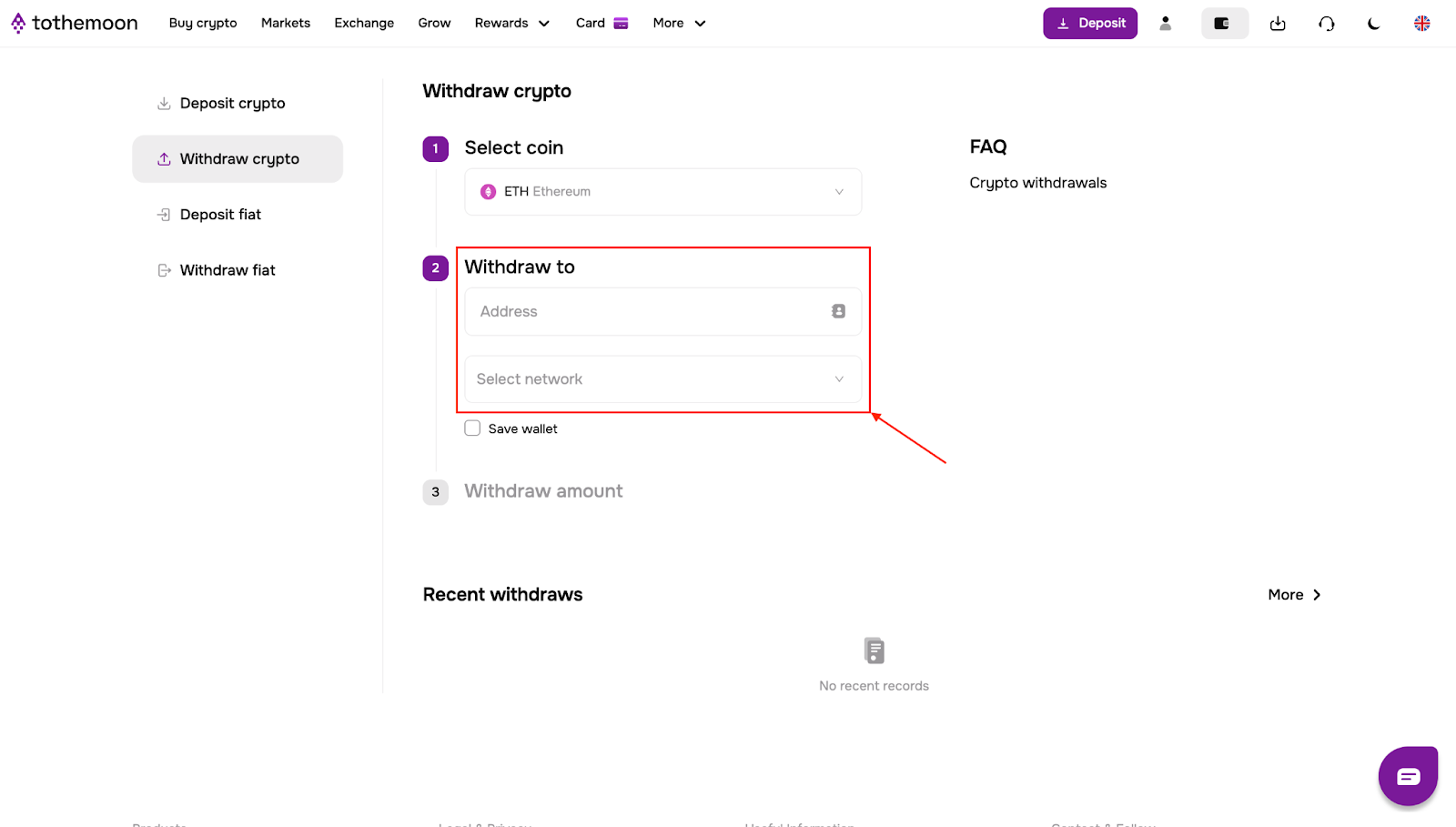
- Enter the wallet address where the funds will be sent and select the correct network.
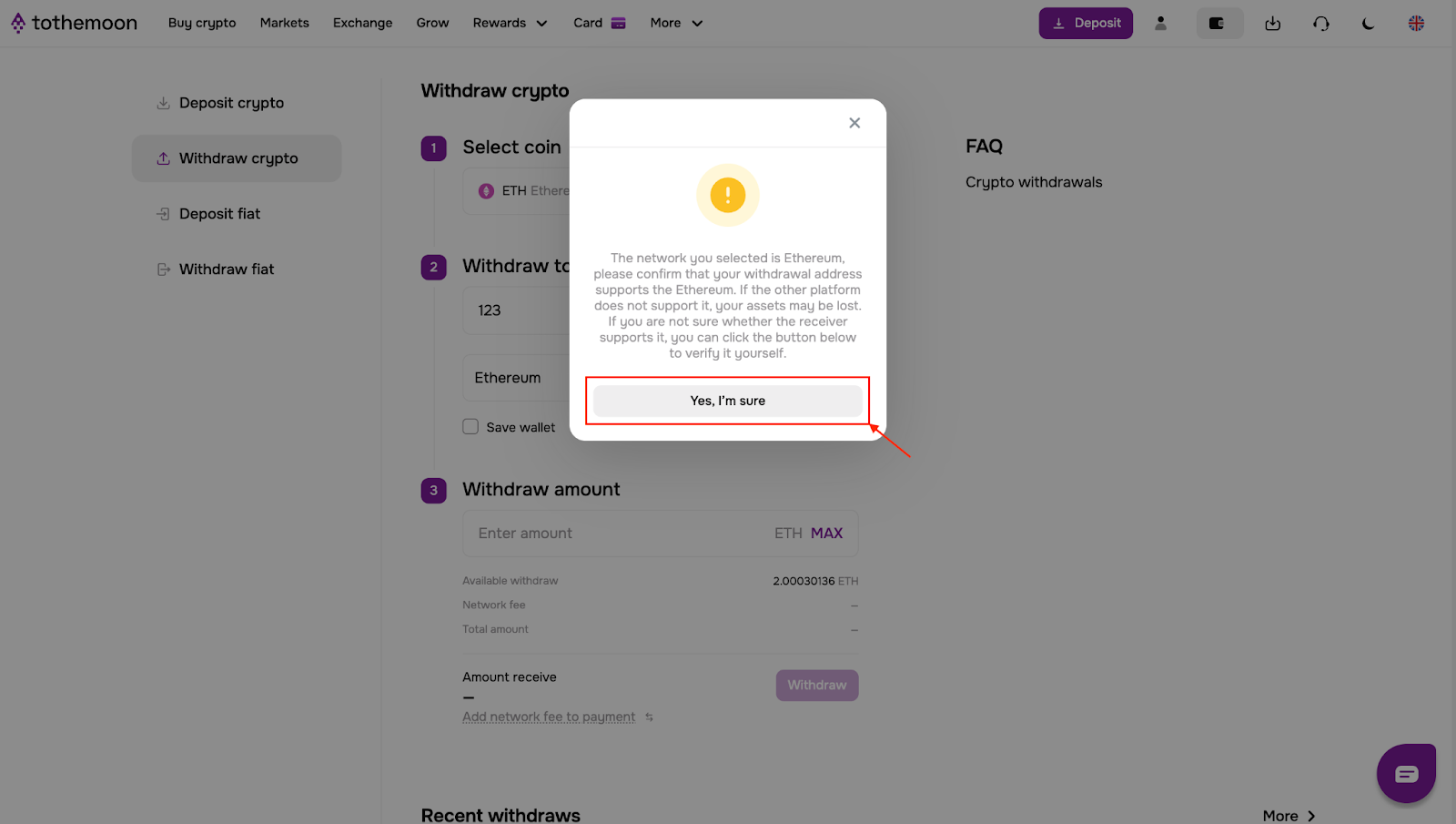
- A confirmation pop-up will appear. Confirm that the address supports the selected asset by clicking “Yes, I’m sure”.
- Enter the amount you want to withdraw, review the network fee and total withdrawal amount and click “Withdraw”.
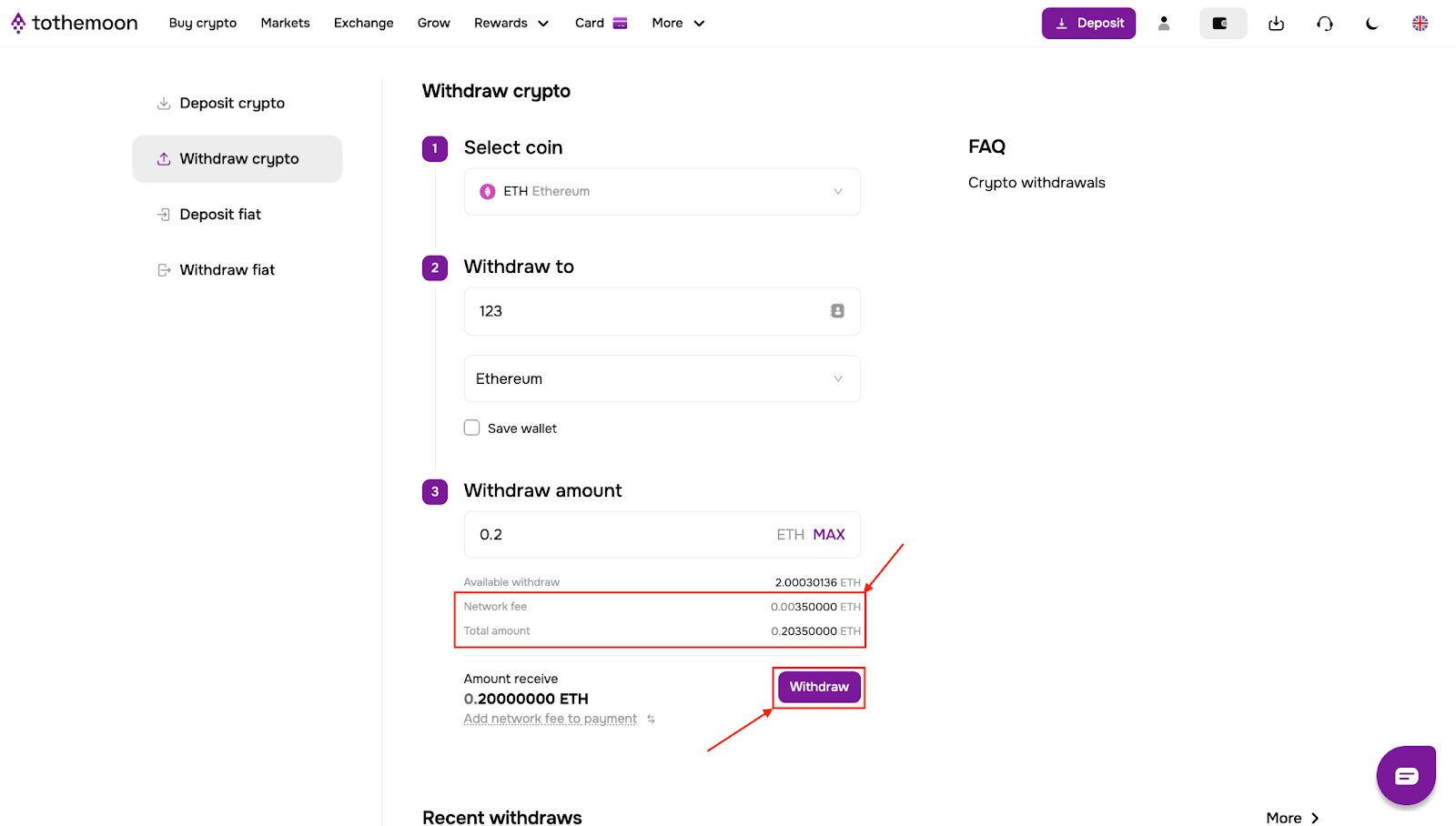
Once processed, the withdrawal will appear in “Recent withdrawals”.

Risk Disclosure Statement
.jpeg)


.svg)
.svg)
.svg)
%20(1).png)
.png)
.png)