

.svg)
.png)
Beginner
Intermediate
Advanced
How to Check Transaction History on Your Account
January 5, 2026
•
3 min
Your transaction history shows a record of all activity on your account, including deposits, withdrawals, and other balance movements. This section helps you track past actions and review important details such as amounts, dates, and transaction methods.
Step 1: Open Your Account Dashboard
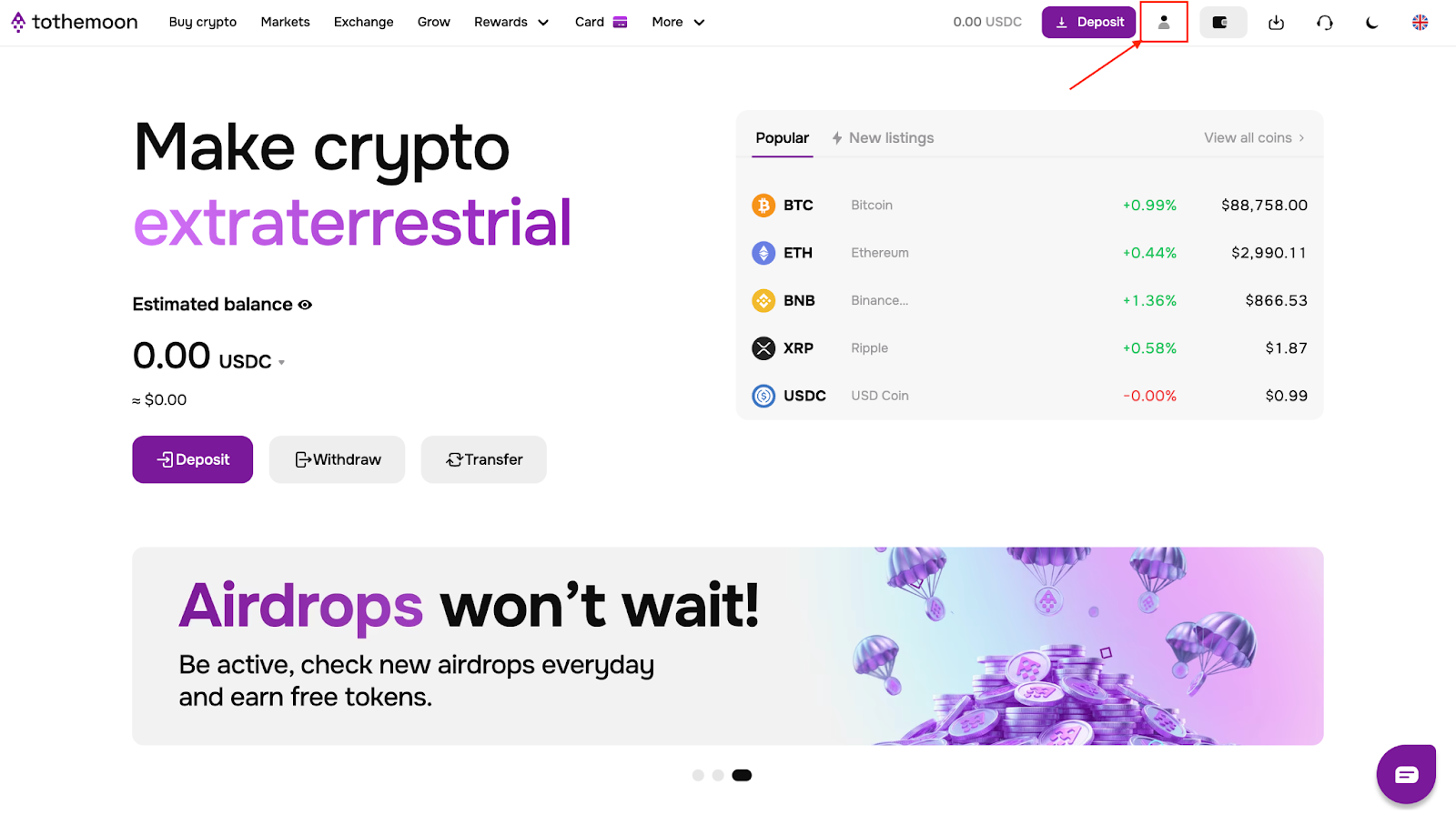
Log into your Tothemoon account. Once logged in, click the account icon in the top-right corner of the page. You will be taken to your account dashboard.
Step 2: Go to Transaction History
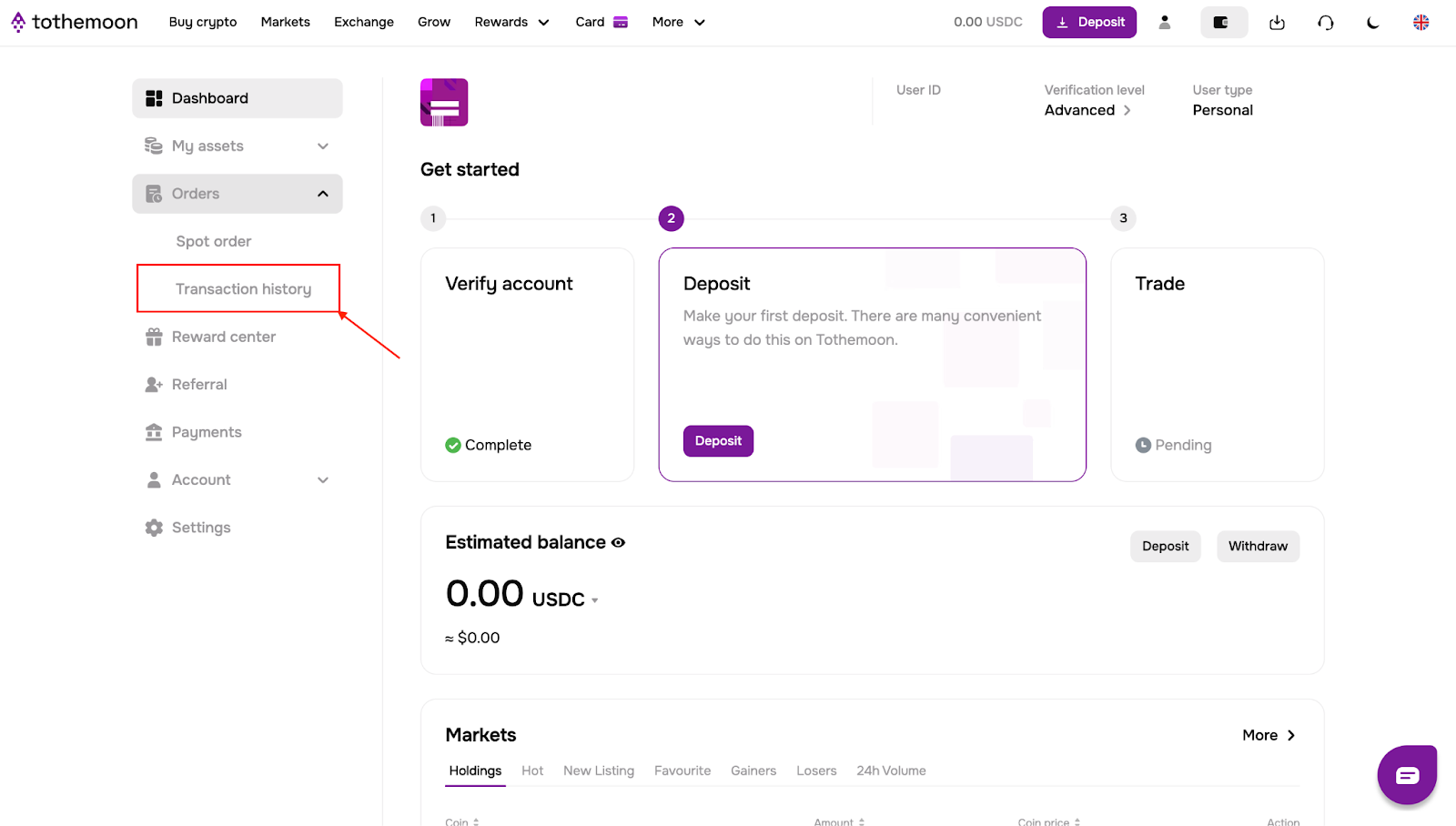
On the left side of the dashboard, open the “Orders” dropdown menu. From this menu, click “Transaction history”.
Step 3: Review Your Transactions
You will see a table displaying your transaction history. For each transaction, the following information is shown:
- Coin: the asset involved in the transaction
- Date and time: when the transaction occurred
- Transaction type: for example, deposit or withdrawal
- Currency type: whether the transaction was in fiat or crypto
- Method: how the transaction was made, such as bank card, staking, etc.
- Amount: the value of the transaction
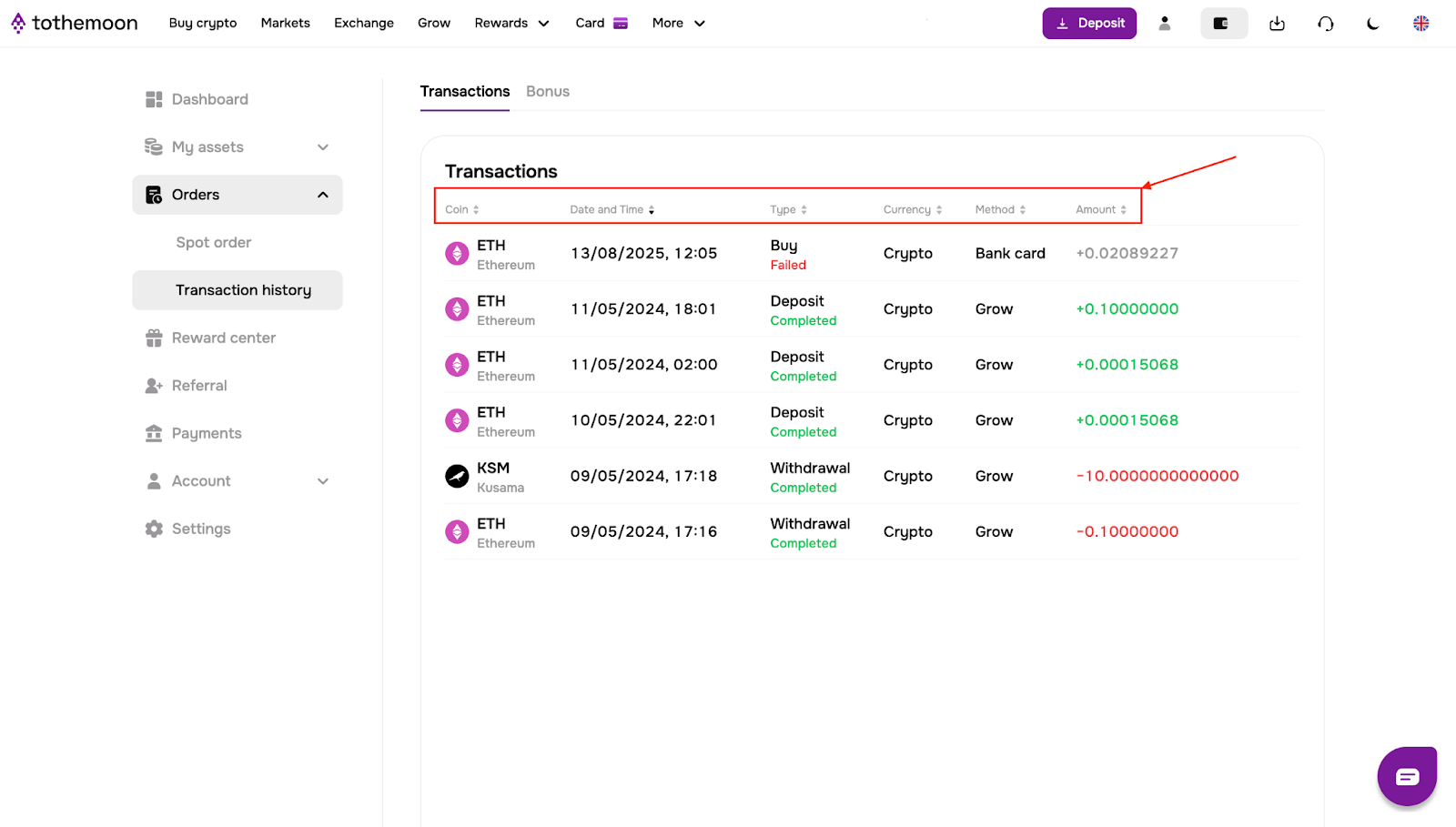
This table updates automatically and includes all completed transactions associated with your account.

Risk Disclosure Statement
.jpeg)


.svg)
.svg)
.svg)
%20(1).png)
.png)
.png)