

.svg)
.png)
Beginner
Intermediate
Advanced
How to Check Your Affiliate Dashboard for Earnings
January 5, 2026
•
3 min
Step 1: Log Into Your Affiliate Account
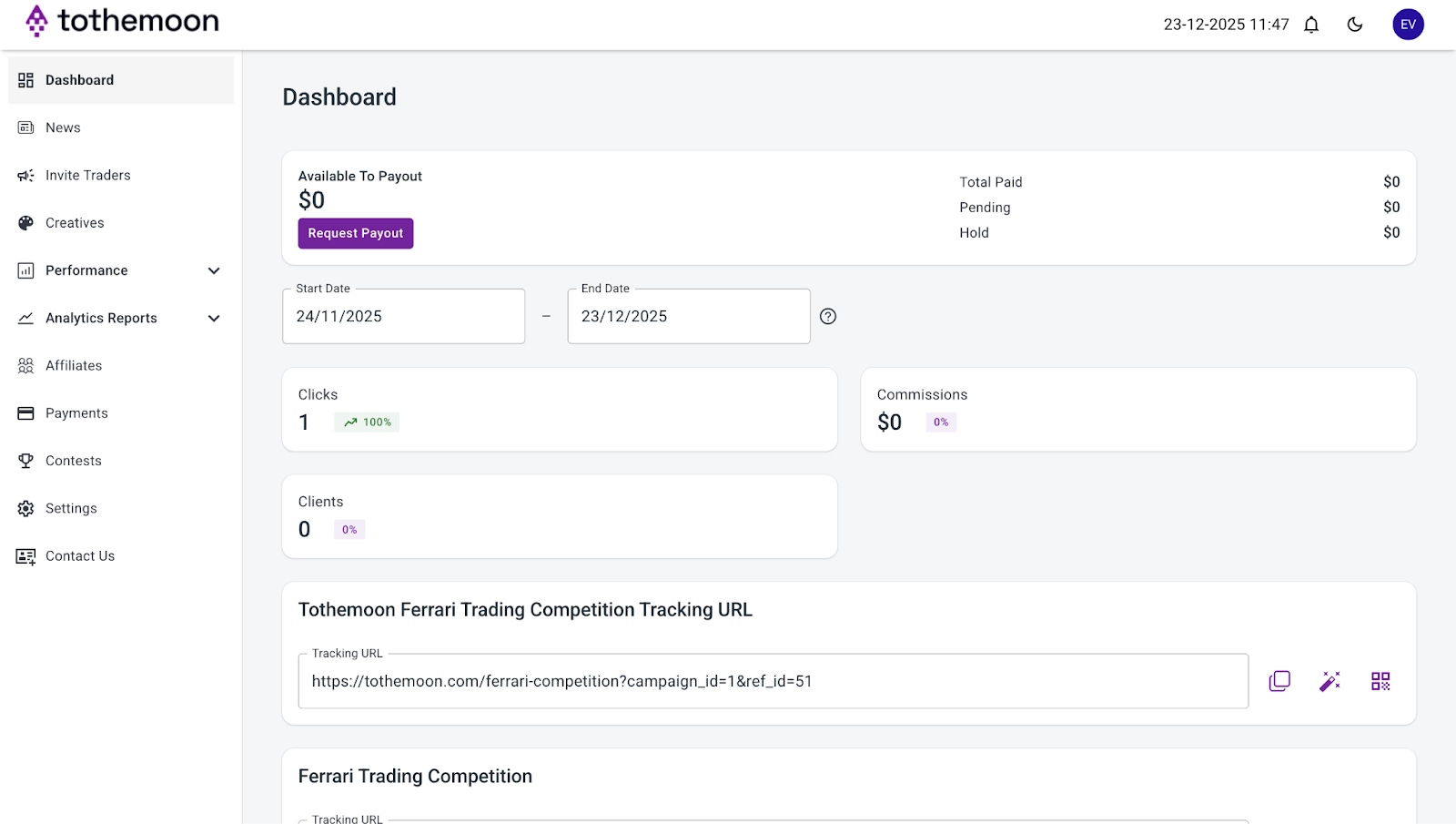
Log into your Tothemoon affiliate account using your email and password. Once logged in, you will be taken directly to the “Dashboard”.
Step 2: Find the Earnings Overview
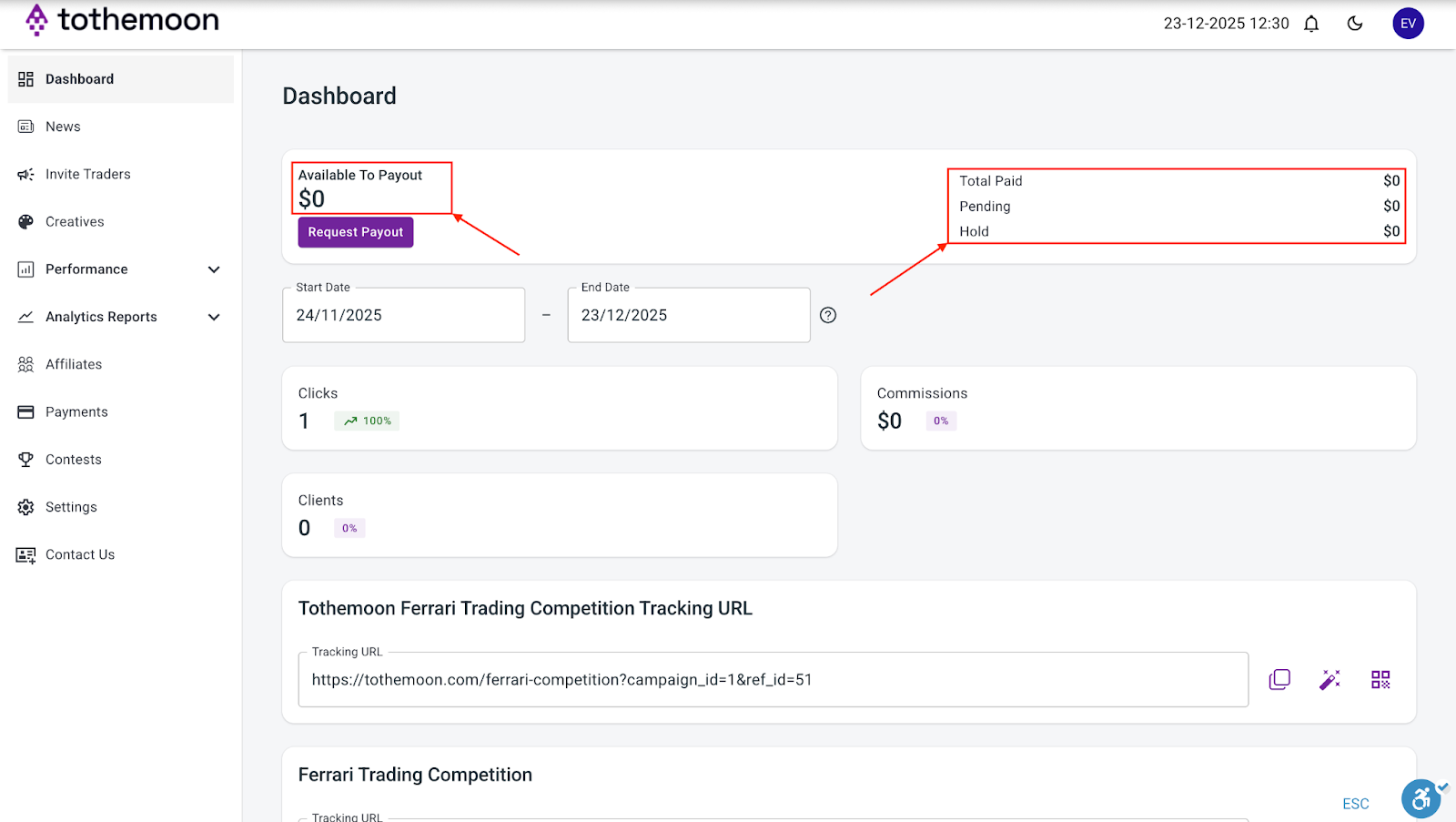
At the top of the dashboard, you will see an overview showing your earnings status. This section includes:
- Available to Payout
- Pending
- Hold
- Total Paid
These values update automatically.
Step 3: Understand What Each Balance Means
- “Available to Payout”: This is the amount you can request for withdrawal.
- “Pending”: These earnings are waiting to finish processing. Once completed, they move to Available to Payout.
- “Hold”: These funds cannot be withdrawn at the moment.
- “Total Paid”: This shows how much you have already received in payouts.
Step 4: Review Latest Conversions
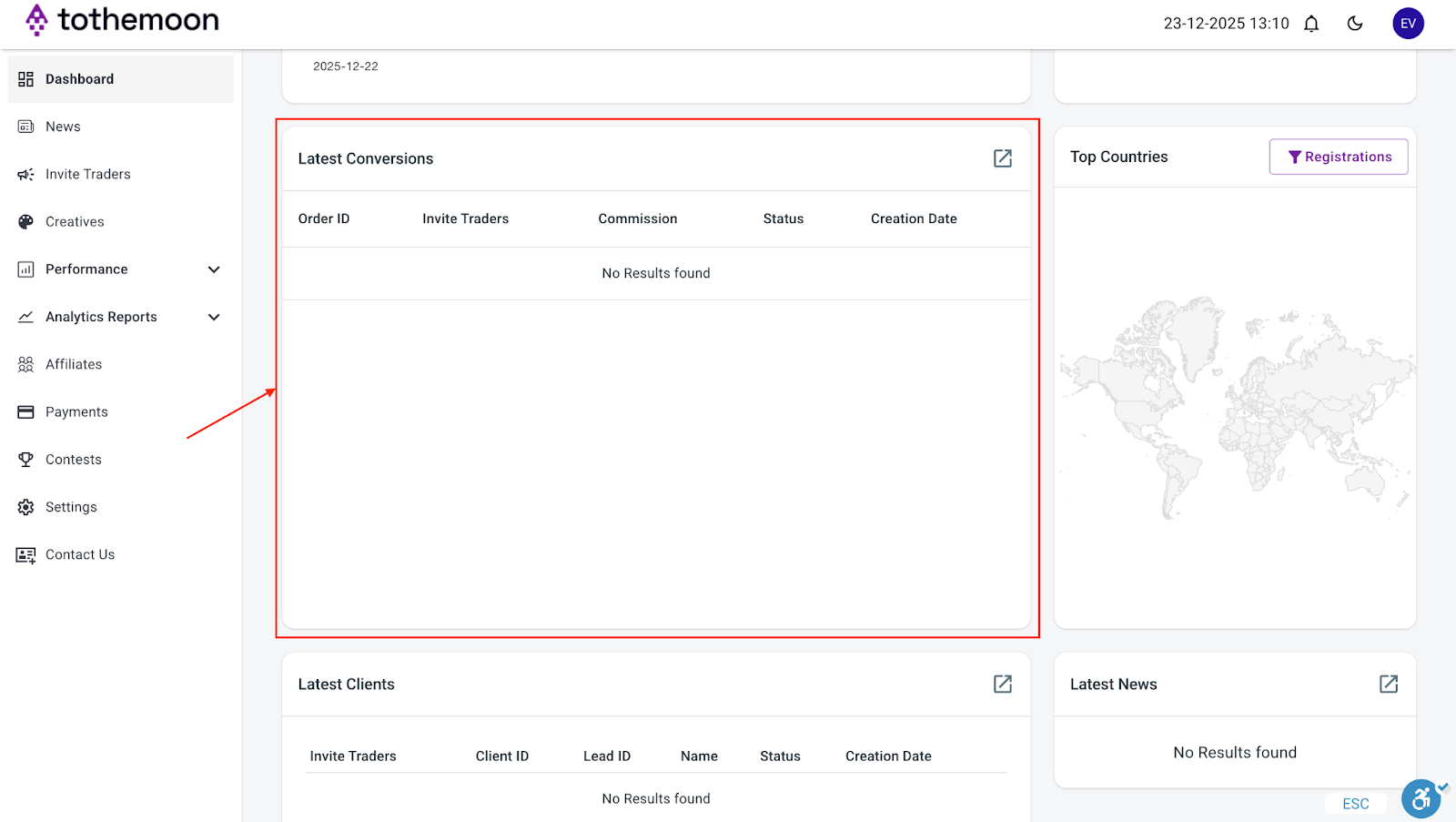
In the Latest Conversions section, you can see details of recent referral activity and how much you earned from it, including:
- Order ID
- Campaign
- Commission
- Status
- Creation date
If there are no recent conversions, this section may show “No results found.”
Important Notes
If your earnings show as zero, it usually means:
- Your link has not been used yet, or
- Earnings are still pending, or
- No completed conversions have occurred
Dashboard data updates automatically. You do not need to refresh or submit anything manually.

Risk Disclosure Statement
.jpeg)


.svg)
.svg)
.svg)
%20(1).png)
.png)
.png)
.png)