

.svg)
.png)
How to Register and Verify Your Tothemoon Account Quickly
Creating and verifying a Tothemoon account is an easy process. Even if this is your first time using a crypto platform, the steps below will guide you through everything from sign-up to full account access.
This guide is divided into two parts:
- Registering your account
- Verifying your identity
You can complete registration in just a few minutes. Verification takes longer but only needs to be done once.
How to Register a Tothemoon Account
Step 1: Open the Tothemoon Website
Go to https://tothemoon.com/ using your web browser.
Step 2: Start the Sign-Up Process
You can begin registration in two ways:
- Enter your email on the homepage and click “Sign up”
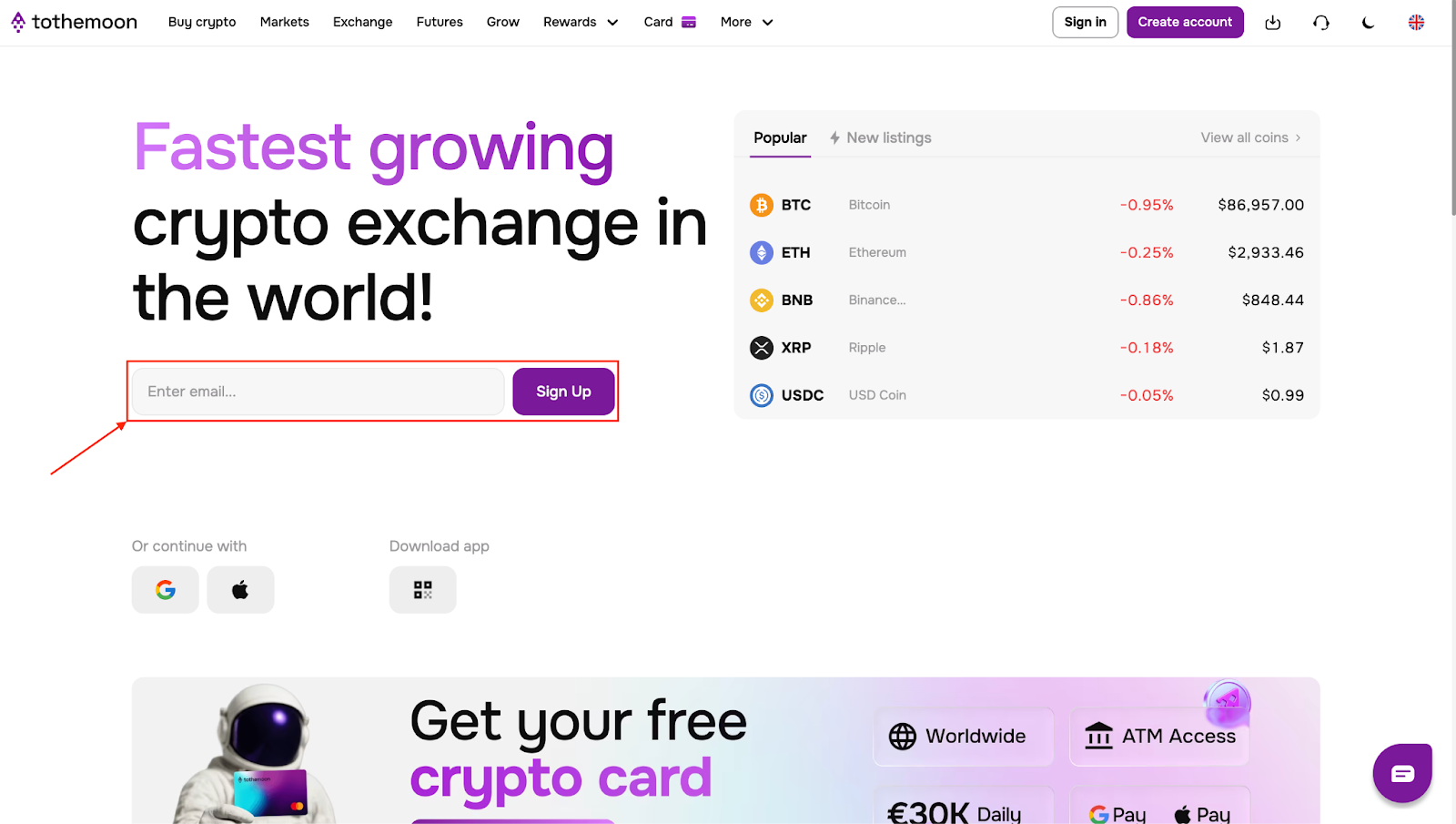
- Click Create account in the top-right corner of the page
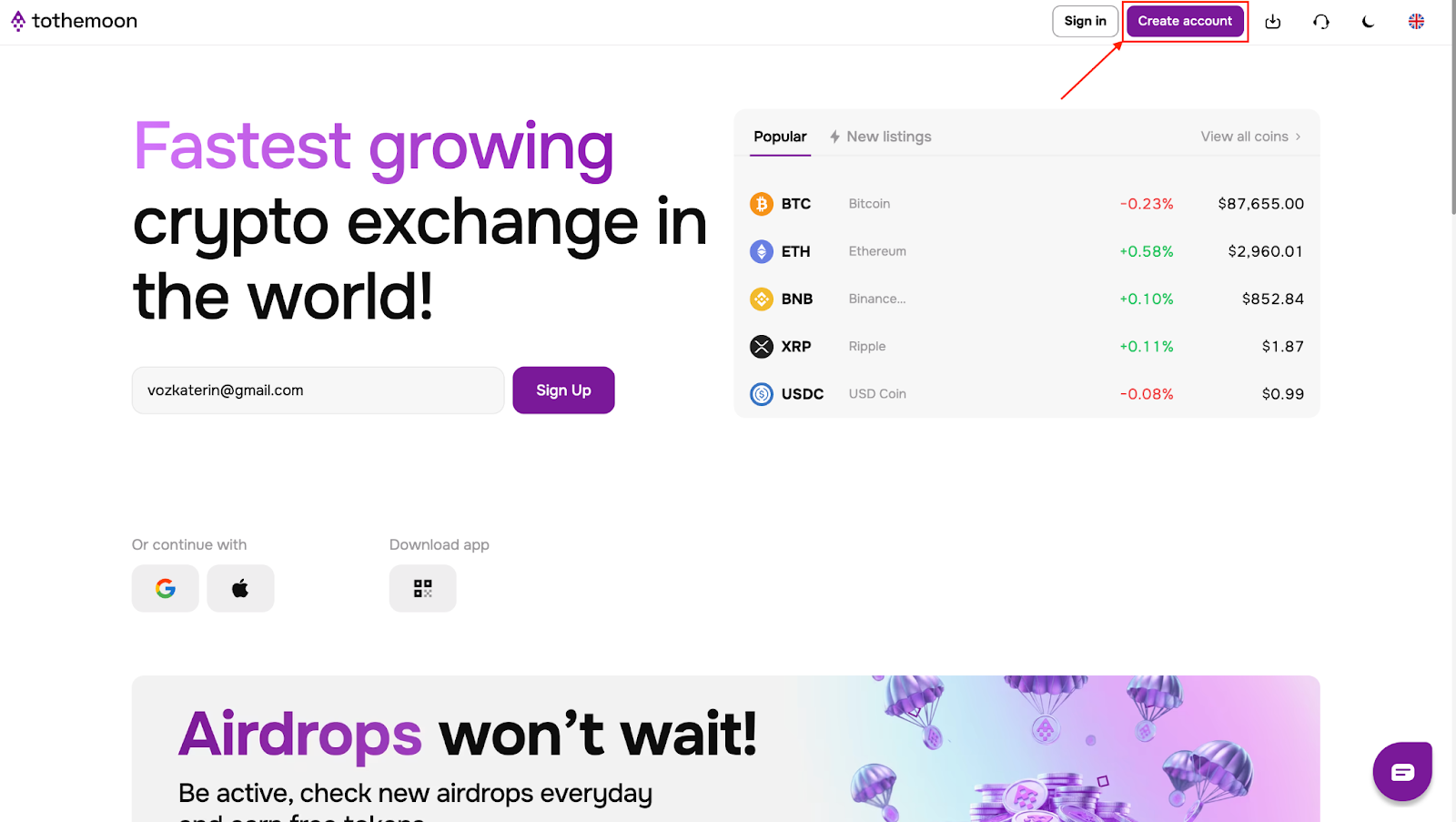
Both options lead to the same registration flow.
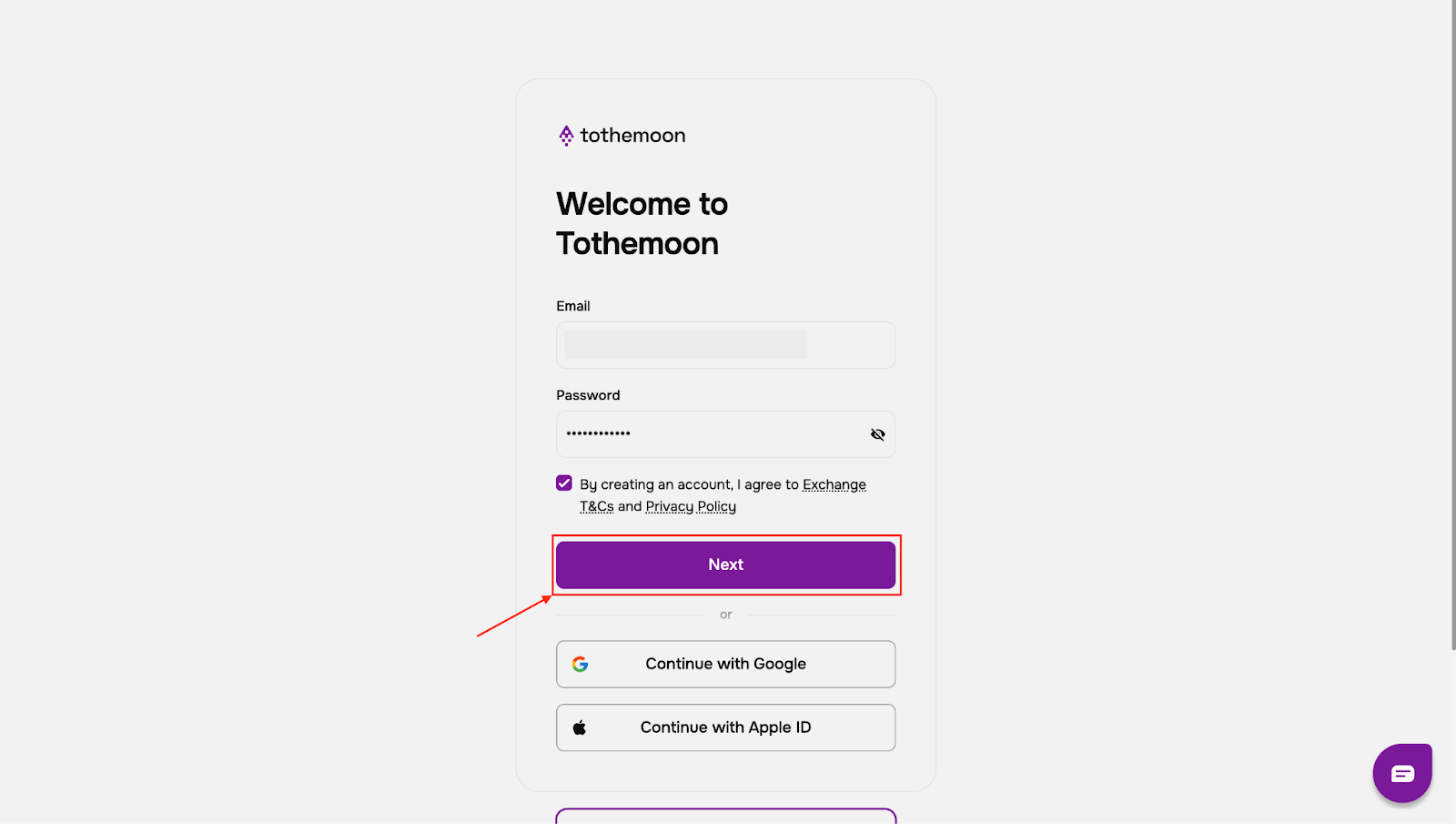
Step 3: Create Your Login Details
You will be redirected to a page titled “Welcome to Tothemoon”.
Here, you can:
- Enter your email address and create a password, or
- Choose to sign up using your Google account or Apple ID by clicking the corresponding button
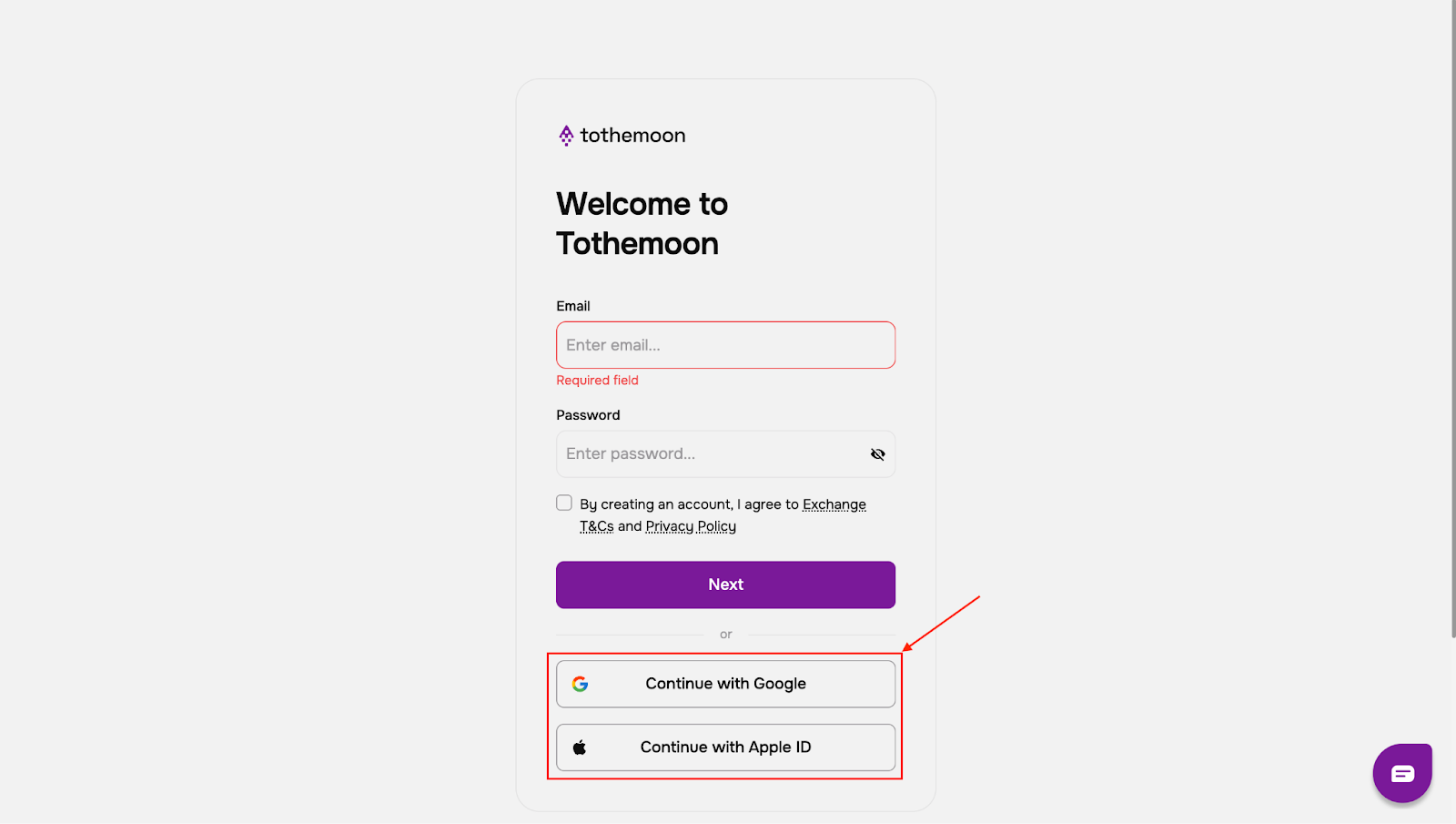
Select the option that feels easiest for you.
Step 4: Accept the Terms
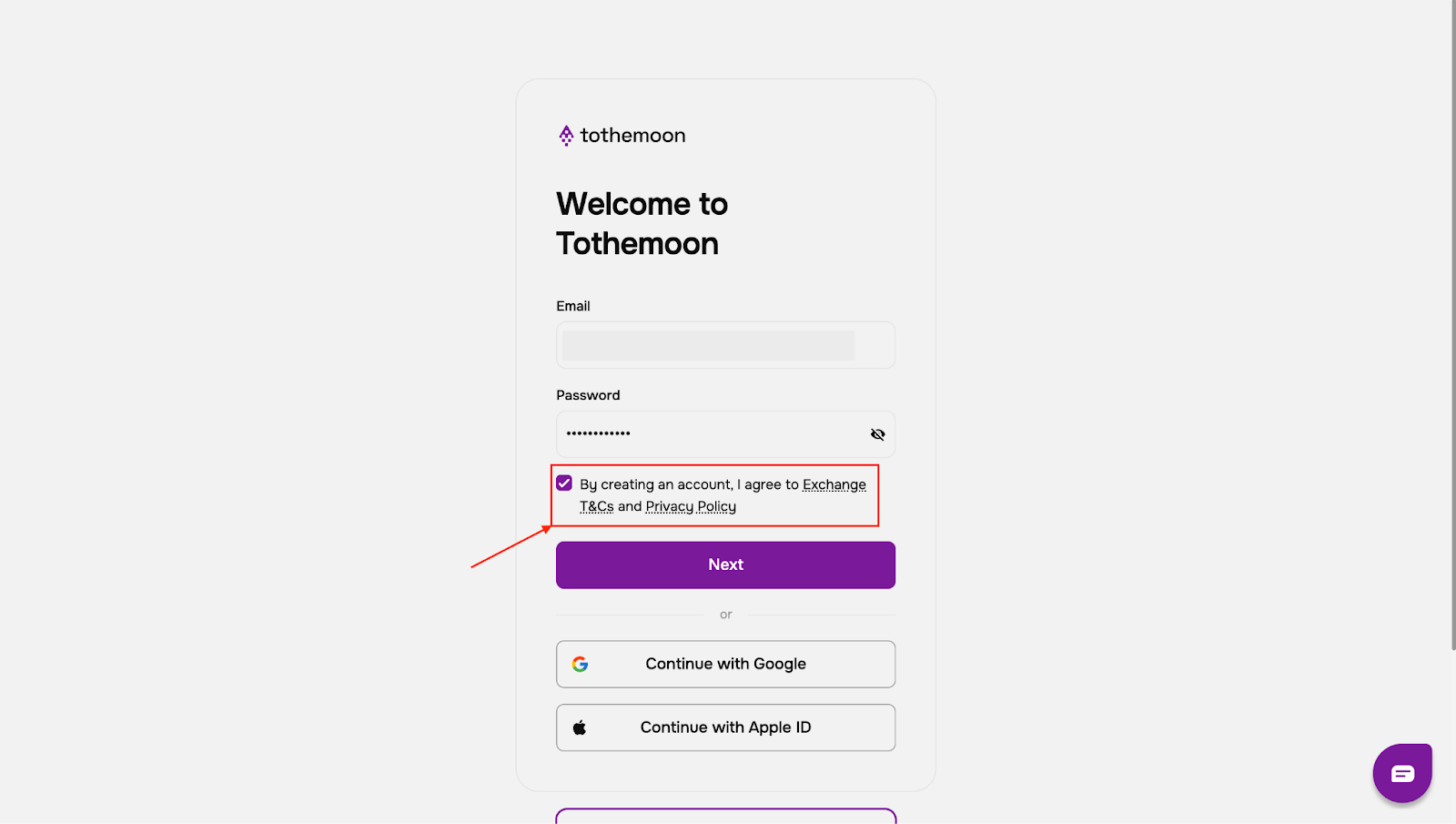
After entering your email and password:
- Tick the box to agree to the Exchange Terms and Conditions and Privacy Policy
- Click “Next”
Step 5: Confirm Your Email Address
A 6-digit verification code will be sent to the email you provided.
- Enter the code from your inbox on the verification page within 30 minutes
- If you do not see the email, check your spam or junk folder
- If needed, click “Send again” to request a new code
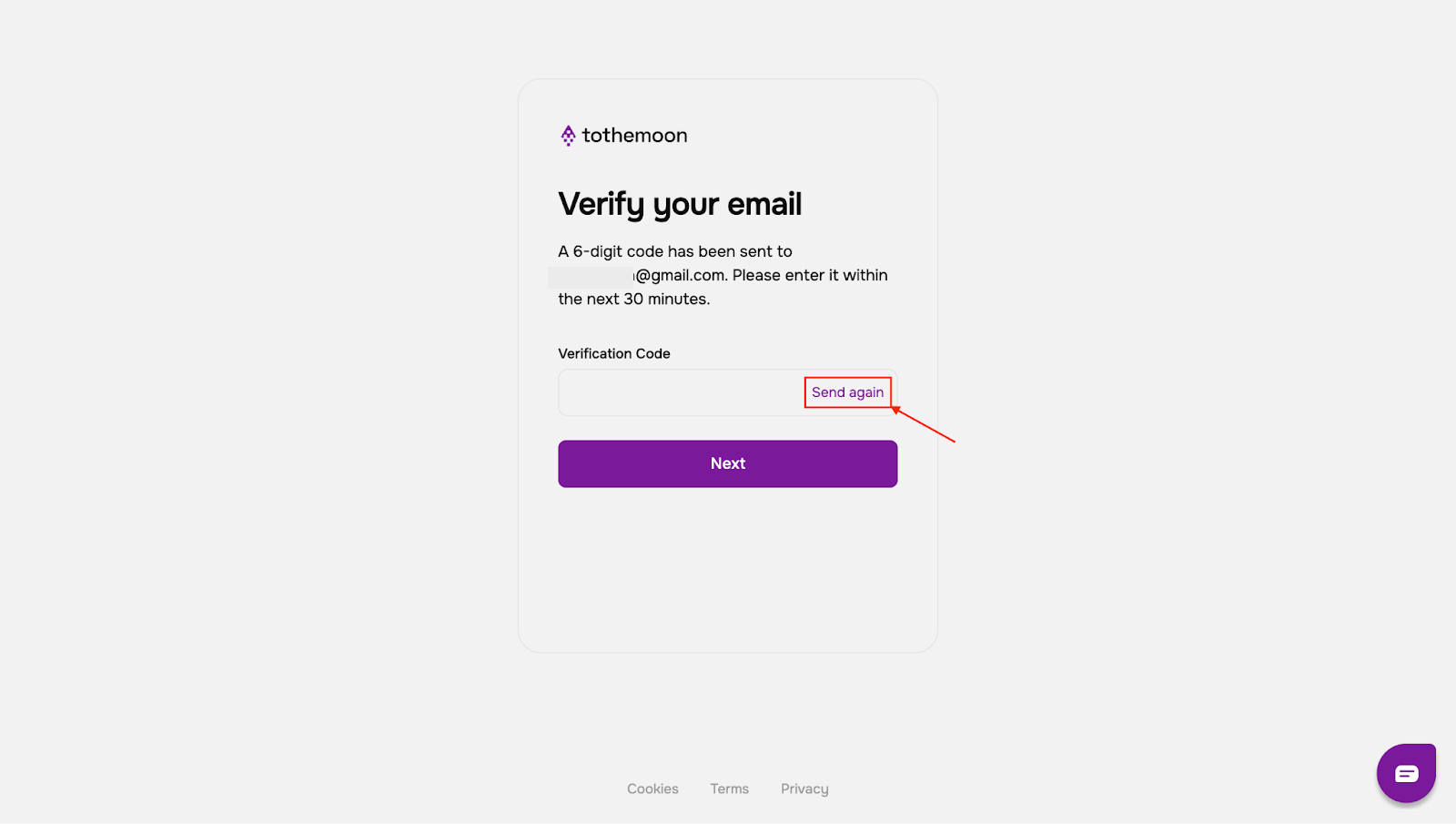
Once the code is entered, your account will be created automatically.
Step 6: Access Your Account
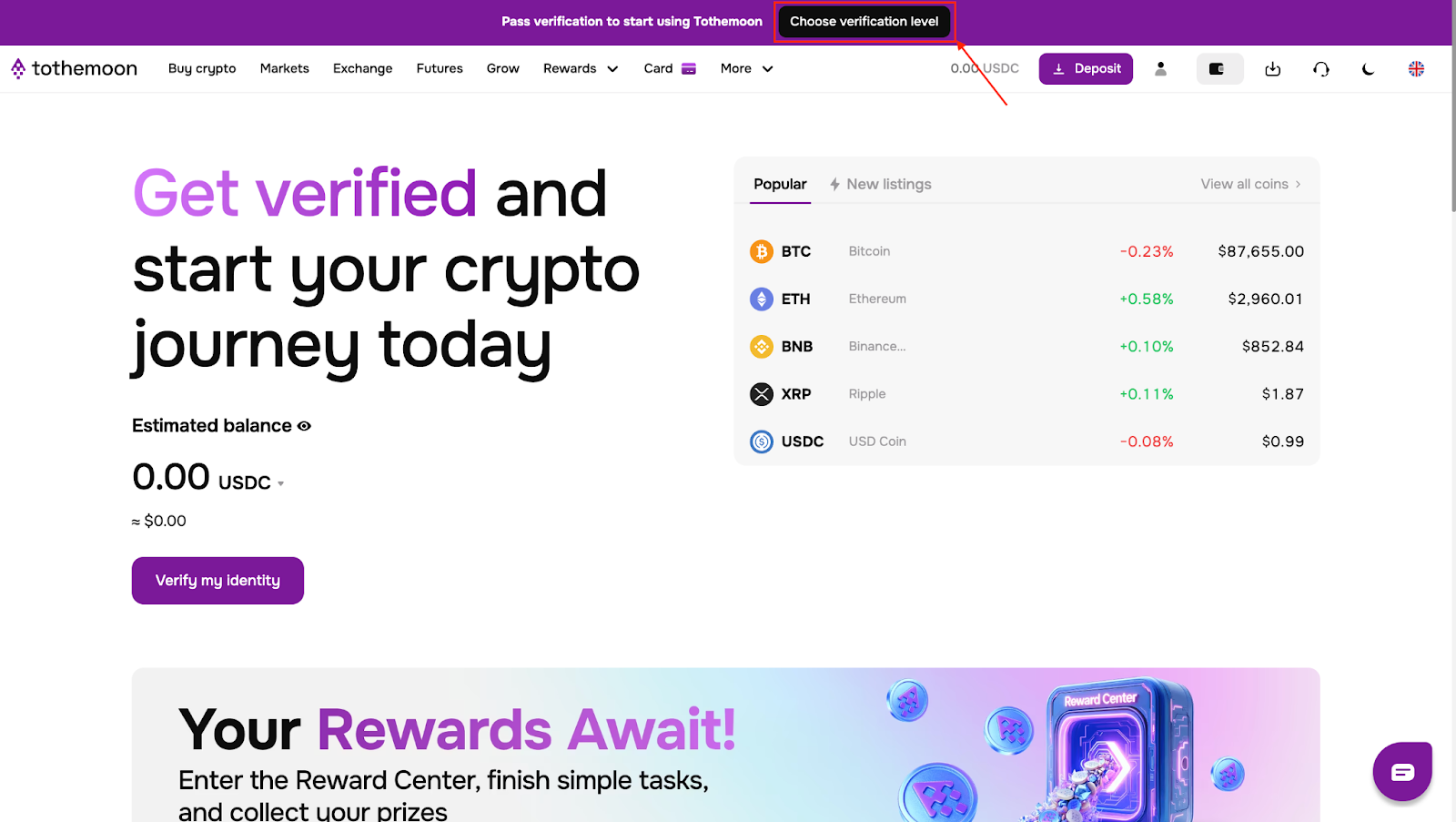
After confirmation, you will be redirected to the main Tothemoon page. At the top of the page, you will see a prompt to complete verification.
To continue, click “Choose verification level”.
How to Verify Your Tothemoon Account
Verification allows you to use your account fully and access higher limits for deposits, withdrawals, and trading.
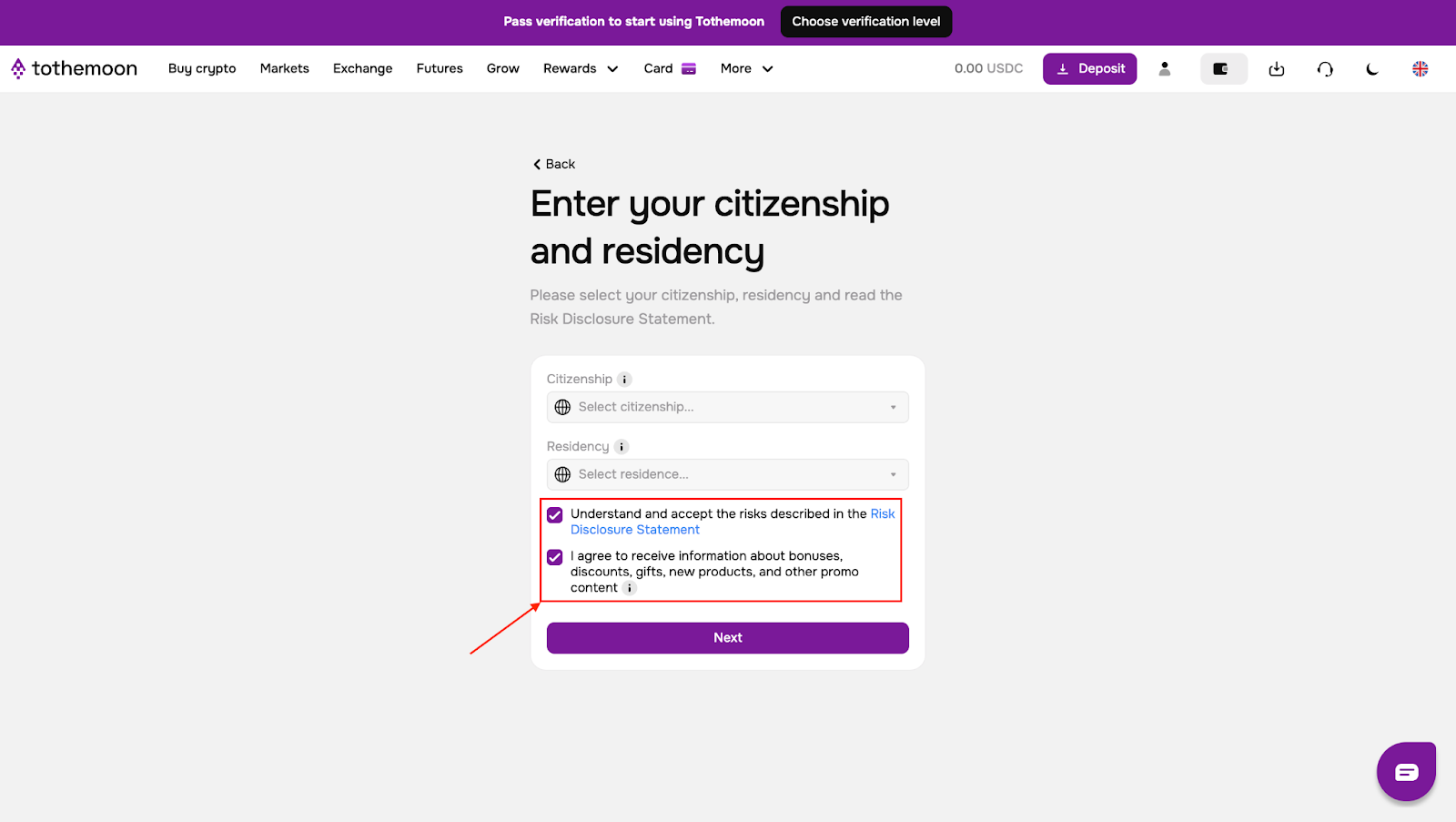
Step 1: Provide Basic Information
You will be asked to:
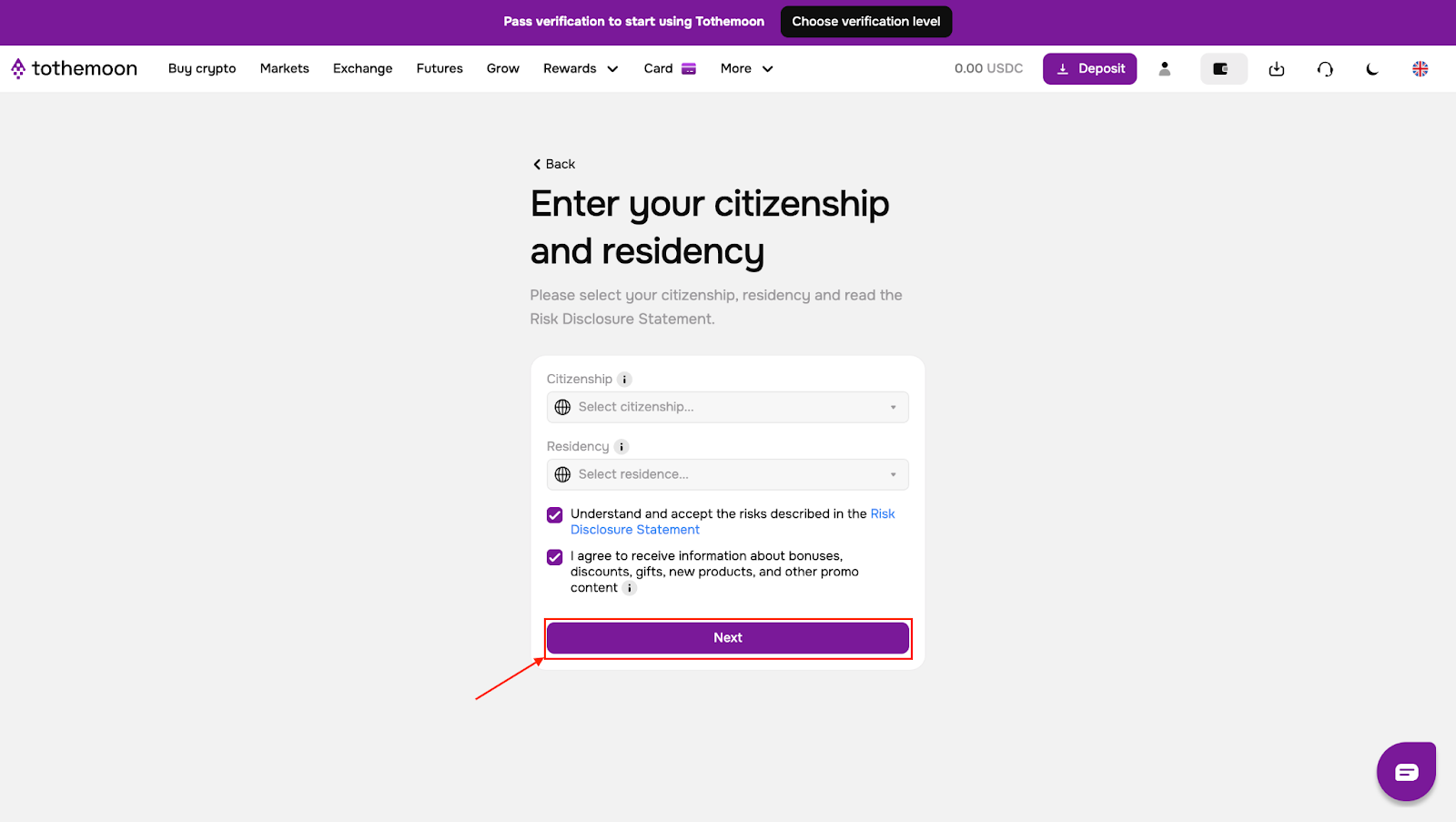
- Select your country of citizenship
- Select your country of residence
After filling this out:
- Tick the box to accept the Risk Disclosure Statement
- Optionally tick the box to receive updates about bonuses, discounts, and new products
- Click “Next”
Step 2: Choose a Verification Level
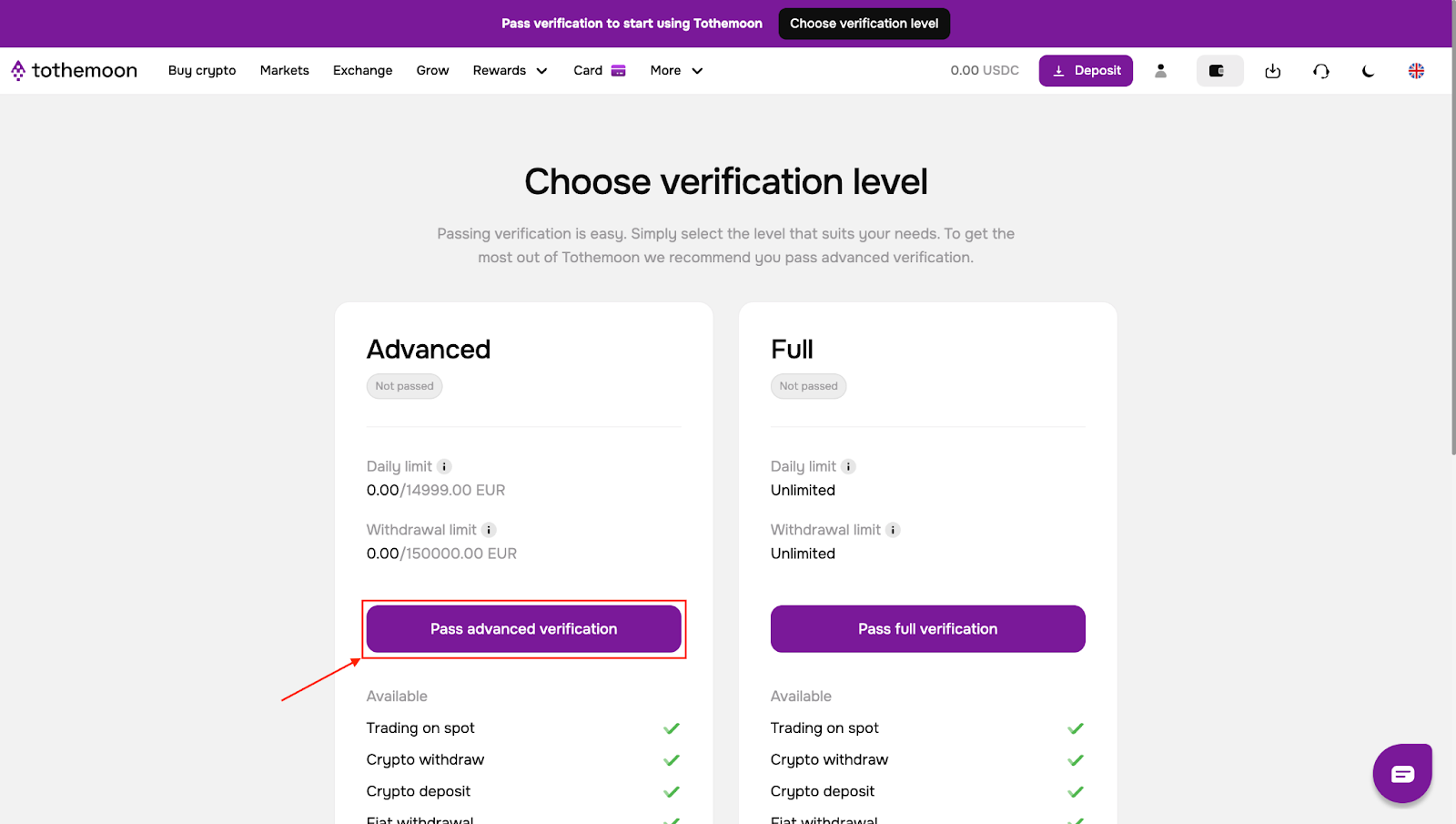
You will see two options:
- Advanced verification
- Full verification
Each level has different limits. For most promotional activities and the majority of transactions within standard limits, Advanced verification is sufficient.
To proceed, click “Pass advanced verification”.
Step 3: Start the Verification Process
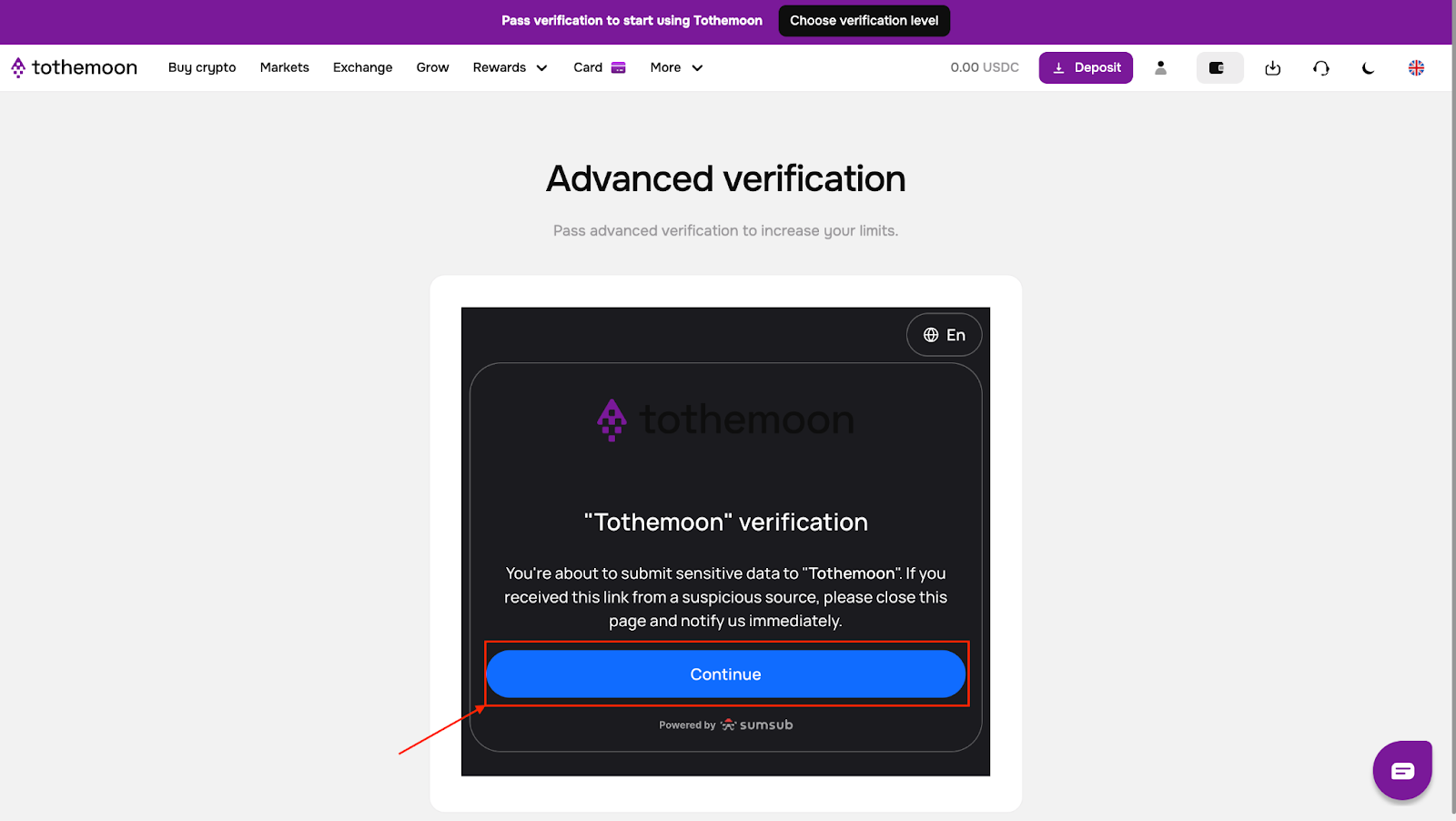
You will be taken to the verification page.
- Click “Continue”
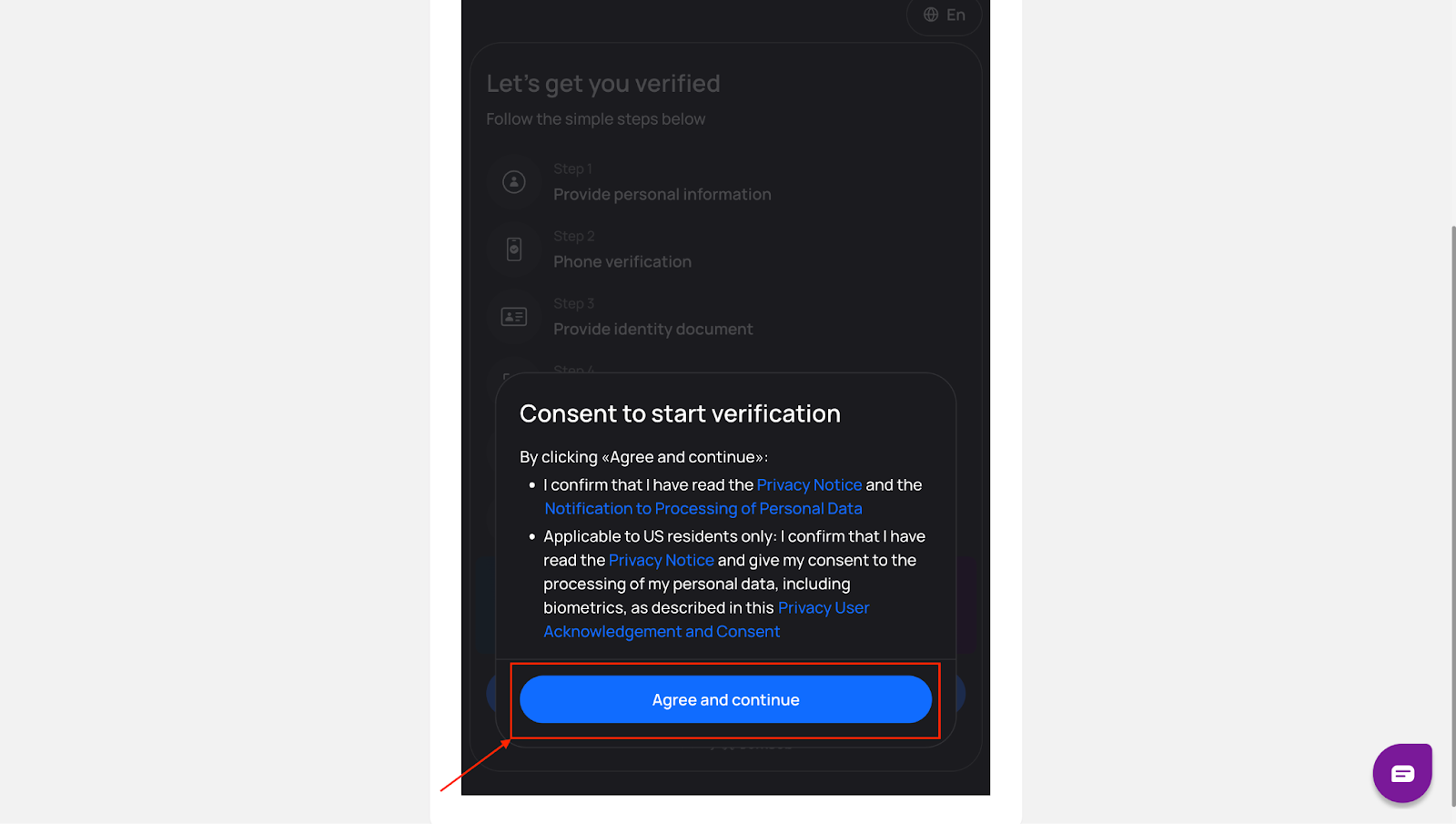
- Read the information provided and click “Agree and continue” to give consent
If you already have a Sumsub ID account, you can enter your email to speed up the process.
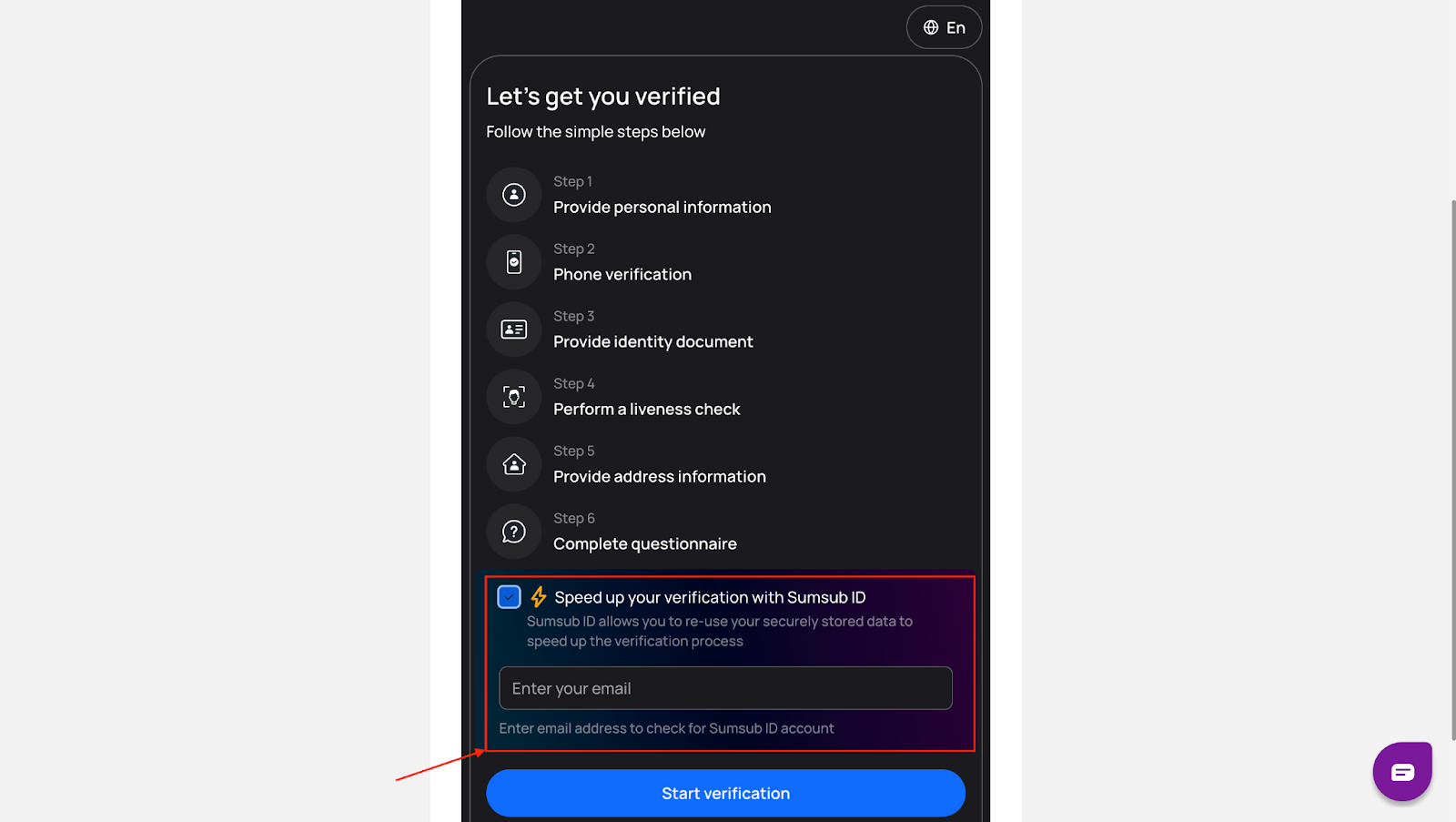
If not, click “Start verification”.
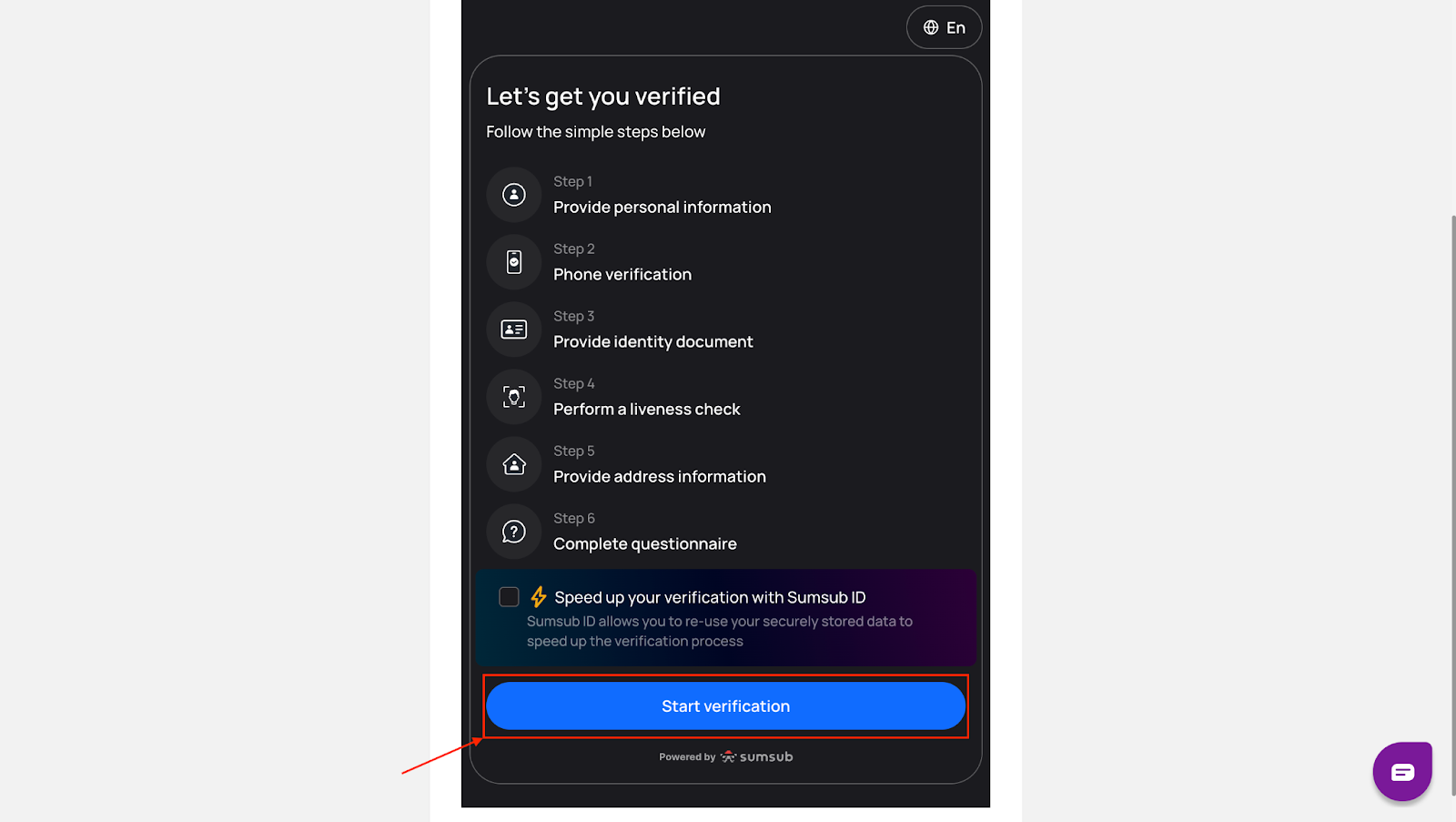
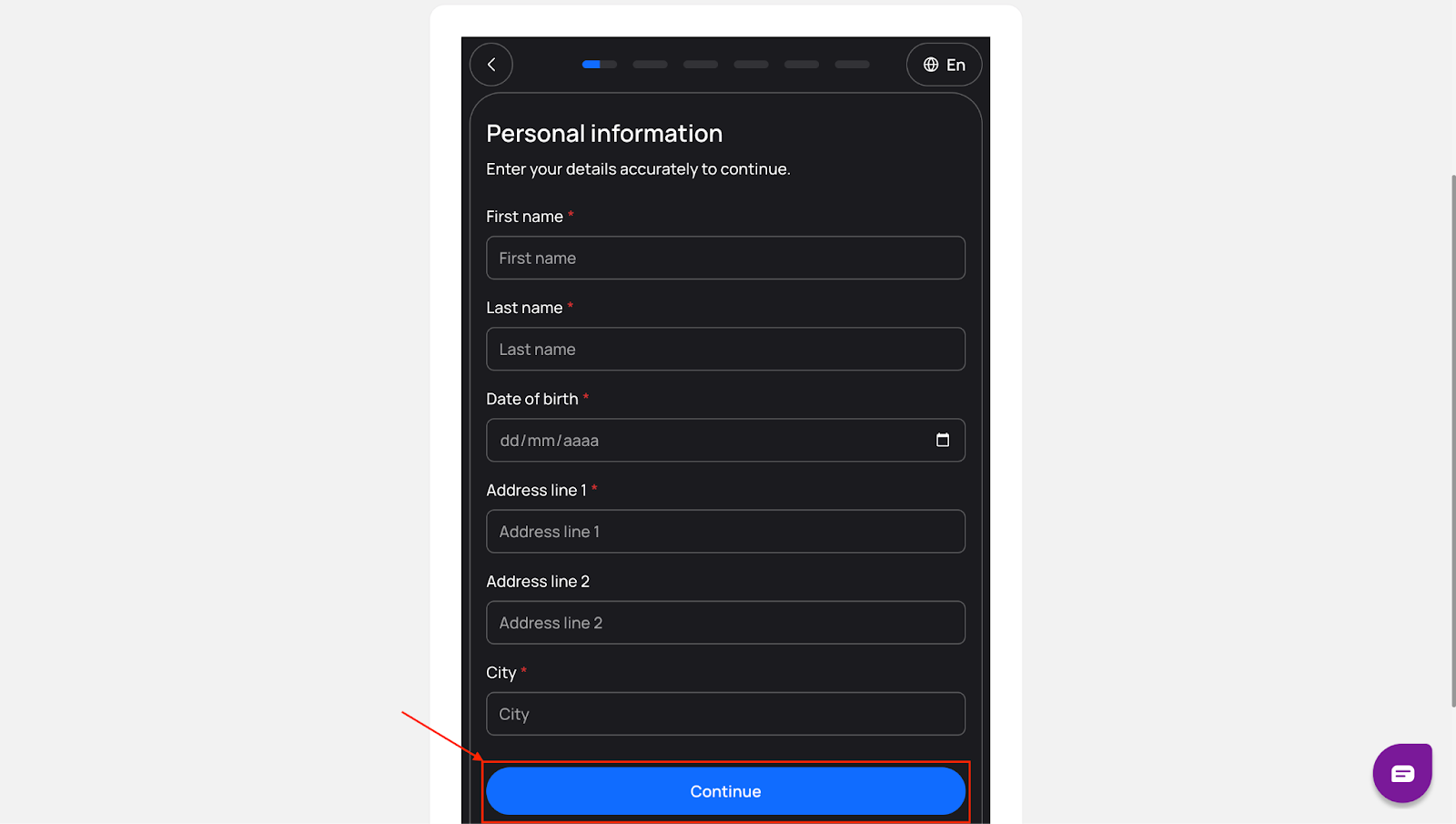
Step 4: Enter Personal Details
Fill in your personal information as requested and click “Continue”.
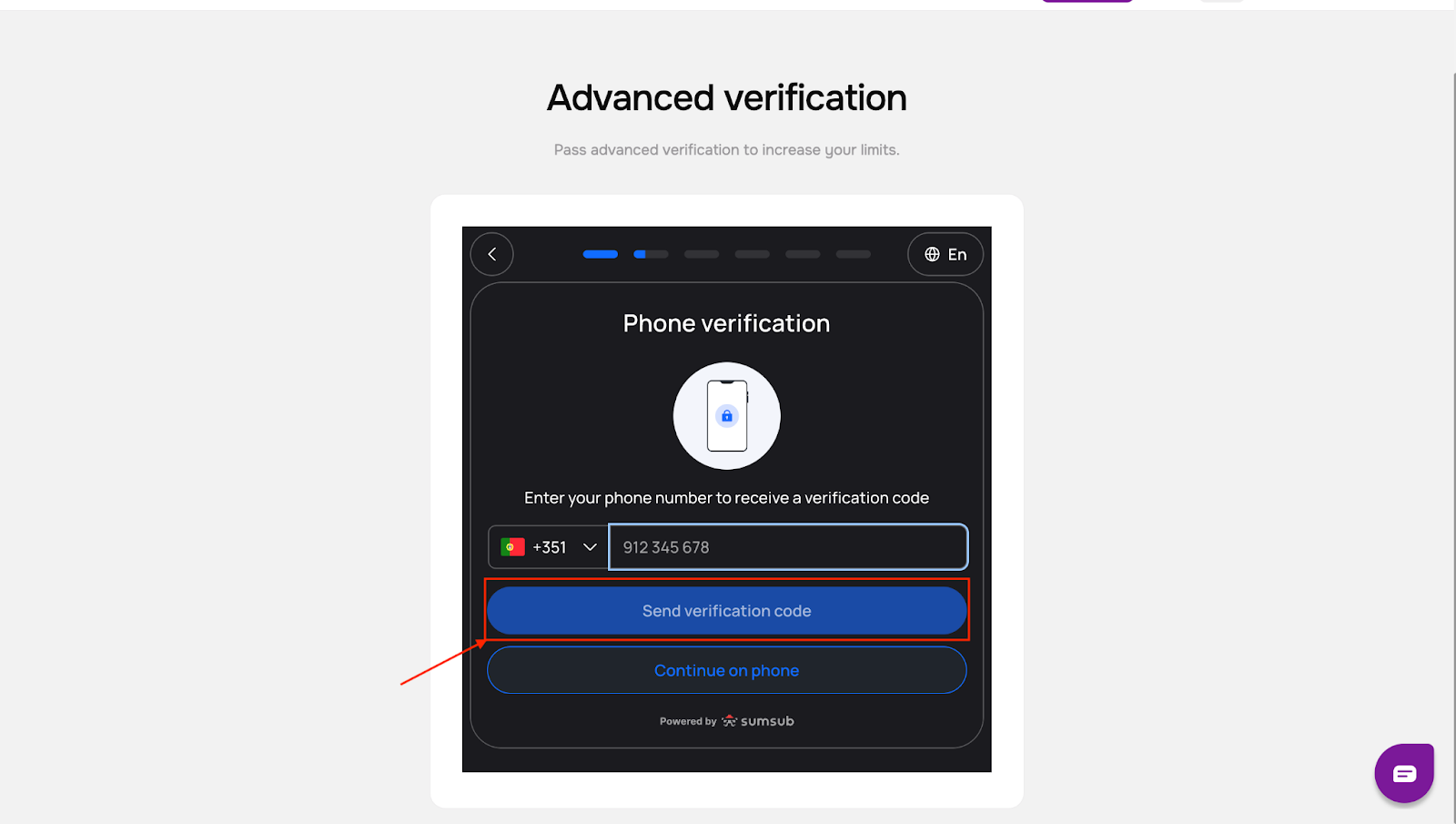
Step 5: Verify Your Phone Number
- Enter your phone number
- Click “Send verification code”
- Enter the code you receive
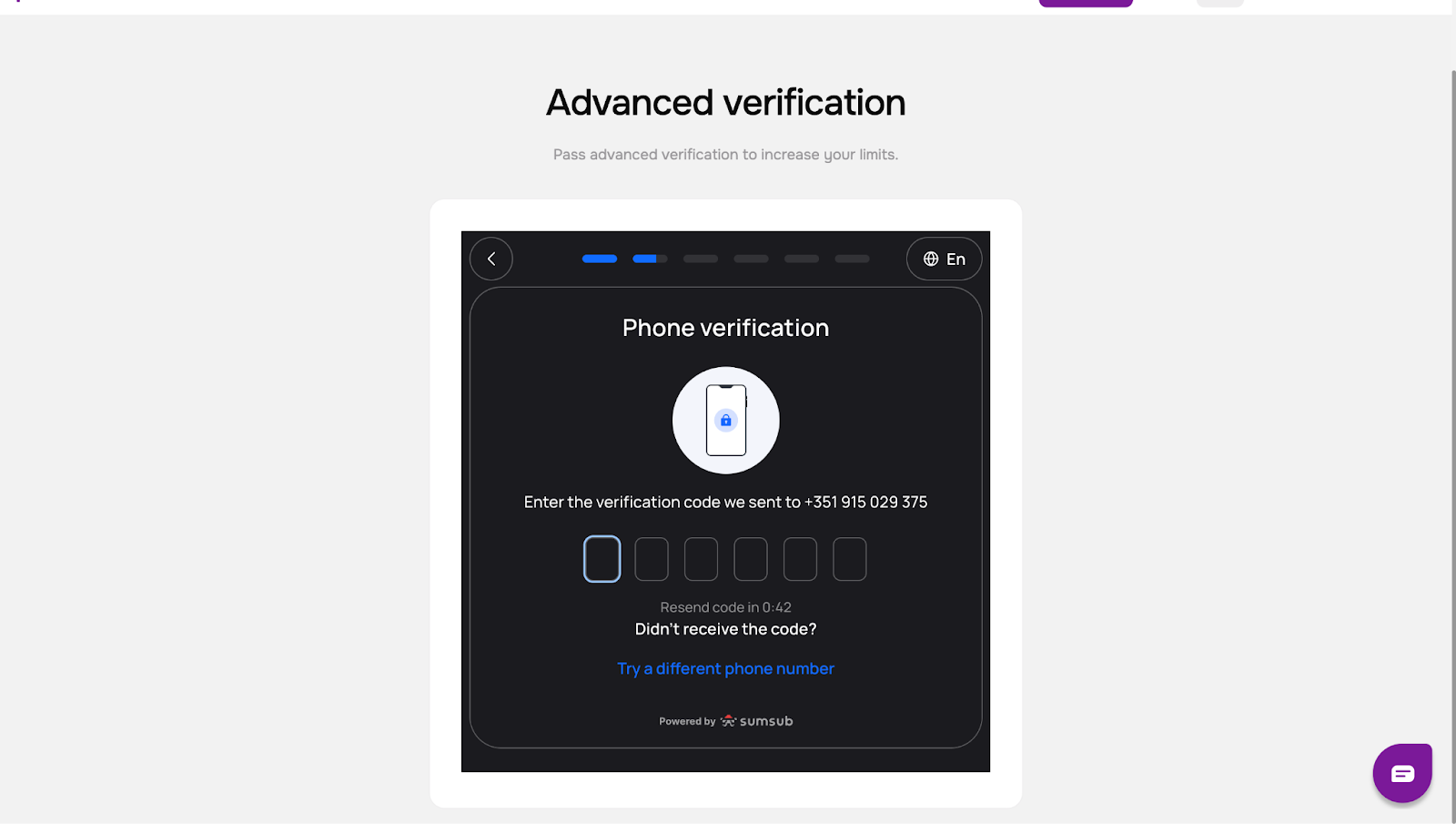
Step 6: Upload Identity Documents
- Choose the type of identity document you want to use
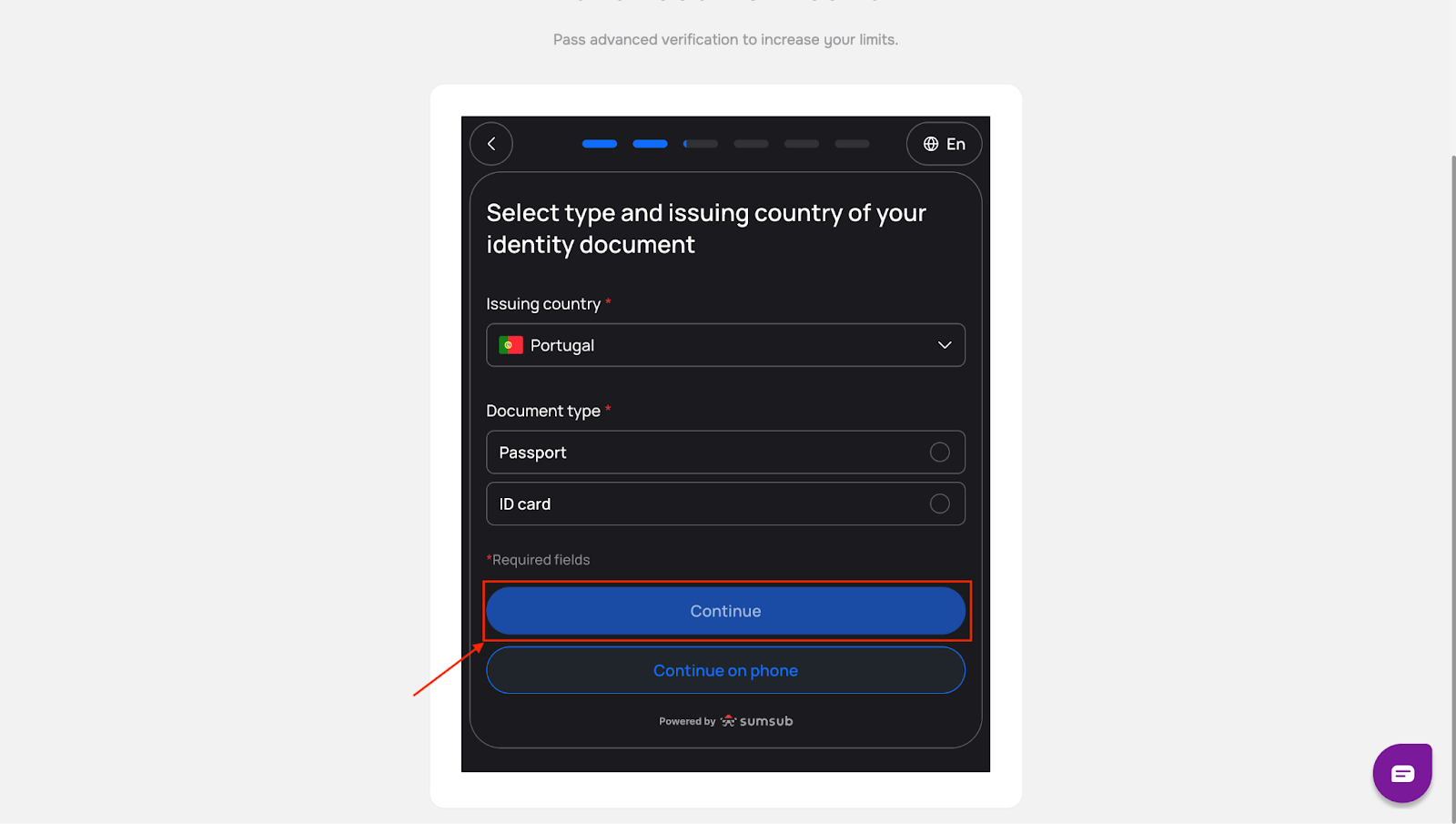
- Upload clear images of the required document pages
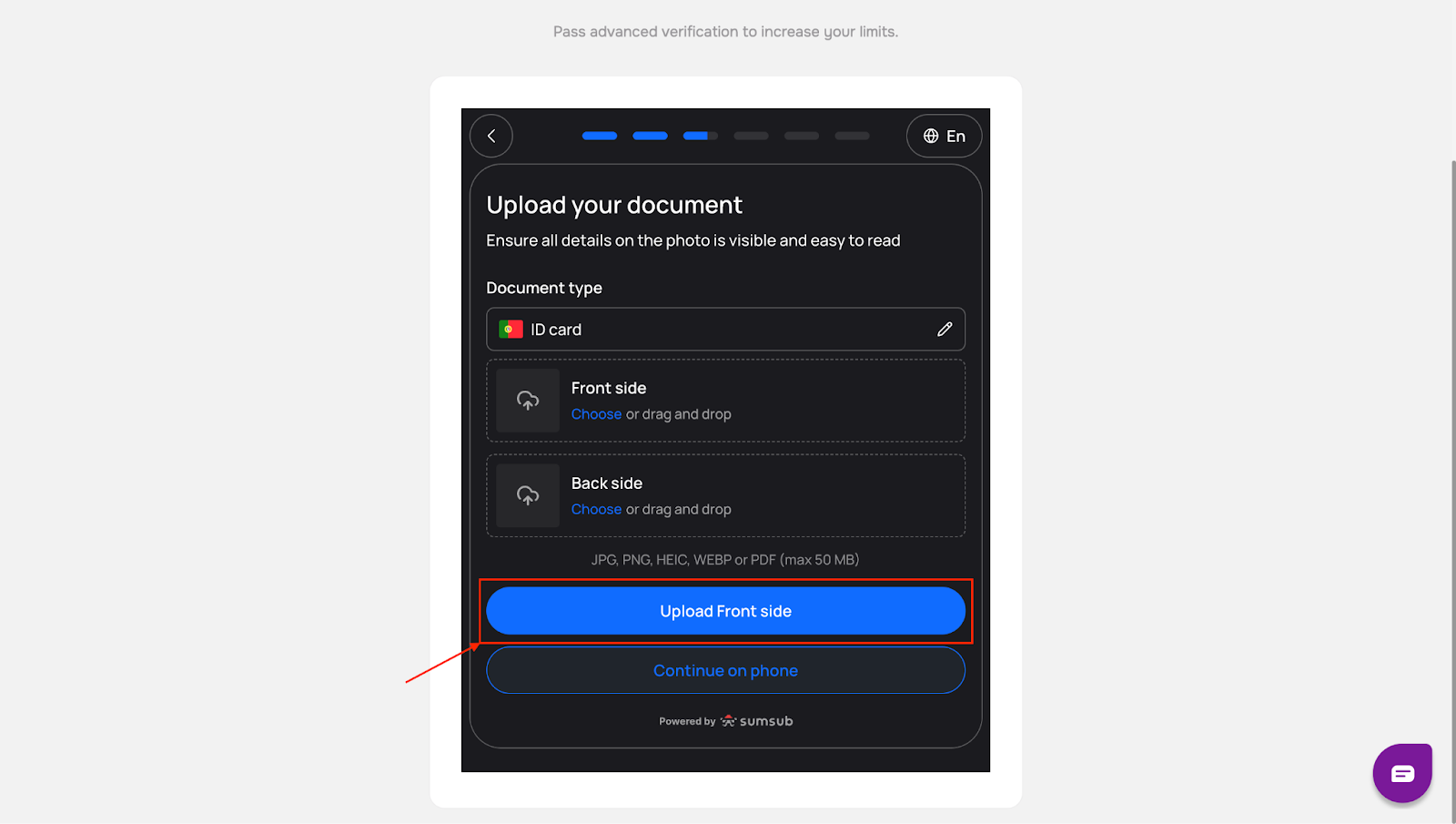
- Click “Continue”
Step 7: Complete the Liveness Check
This step confirms that you are the real owner of the documents.
- Review the on-screen guidelines and click “Continue” when ready
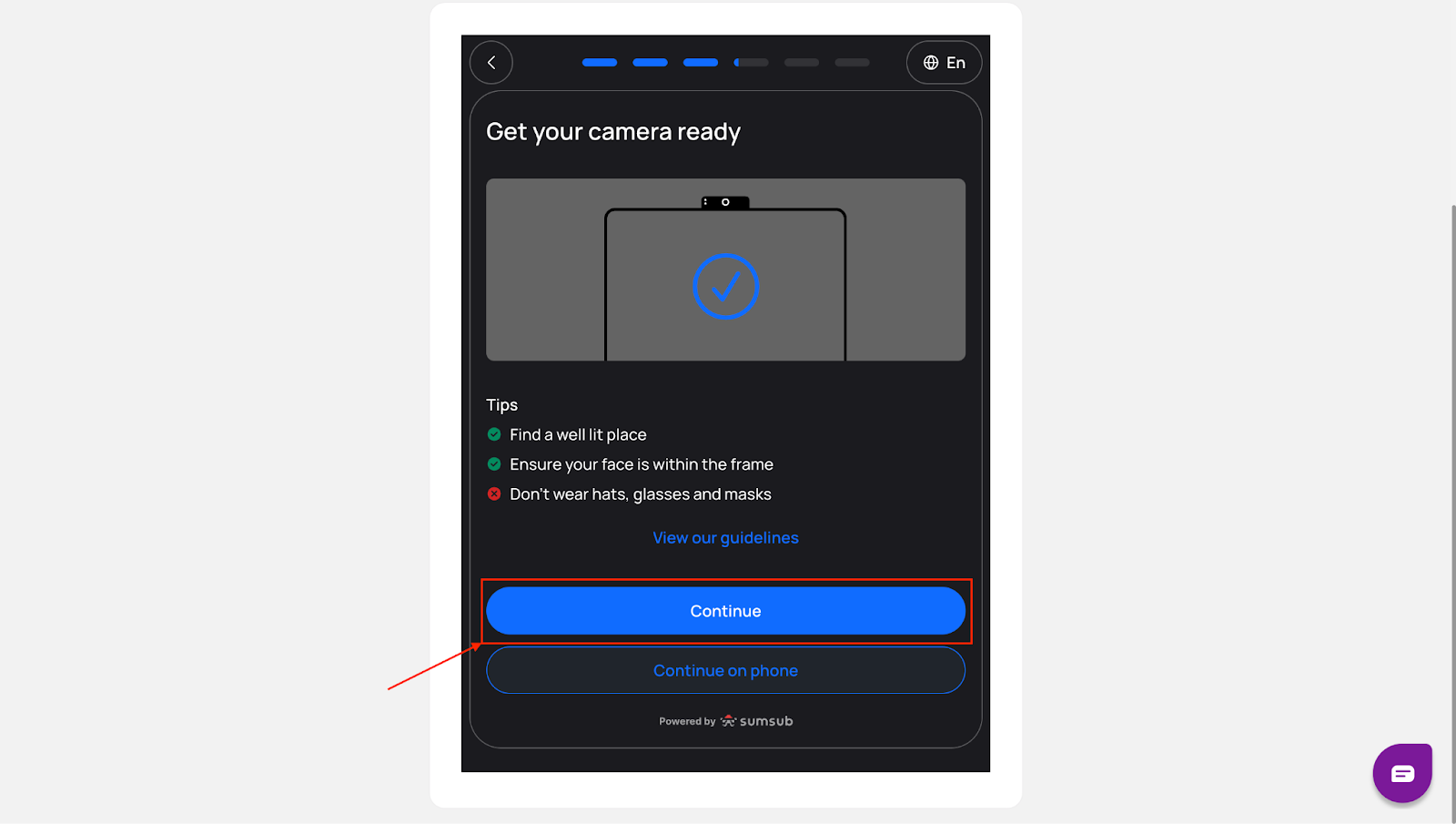
- Allow your browser to access your camera by clicking “Allow” when prompted
- Follow the instructions shown on the screen
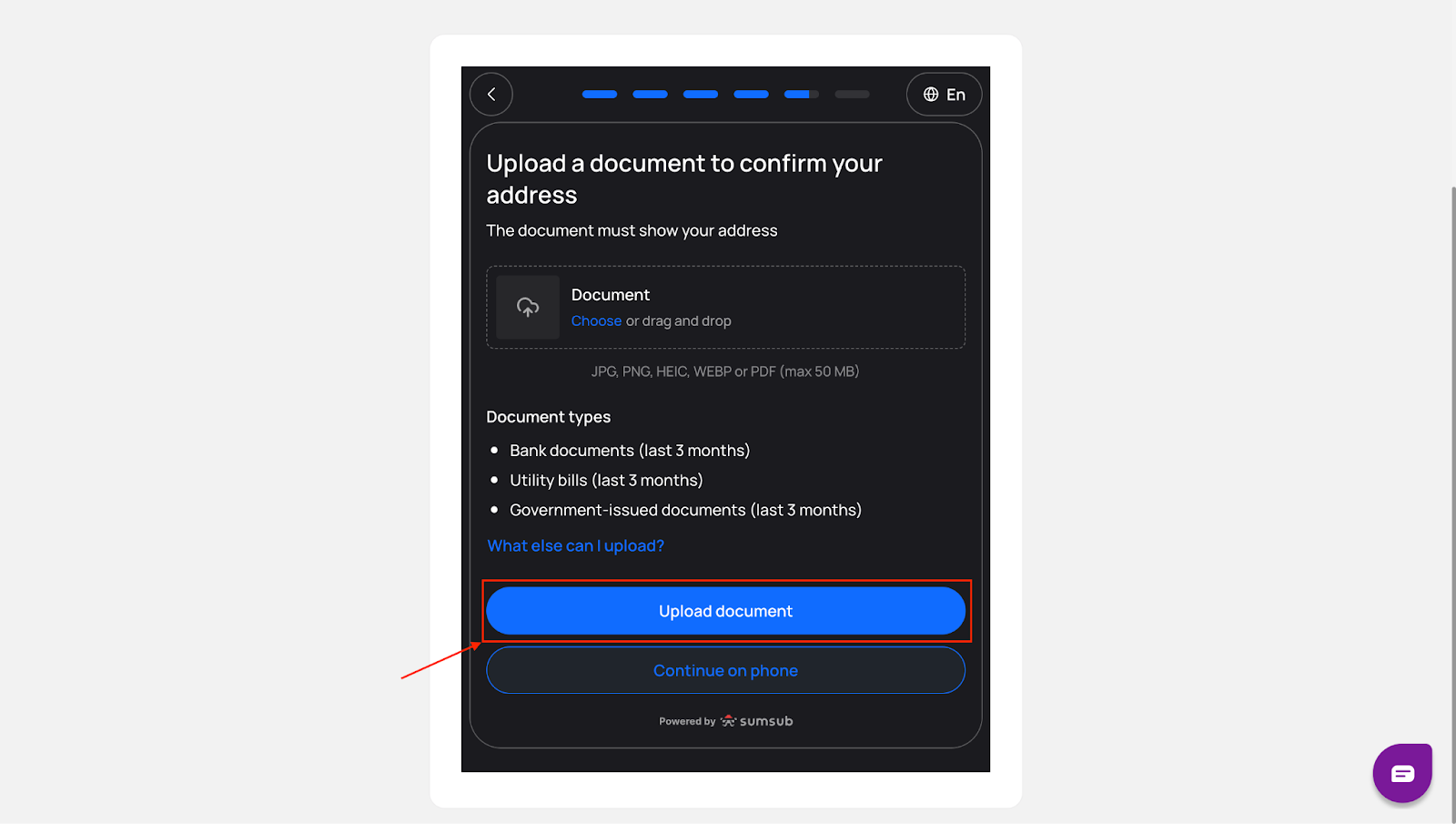
Step 8: Confirm Your Address
Upload a document that confirms your address and click “Continue”.
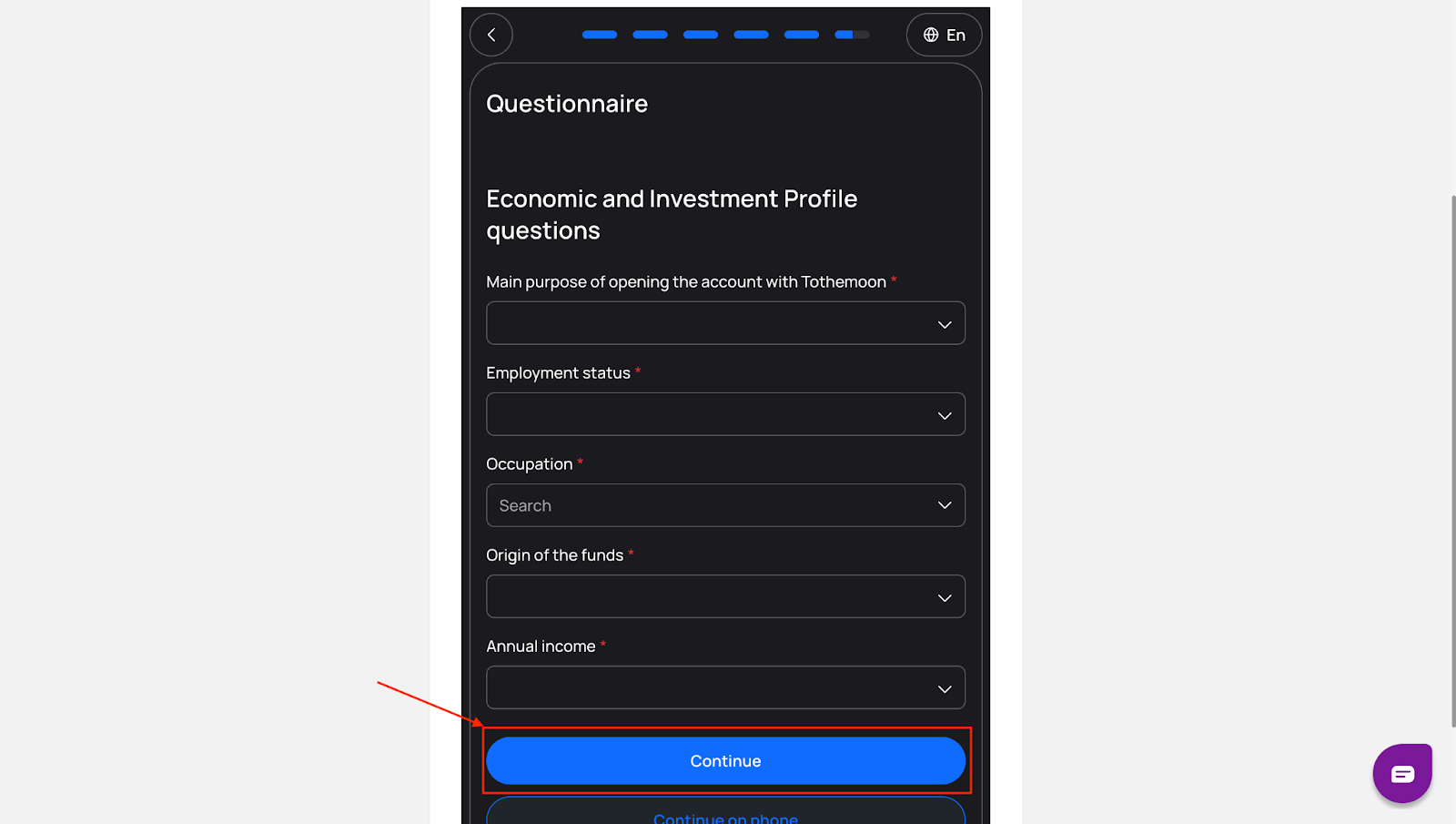
Step 9: Answer a Short Questionnaire
Complete the short questionnaire and click “Continue”.
.
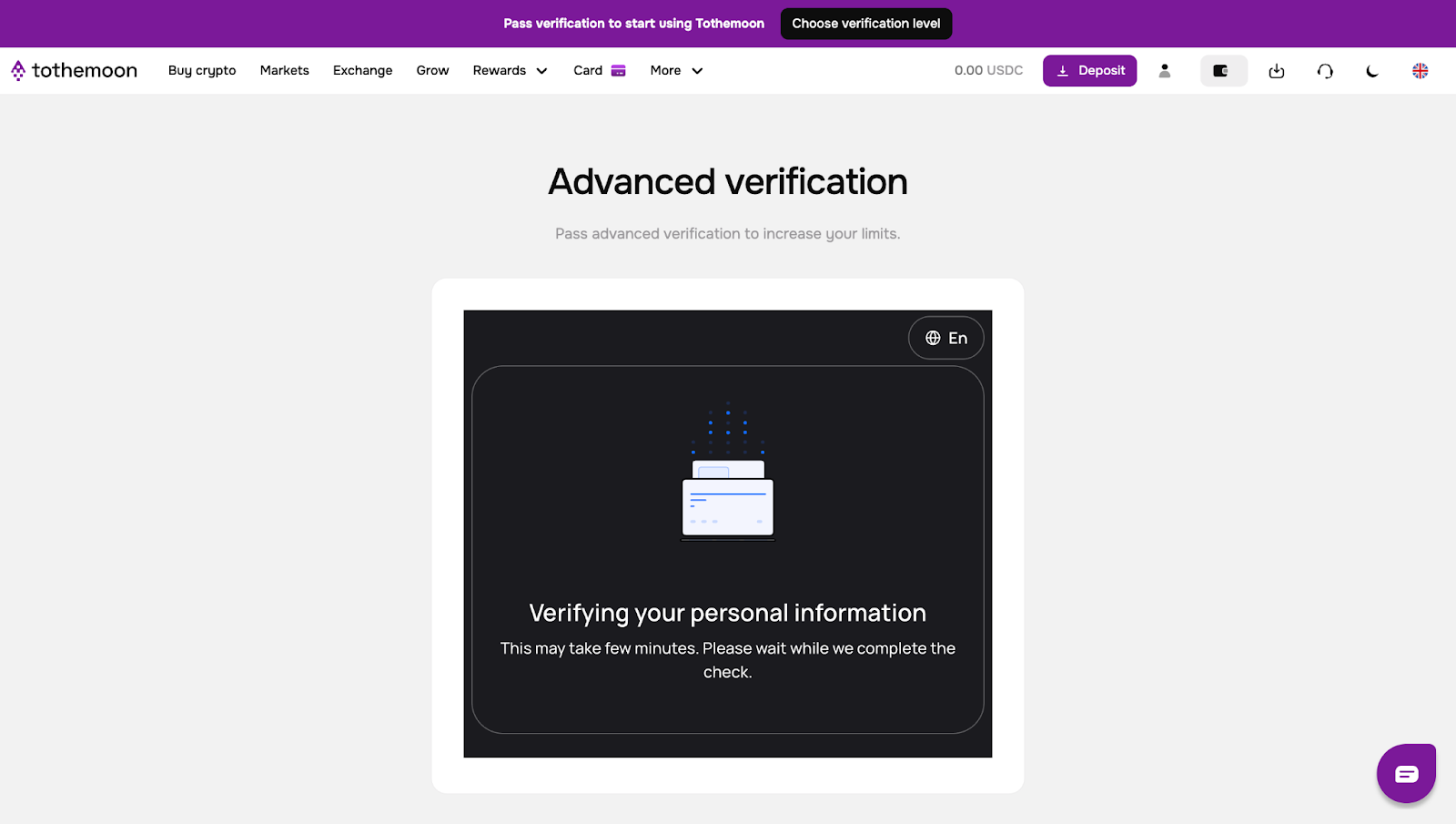
Step 10: Wait for Verification
Your information will now be reviewed.
- This step may take some time
- You will see a status screen showing that your information is being verified
If any document does not meet the requirements, you will be asked to resubmit it.
- Click “Start resubmission”
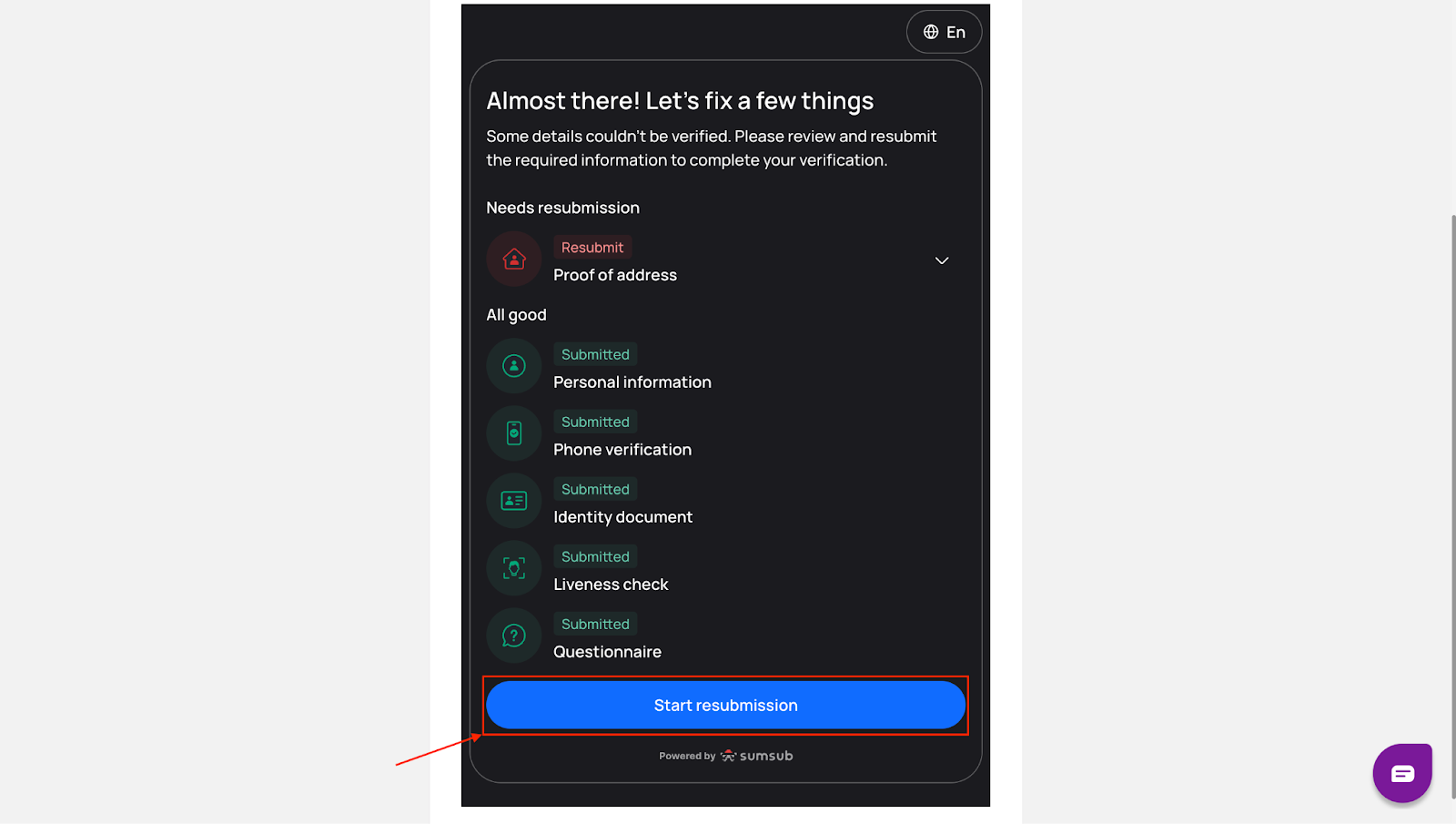
- Upload the corrected documents
- Continue until you reach the verification status screen again
Step 11: Start Using Your Account
Once your personal information is verified, your account will be fully active. You can now use Tothemoon with access to all features with limits available for your verification level.

Risk Disclosure Statement
.jpeg)


.svg)
.svg)
.svg)
%20(1).png)
.png)
.png)
.png)