
.svg)
How to Get Your Unique Affiliate Link and Share It
After joining the Tothemoon affiliate program, the next step is to get your unique affiliate link. This link tracks visitors who come from you and ensures you receive credit for referrals and commissions. The steps below show how to find available campaigns, apply to join them, generate your tracking link, and start sharing it with your audience.
Step 1: Log into the Tothemoon Affiliate Platform
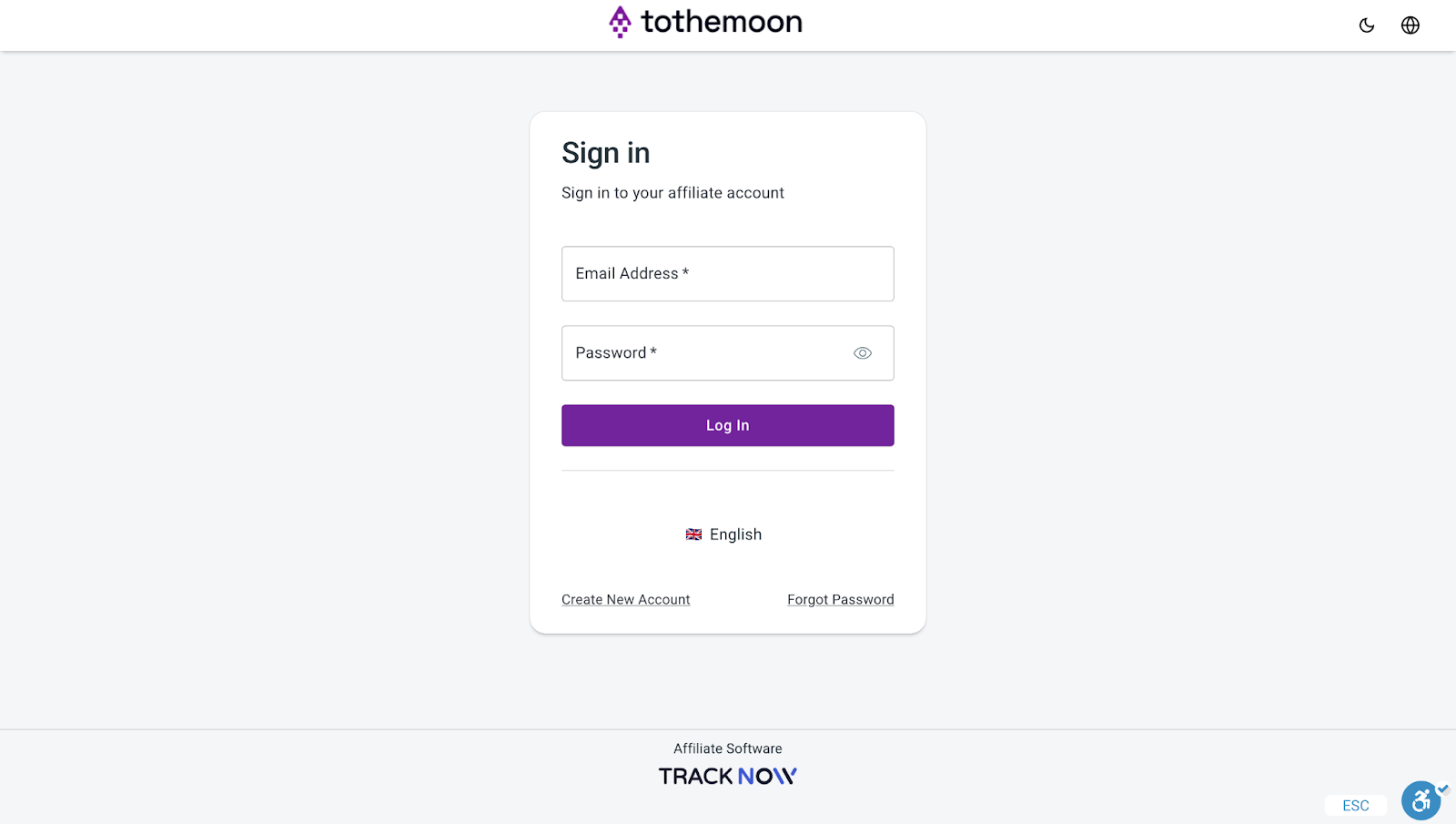
Click here to log in. If you don’t have an account yet, please follow this guide first.
Step 2: Access Your Affiliate Dashboard
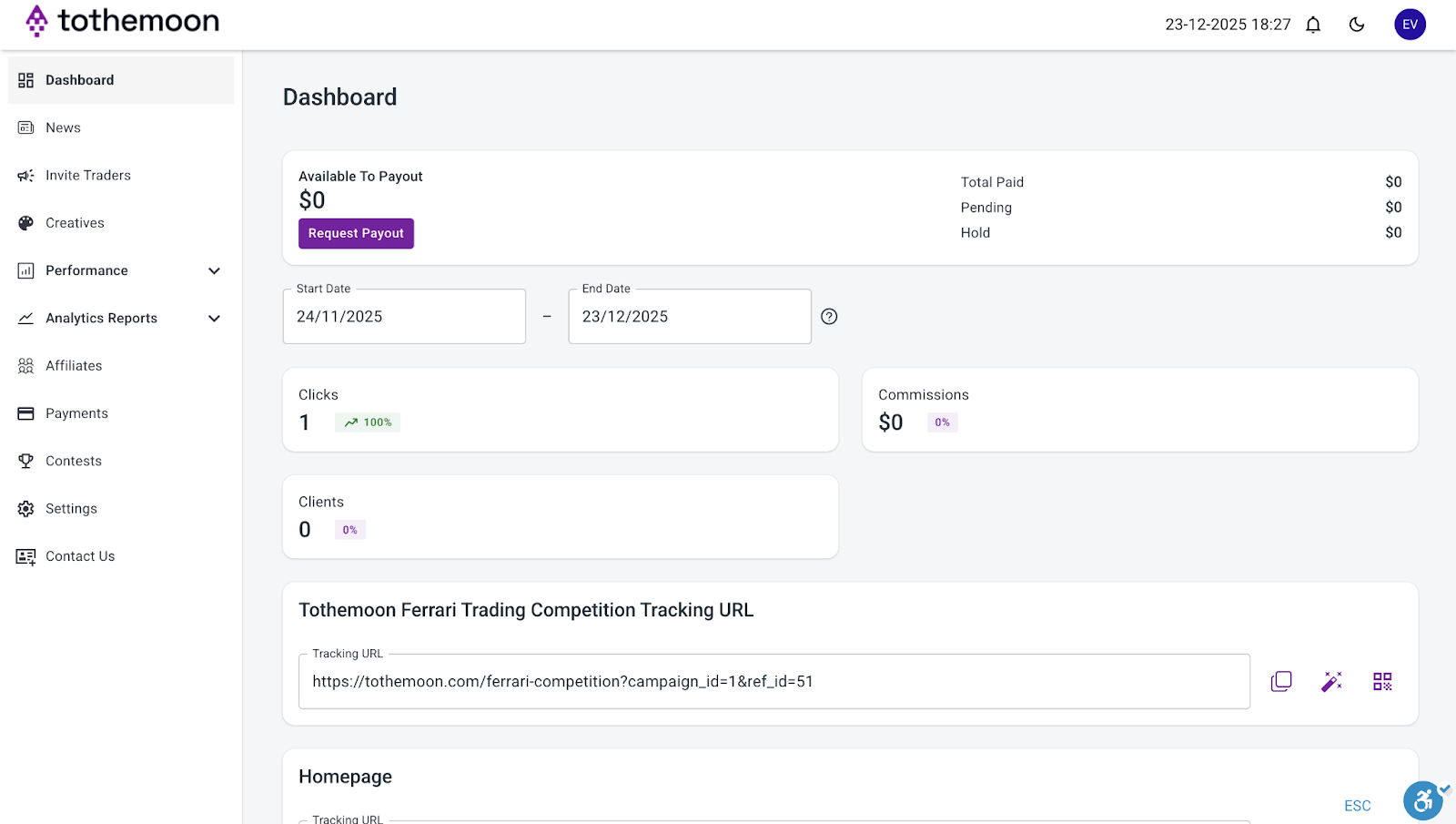
Once you log in, you will automatically be taken to your affiliate dashboard. This is where you manage everything.
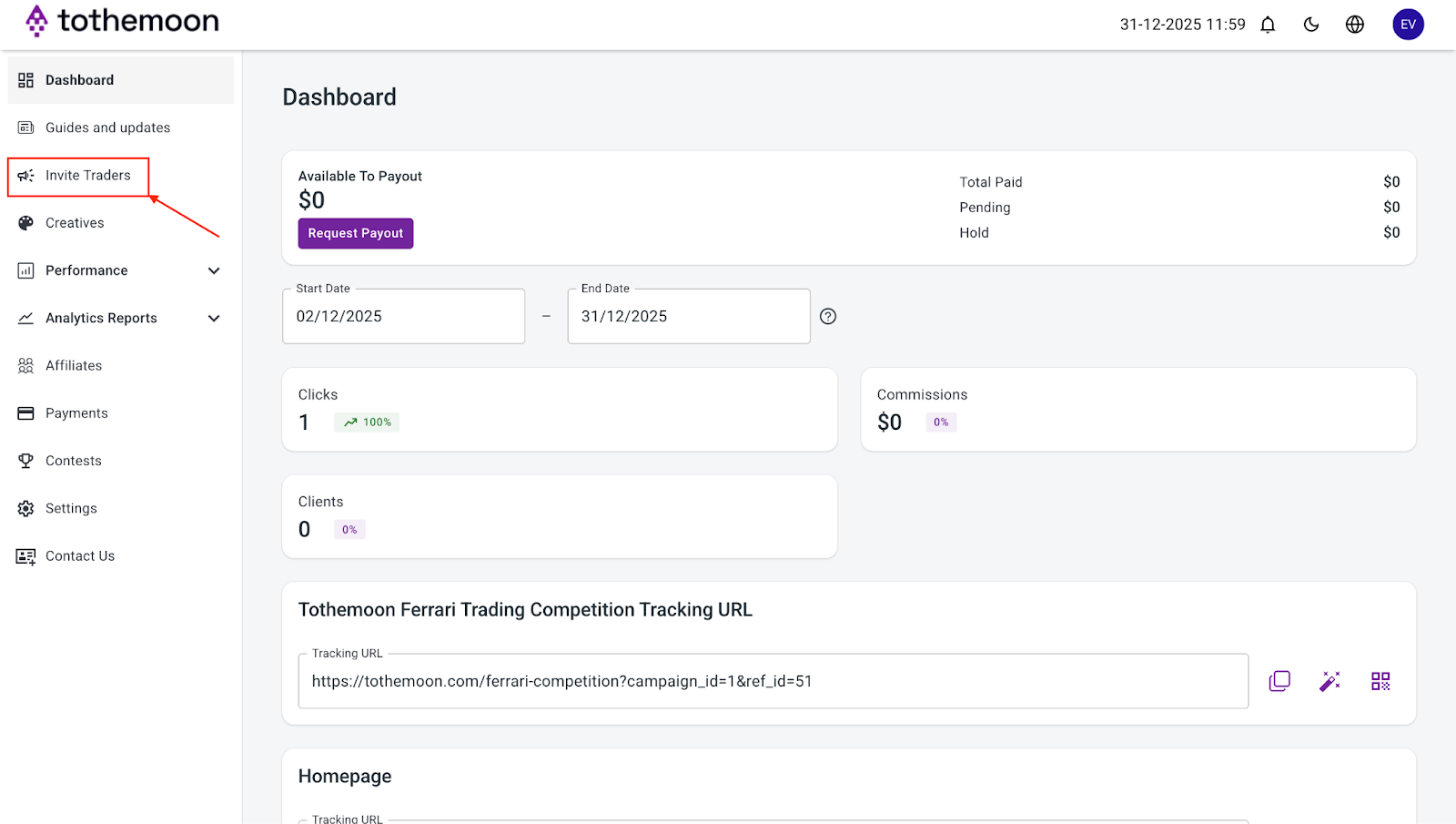
Step 3: Find the Invite Traders Section
On the left side of the dashboard, look for the menu and click on “Invite Traders”.
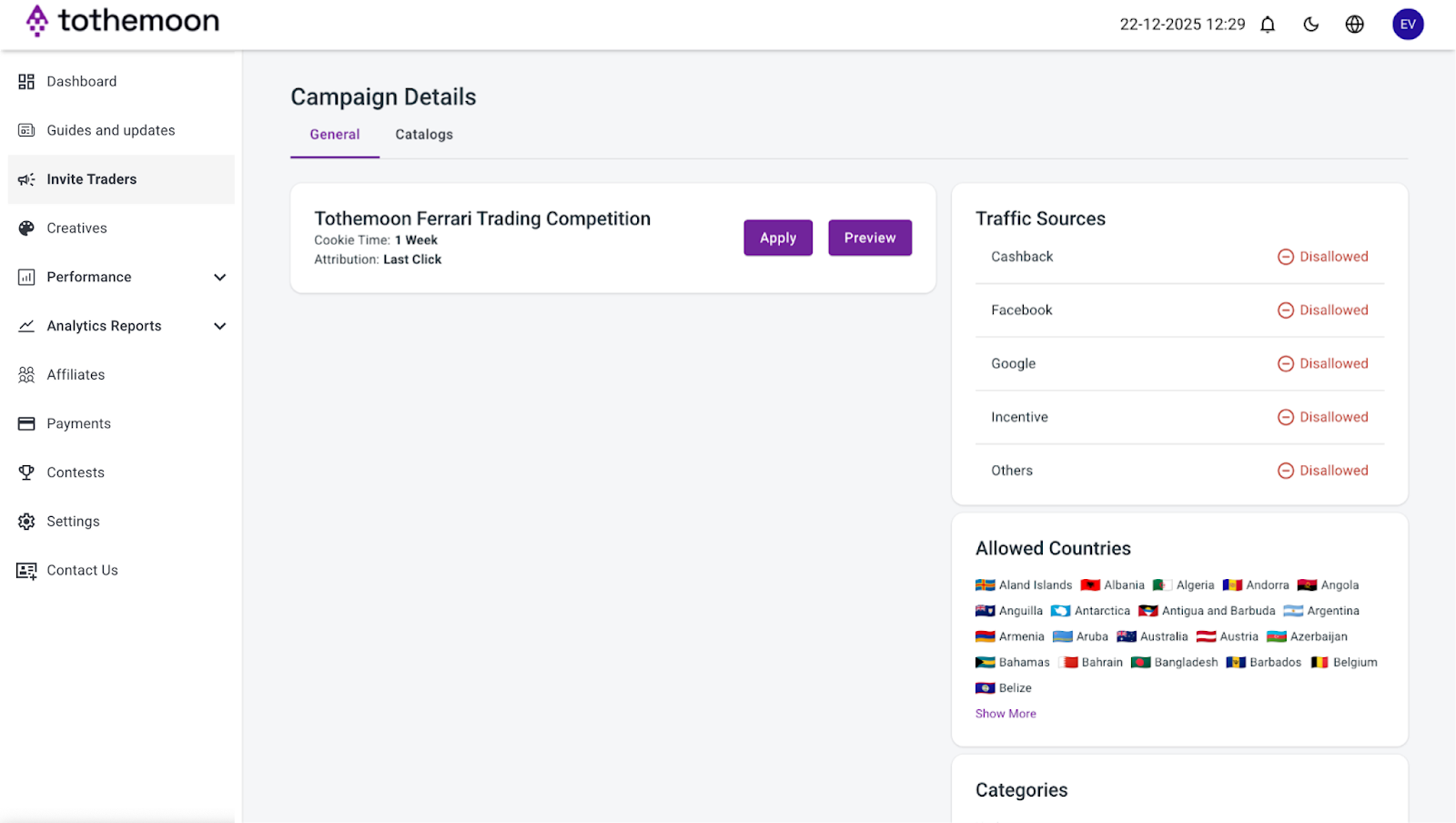
Step 4: Browse Ongoing Invite Traders
You will see a list of active campaigns you can join.
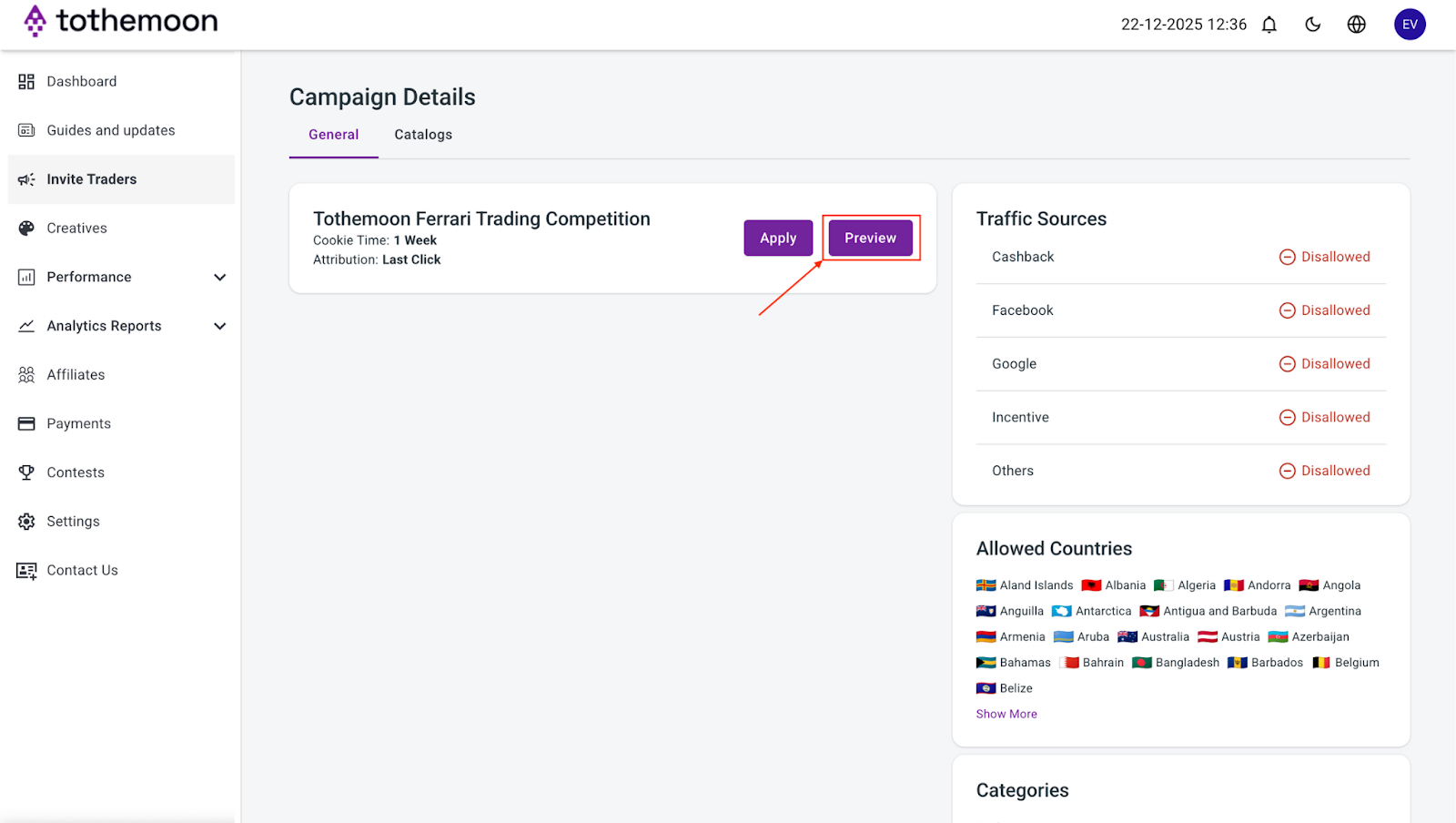
Step 5: Preview Campaign Details
Click the “Preview” button next to any campaign to see more information about it. This opens a page that explains the campaign in detail.

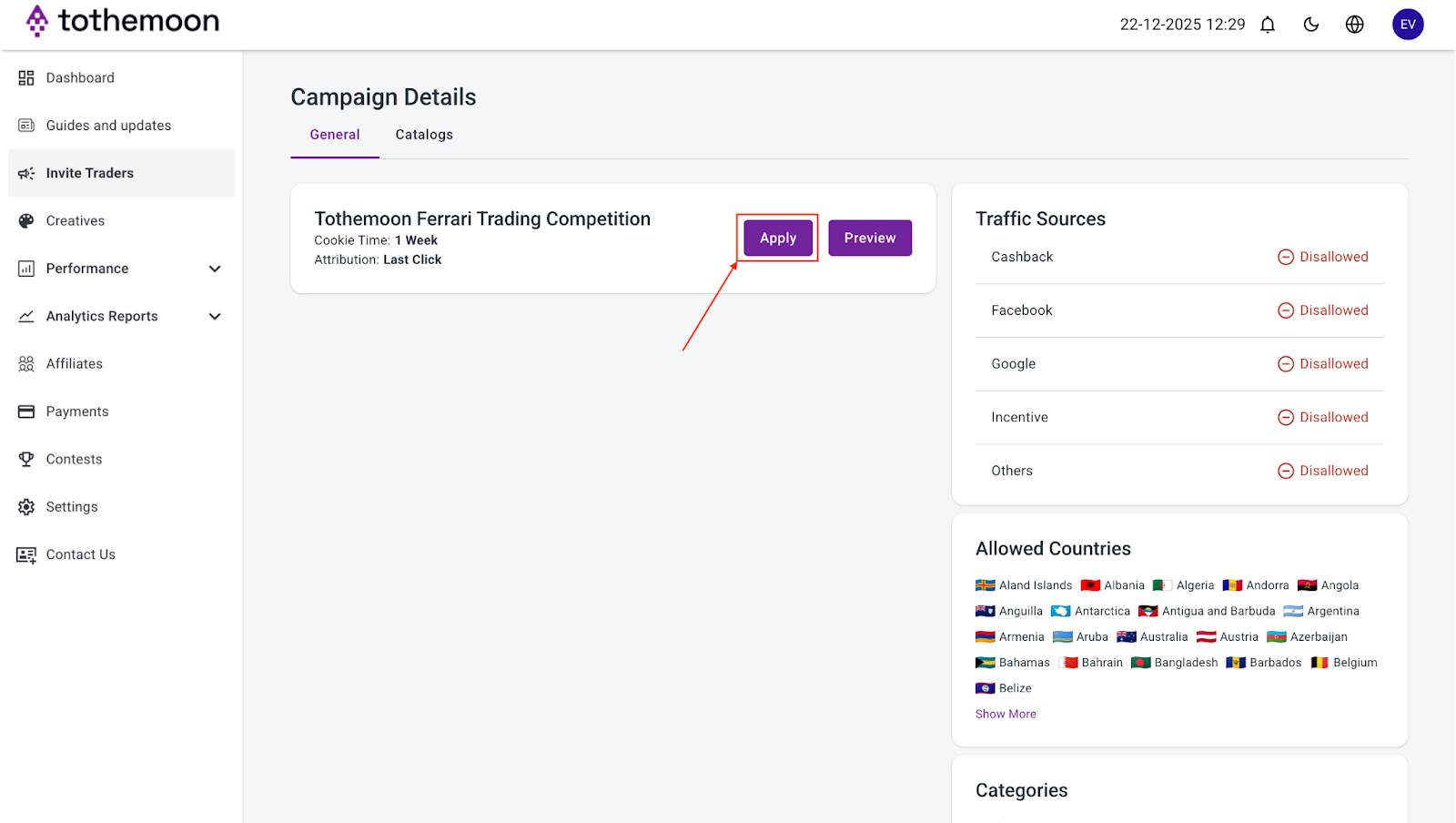
Step 7: Apply to Join a Campaign
Go back to your dashboard and find the campaign you want and click “Apply” next to it.
Step 8: Read Campaign Terms
A pop-up window will appear showing the campaign terms, such as allowed and disallowed traffic sources and other important rules. Disallowed traffic sources are places or ways you should NOT use your link. Following these rules is important.
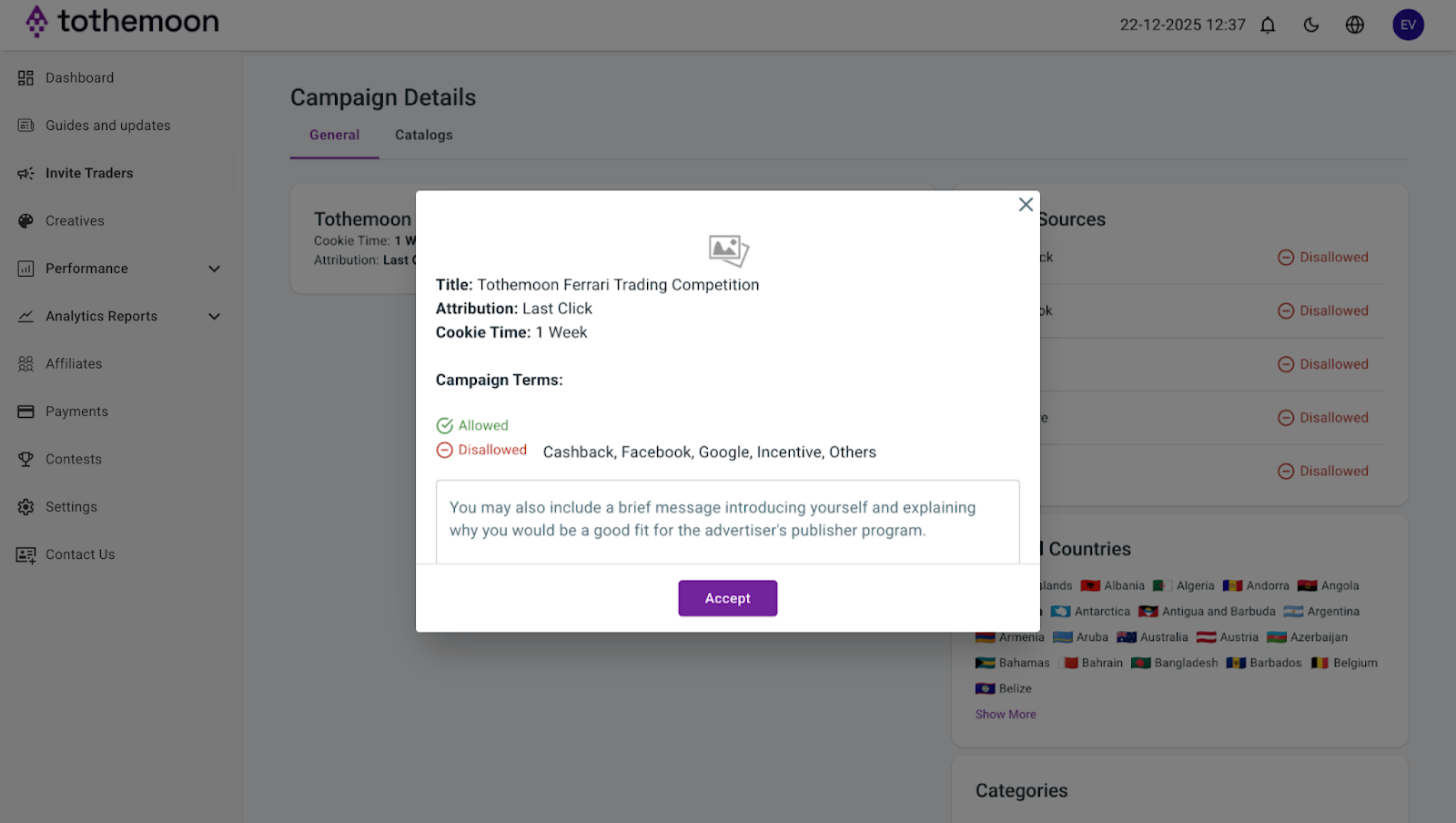
Step 9: Add a Message (Optional)
You can write a short message about yourself and why you want to join the campaign. This helps the advertiser understand who you are.
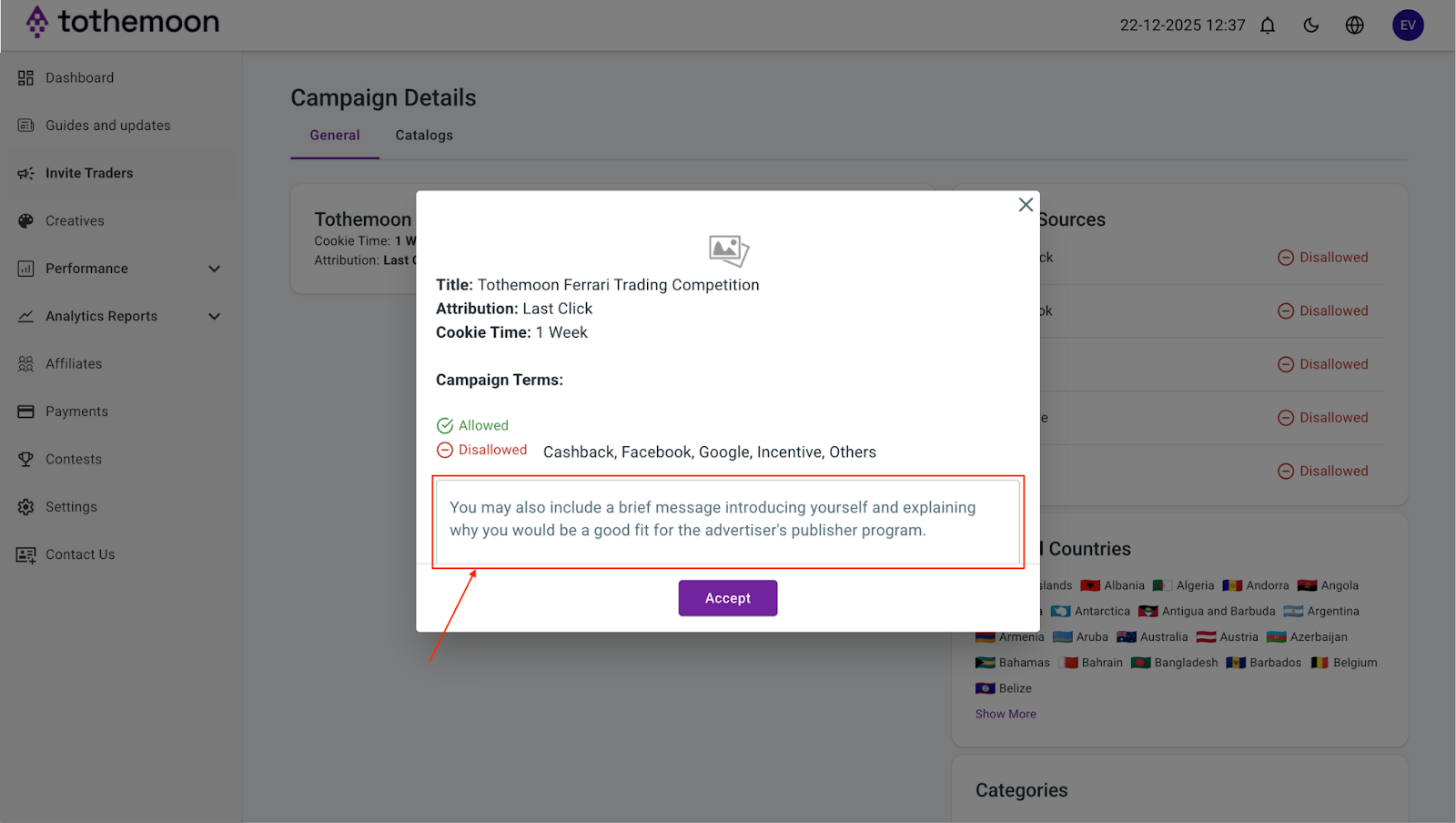
Step 10: Accept the Terms
Click the “Accept” button to join the campaign.
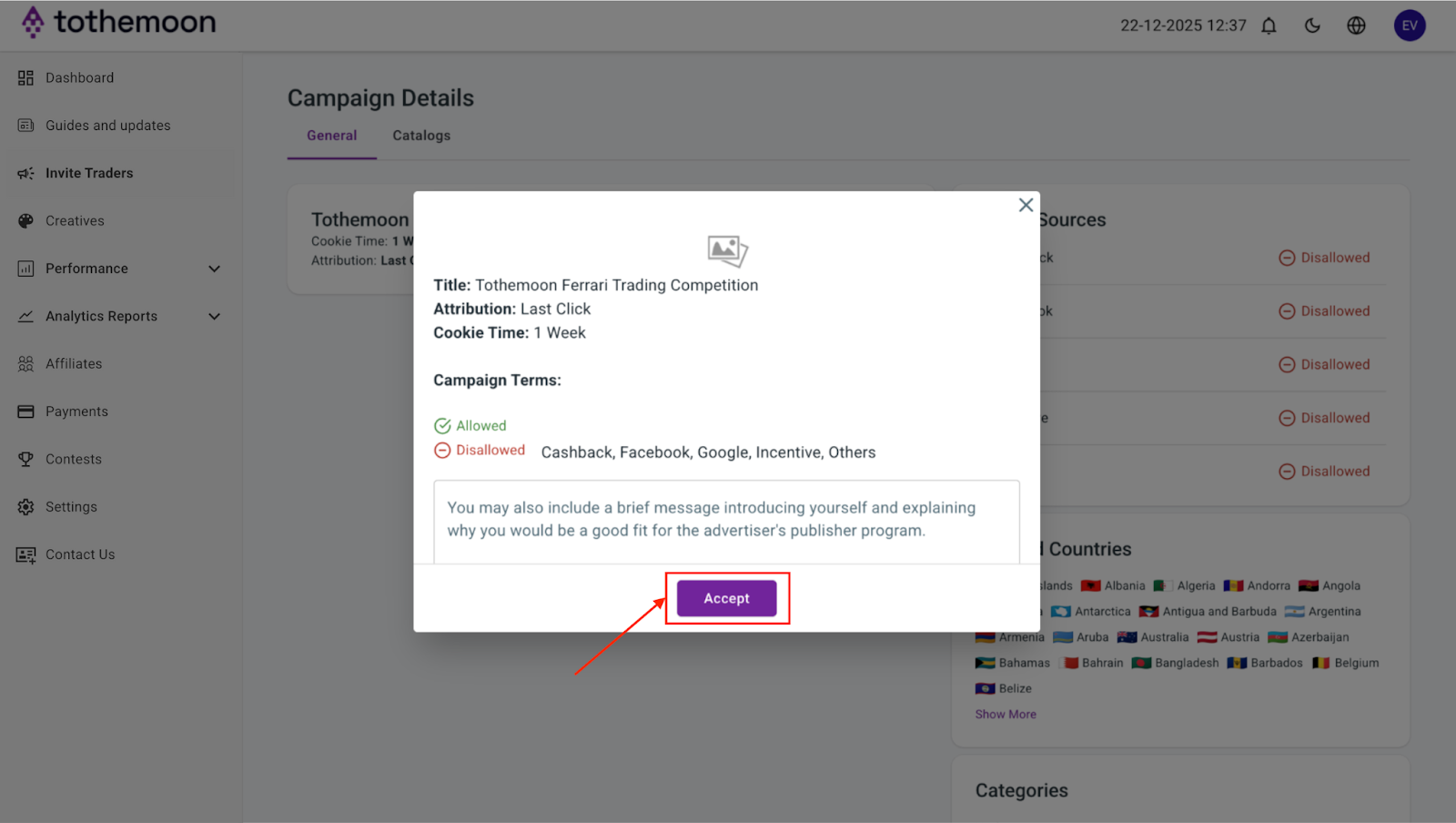
Step 11: Get Your Unique Tracking Link
Once accepted, a “Tracking URL” section will appear. There you can see your unique affiliate link, a special link that tells Tothemoon that visitors came from you, so you get credit for referrals.
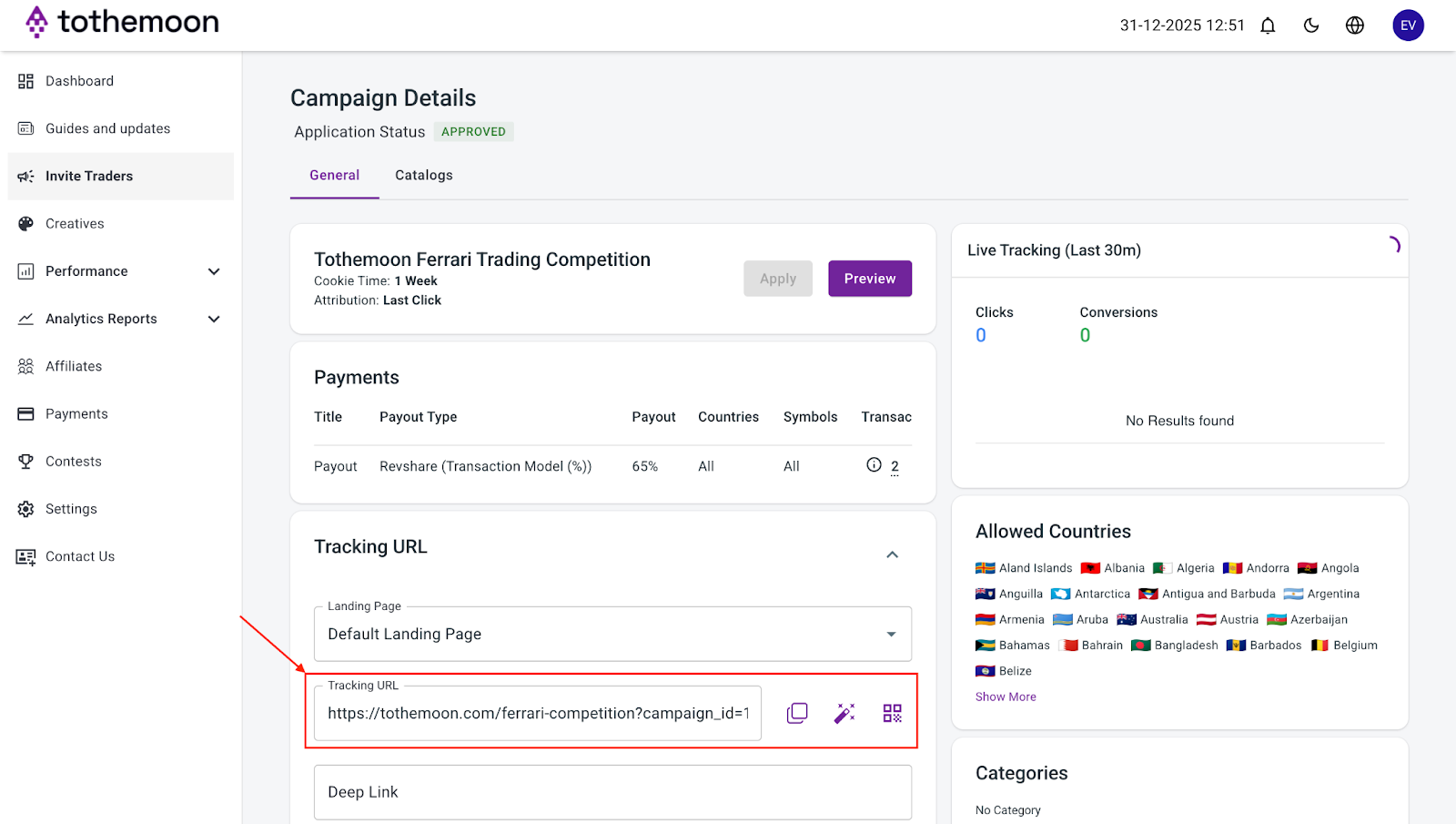
Step 12: Copy Your Link
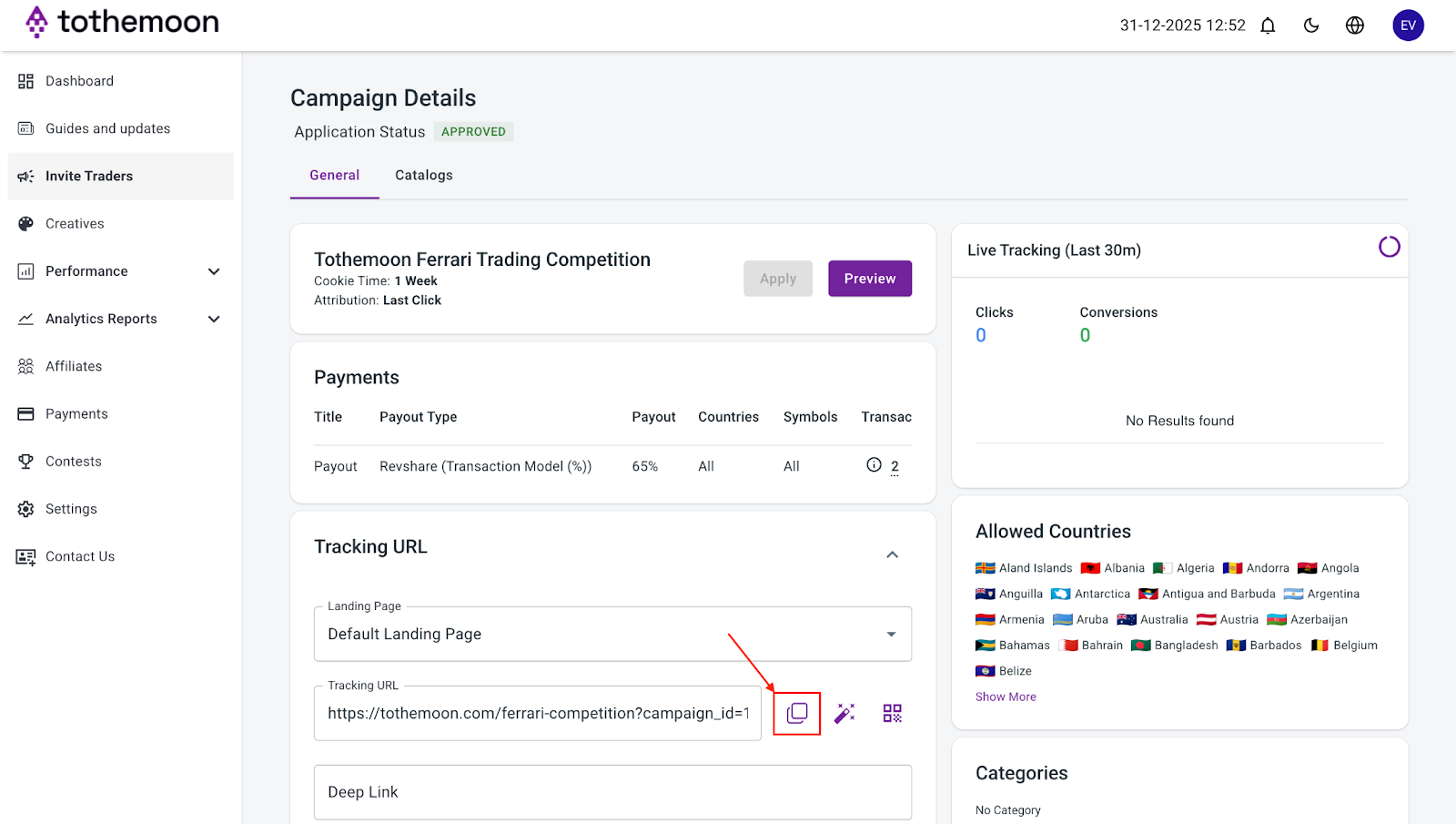
Copy your unique tracking URL and share it wherever you want to invite people to join Tothemoon.
Step 13: Get a Short Link or QR Code (Optional)
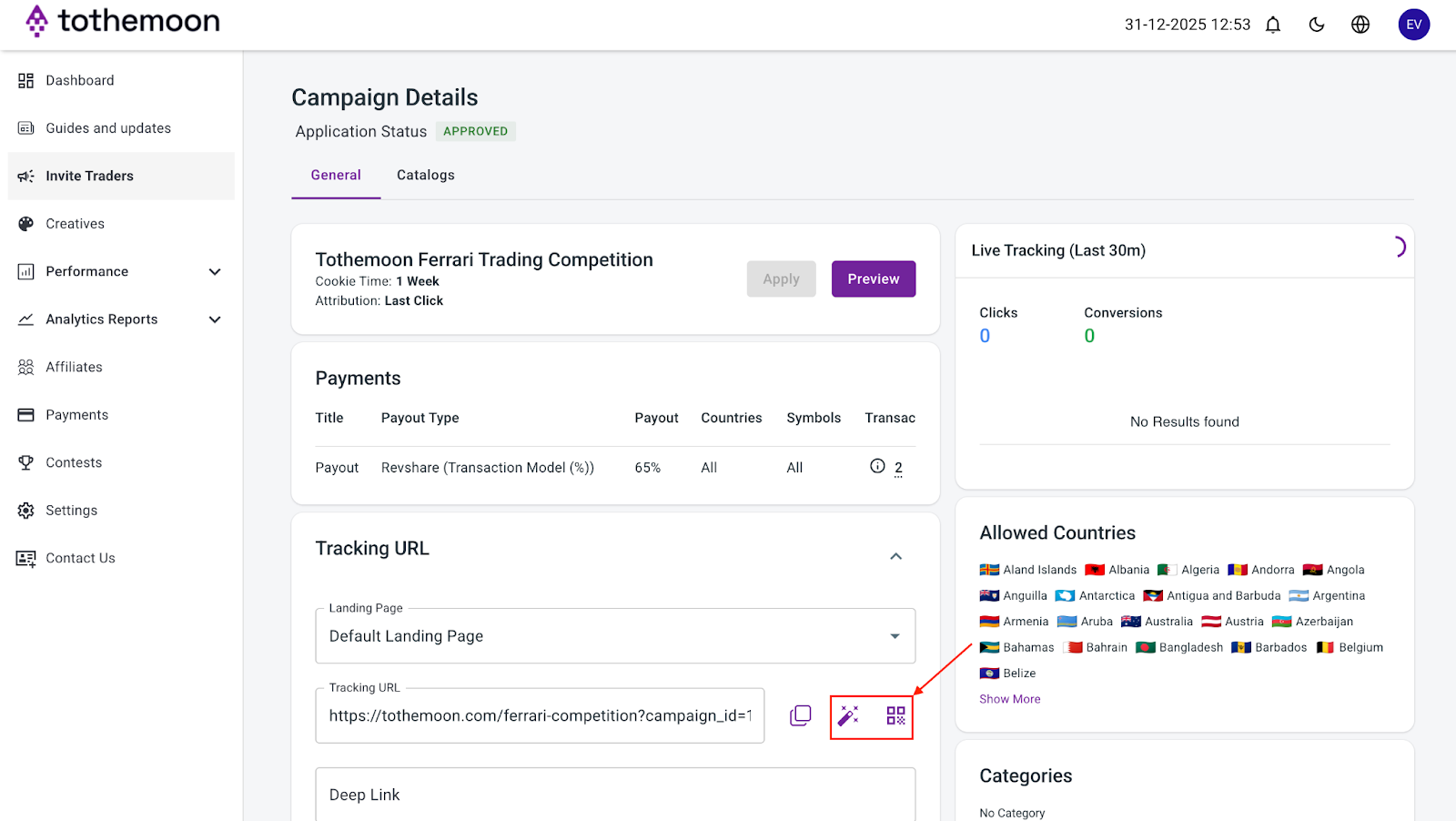
Next to your link, you can generate a short link or QR code by clicking the small icons. Hover over each icon to see what it does.
Step 14: Set Up Advanced Tracking (Optional)
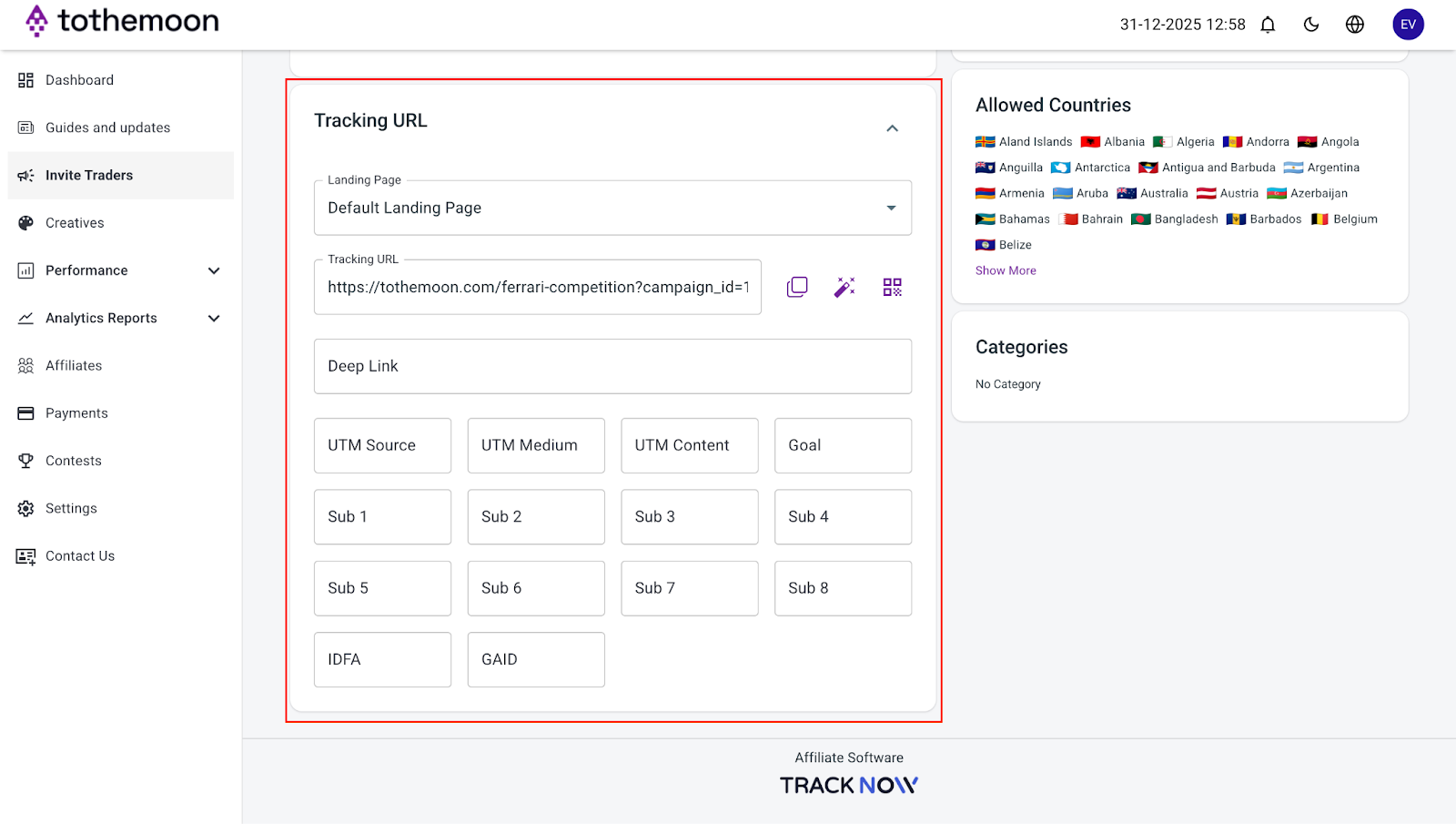
Below your Tracking URL, you may see extra fields like:
- Deep Link
- UTM Source, Medium, Content, Goal
- Sub 1–Sub 8
- IDFA / GAID
These fields are optional tracking tools. You do not need to fill them in to start earning as an affiliate. Your link will work perfectly fine even if you leave everything empty. To learn how to utilize each one of these tools, check out our guide on How to Use Analytics Tools to Track and Improve Your Affiliate Performance.
Step 14: Start Sharing Your Link
Now you’re ready to share your link with friends, on social media, or anywhere you want. Traffic sources mean places where you share your link, like Instagram, email, or websites.
Step 15: Track Your Link’s Performance
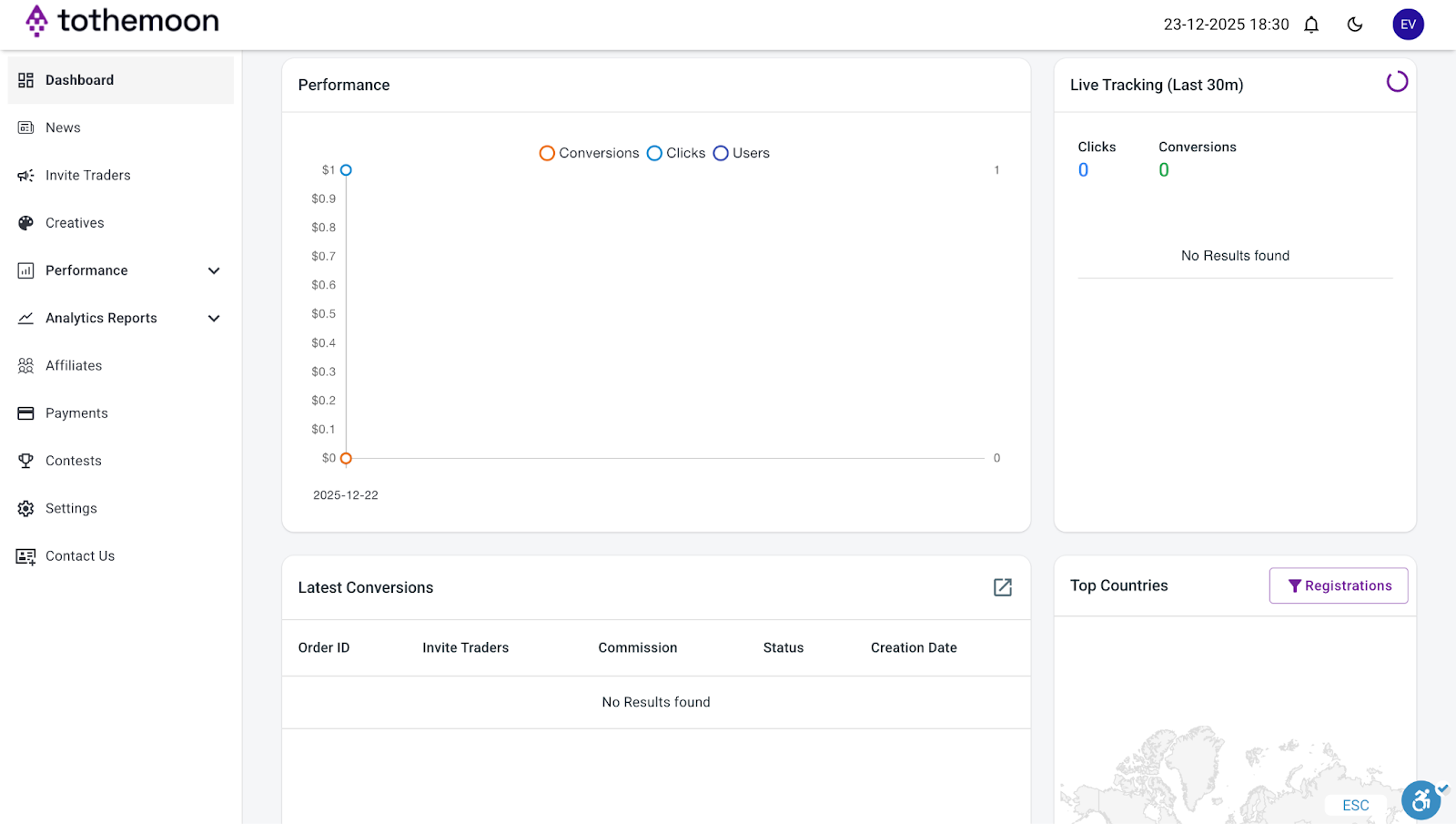
Go back to your dashboard and scroll down to see how many clicks, commissions, and clients your link has generated. You can also see live tracking data, recent conversions, and top countries where your traffic is coming from.

Risk Disclosure Statement
.jpeg)


.svg)
.svg)
.svg)
%20(1).png)
.png)
.png)
.png)