
.svg)
.png)
How to Use Analytics Tools to Track and Improve Your Affiliate Performance
Where to Find Your Analytics
When you log into your Tothemoon affiliate account, you’ll see a structured dashboard with several analytics sections.
Your performance data is organized into three main areas:
- “Dashboard”: quick overview and live activity
- “Performance”: conversion-level performance data
- “Analytics Reports”: detailed user and financial insights
Each section serves a different purpose and works together to give you a full picture of your affiliate activity.
1. Dashboard Overview
The “Dashboard” is your starting point and gives you a high-level snapshot of performance. You can filter it by specific time period
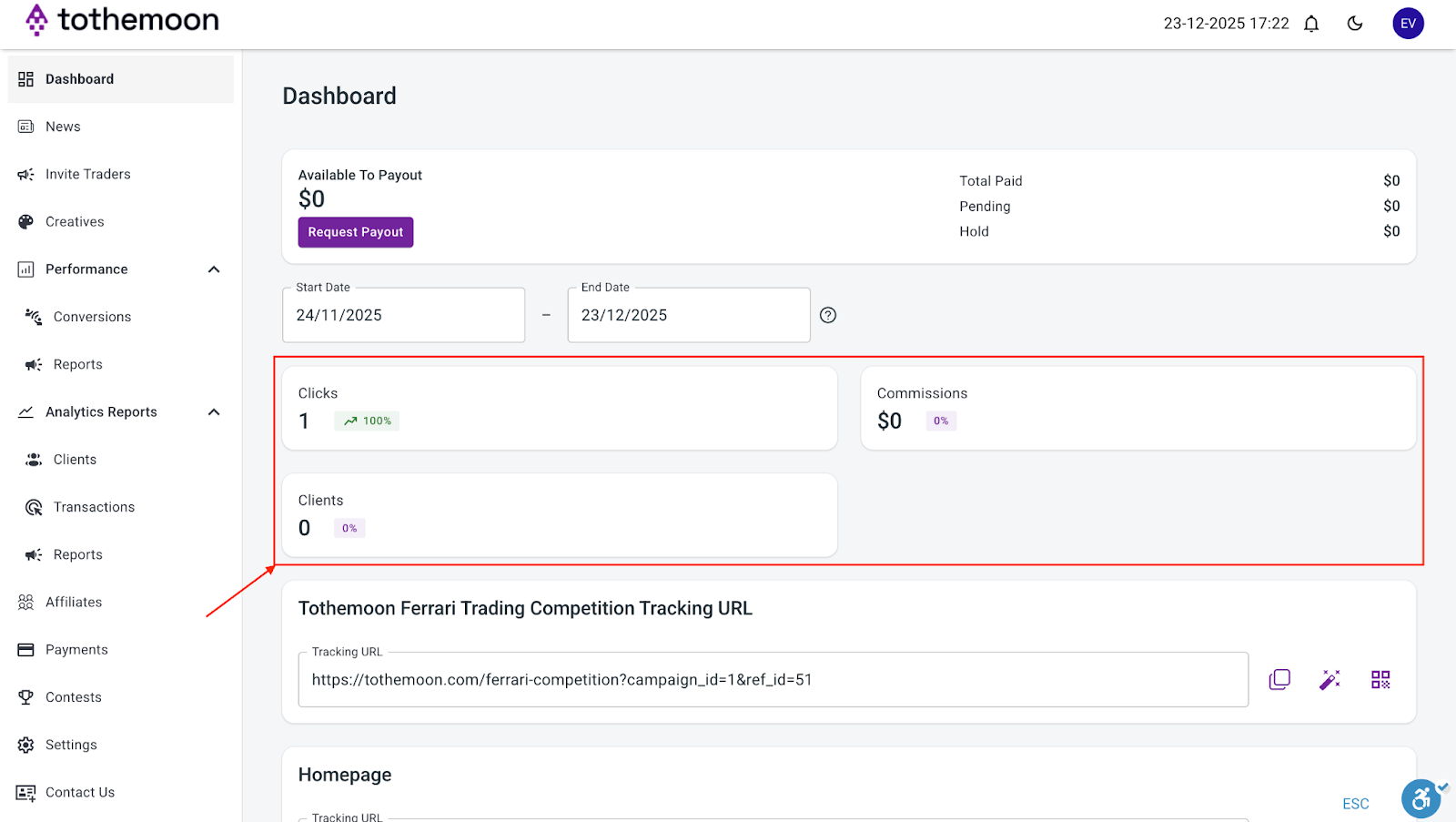
Here you can:
- See clicks, commissions, and clients summaries
- Monitor recent activity
- Confirm that your affiliate links are working
This section is ideal for quick checks and includes:
Clicks
Clicks show how many times users clicked your affiliate link from any source (social media, website, messages, etc.). Confirms your link is active and shows initial interest in your content,
Clicks alone do not generate earnings and seeing clicks without earnings is normal.
Clients
Clients show how many unique users have clicked on your link. This helps differentiate whether users come back to your affiliate link to interact with it again.
Conversions
A conversion happens when a user who clicked your affiliate link completes a tracked action (such as registration or trading activity that qualifies for commission). Conversions show traffic quality and indicate whether your audience is relevant.
When you see clicks with conversions, it’s a sign of good targeting, whereas clicks without conversions may mean the audience you are sharing your link with may not be ready or relevant.
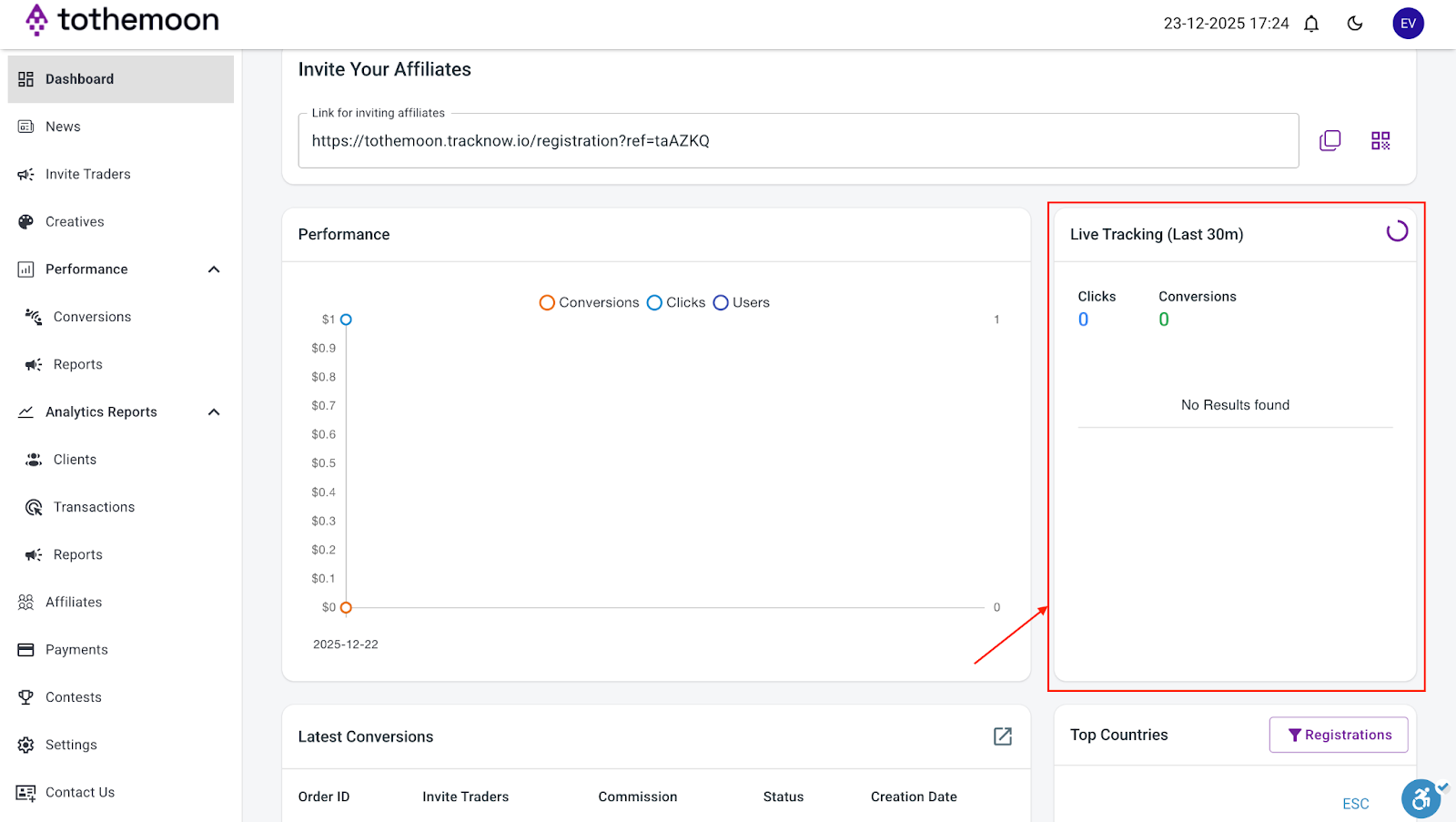
Live Tracking (Last 30 Minutes)
Live Tracking shows recent clicks and conversions from the last 30 minutes and can be useful to test links after posting and confirm traffic immediately after sharing content.
Live Tracking is informational only and does not affect earnings.
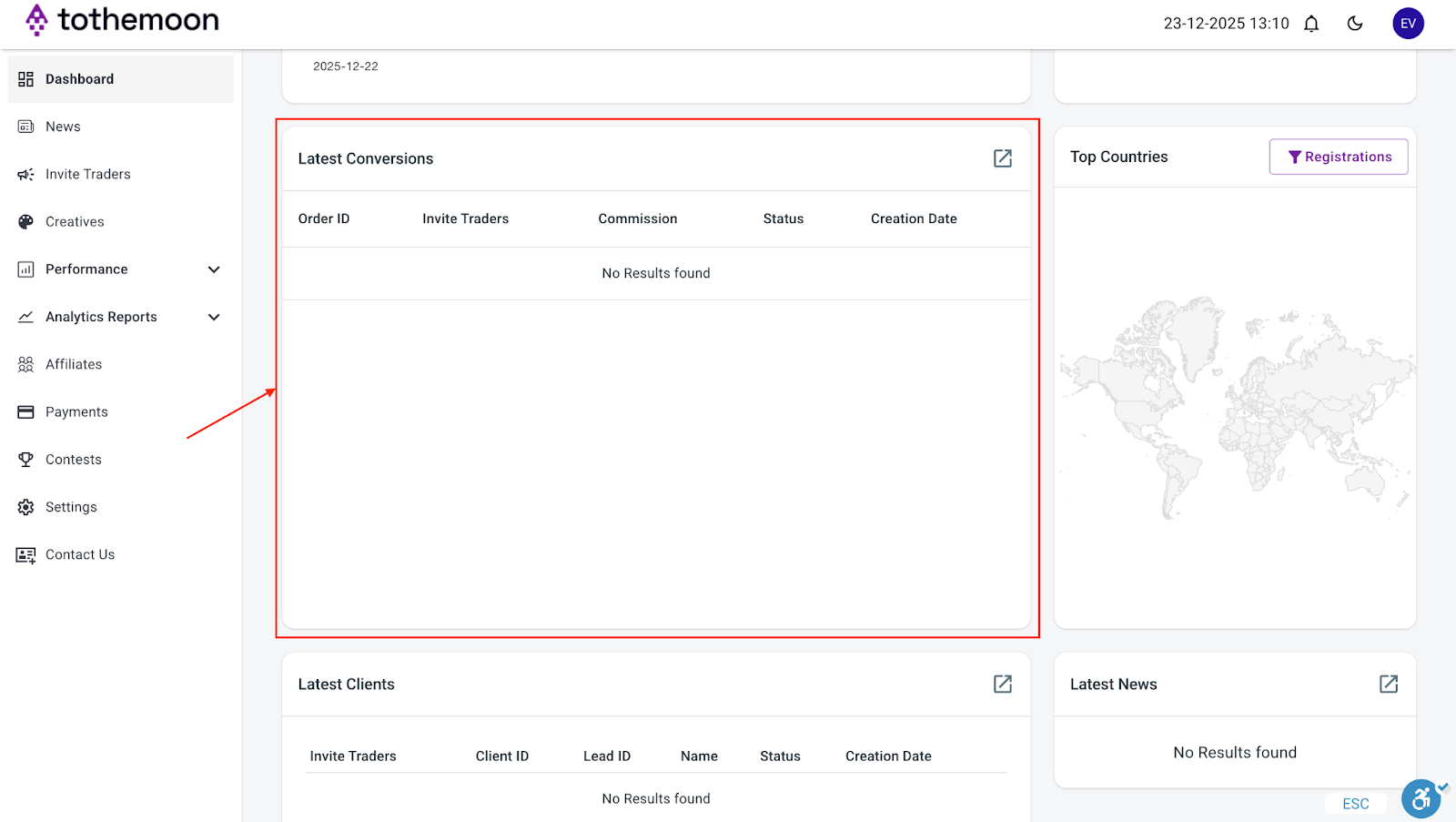
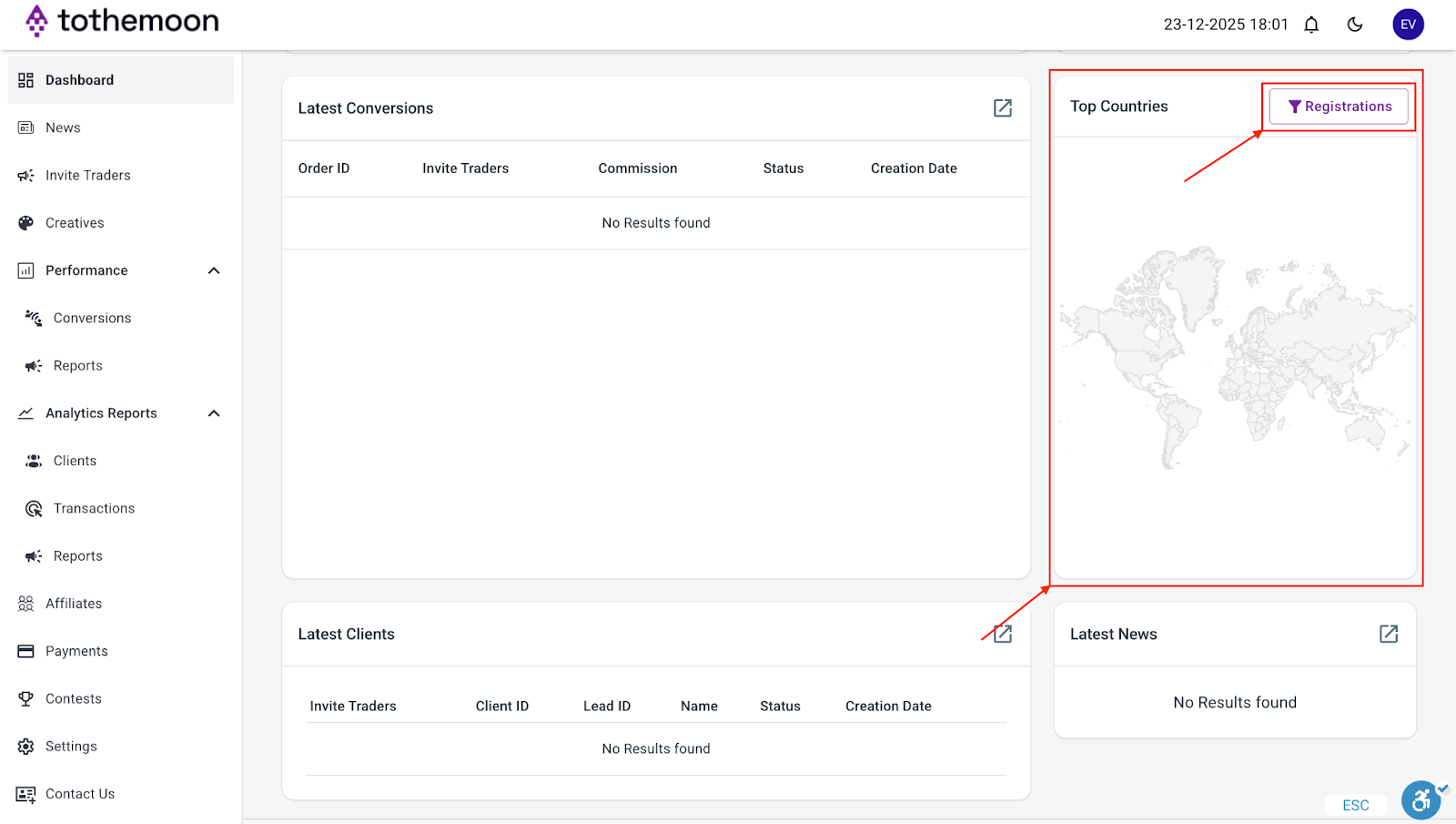
Latest Conversions
Shows a table with:
- Order ID
- Invite Traders: the campaign through which the user joined
- Commission: the amount you have earned from a specific conversion
- Status
- Creation Date: date of the conversion
If you see “No results found”, it simply means no conversions have occurred yet.
Top Countries
This widget shows where your referral traffic turns into conversions the most and helps identify where your content performs best. You can choose between two types of conversion for tracking: “Registrations” or “FTD (First Time Deposit)”.
2. Performance Section (Conversions & Reports)
The “Performance” section is where you move from overview to actionable performance data.
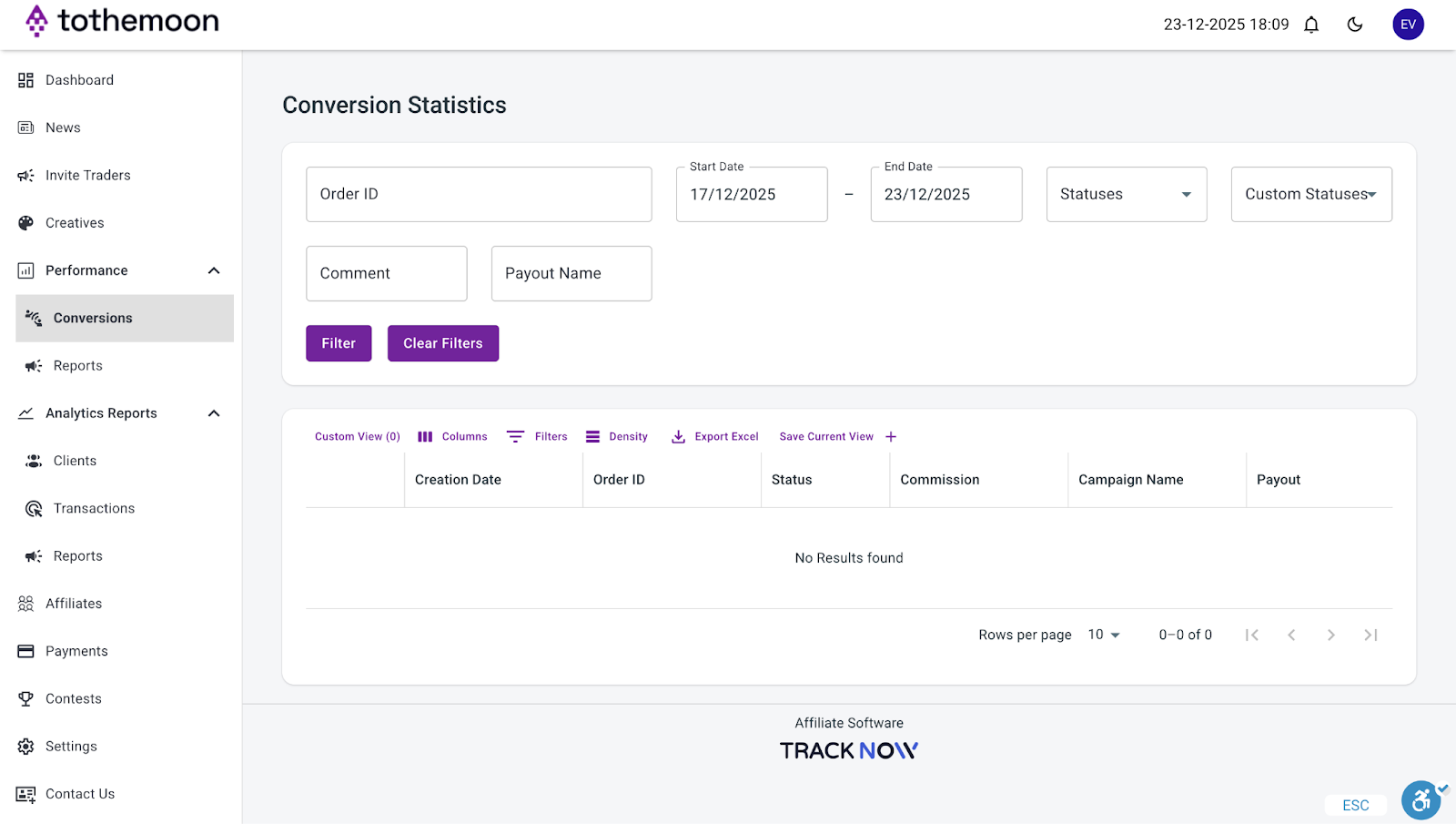
Conversions
This section shows individual filterable conversion records, including:
- Order ID
- Status
- Commission: the amount you have earned from a specific conversion
- Campaign name: the campaign through which the user joined
- Creation Date: date of the conversion
- Payout: if the payout has been completed
You can use this section to verify that conversions are tracked correctly, review conversion status (pending, approved, etc.) and export conversion data if needed.
If no results appear, it means no qualifying conversions occurred in the selected date range.
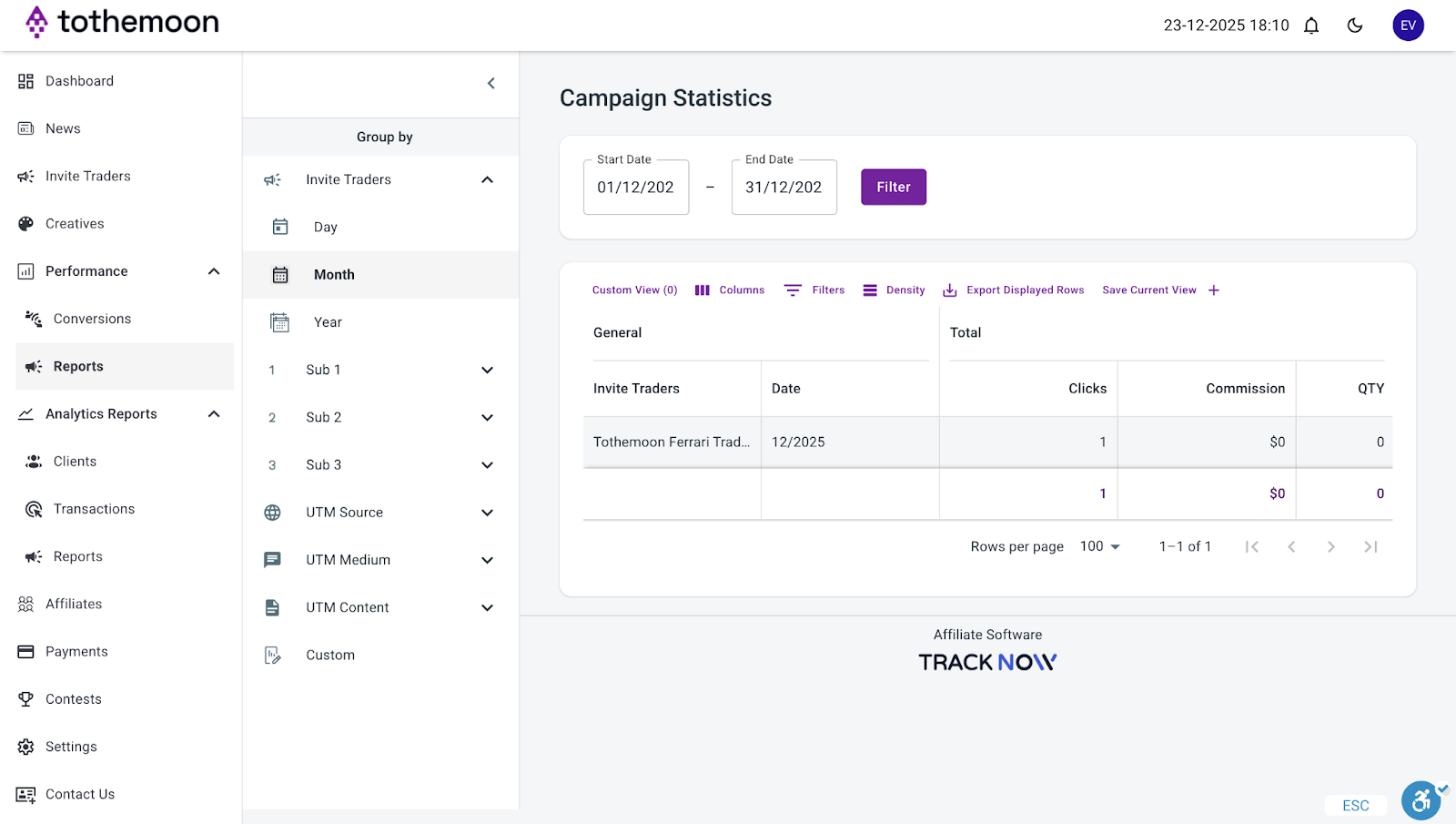
Reports
This area provides financial summaries on commissions you earned and clicks generated. Here you can:
- Filter by date range
- Group results by campaign or time period
- Export reports for analysis or record-keeping
This section is useful for weekly or monthly reviews, not real-time tracking.
3. Analytics Reports (Clients, Transactions & Reports)
The “Analytics Reports” section provides deeper insight into users and commissions.
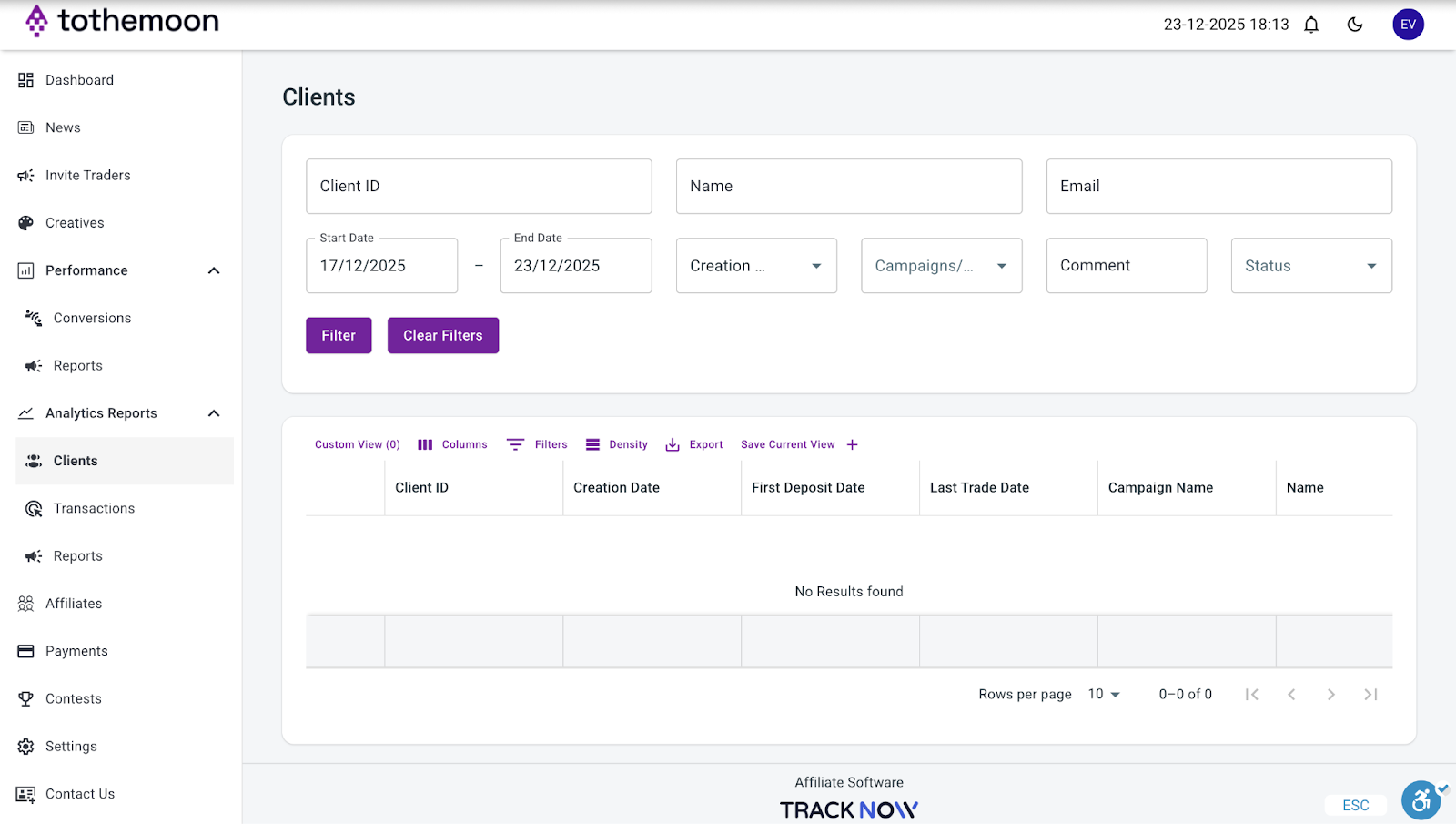
Clients
This section shows users who registered through your affiliate links.
Available data includes:
- Client ID
- Registration date: when the client registered
- First deposit date: when the client made the first deposit
- Last trade date: when the client performed their last trade
- Campaign name: the campaign through which the user joined
- Name
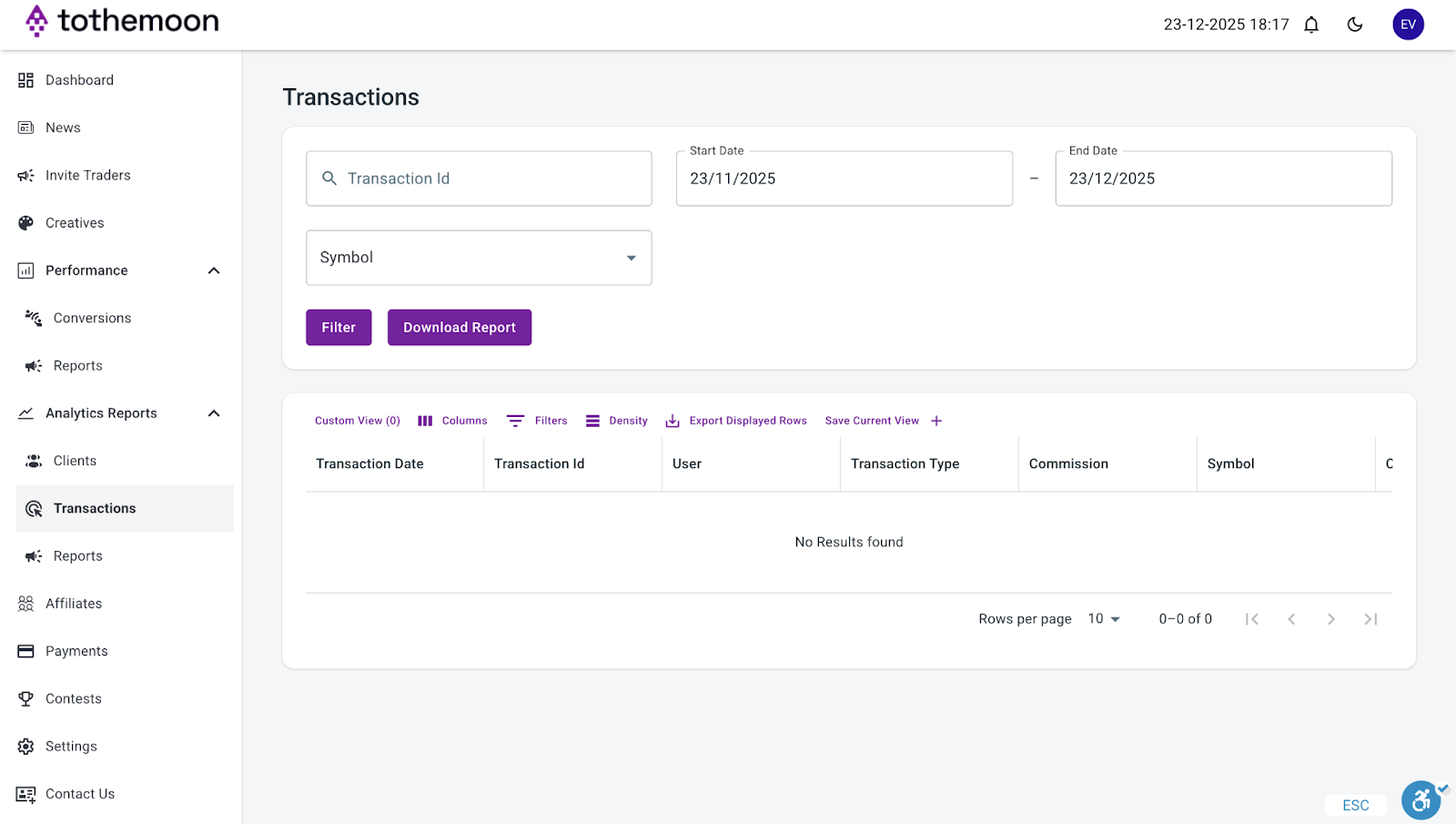
Transactions
This section shows financial transactions related to commissions, including:
- Transaction ID
- Transaction Date: when the transaction took place
- User: the user who performed this transaction
- Transaction Type
- Commission: the amount you have earned from the said transaction
- Symbol: the currency
- Comment
- Payout: if the payout has been completed
You can use this section to track commission payments, confirm commission calculations and download transaction reports.
Reports
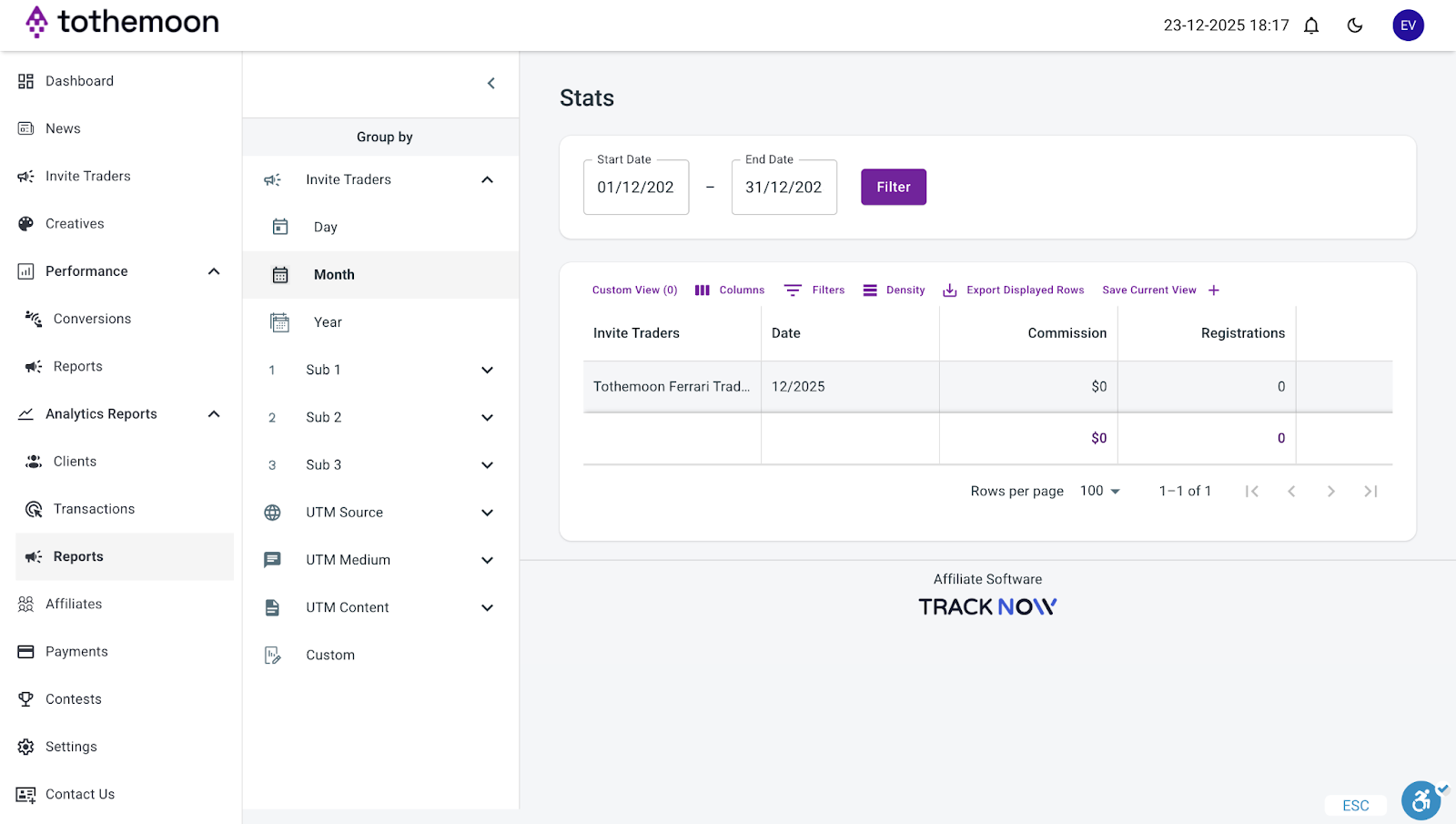
This area provides financial summaries on commissions you earned and clicks generated. Here you can:
- Filter by date range
- Group results by campaign or time period
- Export reports for analysis or record-keeping
It’s ideal for monthly performance reviews, accounting and reconciliation and high-level financial analysis.
Advanced Tracking Tools (Optional)
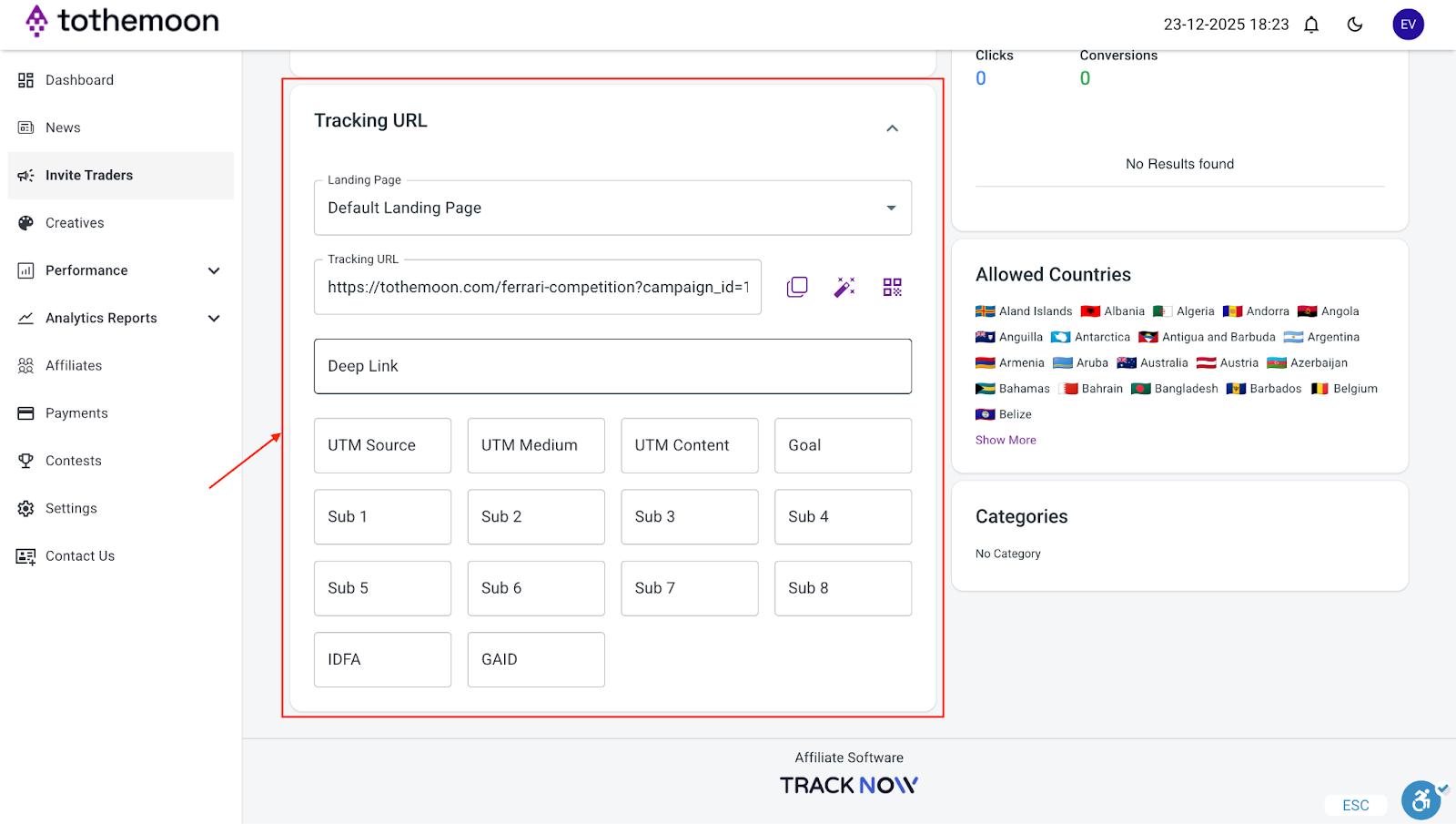
In the “Invite Traders” section, below your Tracking URL, you may see optional tracking fields. Your affiliate link works fully even if all fields are left empty.
Deep Link
Sends users to a specific page instead of the default landing page. You can use it when promoting a specific feature or page. If unsure, leave it empty.
UTM Parameters (Source, Medium, Content, Goal)
UTMs help identify where traffic comes from.
Example:
- Source: twitter
- Medium: post
- Content: ferrari_campaign
UTMs are optional.
Sub IDs (Sub 1–Sub 8)
Custom labels to compare traffic sources.
Example:
- Sub 1: telegram
- Sub 2: website
- Sub 3: email
You can use these to help identify which source converts best.
IDFA / GAID
Mobile advertising identifiers for paid campaigns. Most affiliates do not need these.

Risk Disclosure Statement
.jpeg)


.svg)
.svg)
.svg)
%20(1).png)
.png)
.png)
.png)